
This is the BETA release for Linux Mint 22.2 “Zara”.
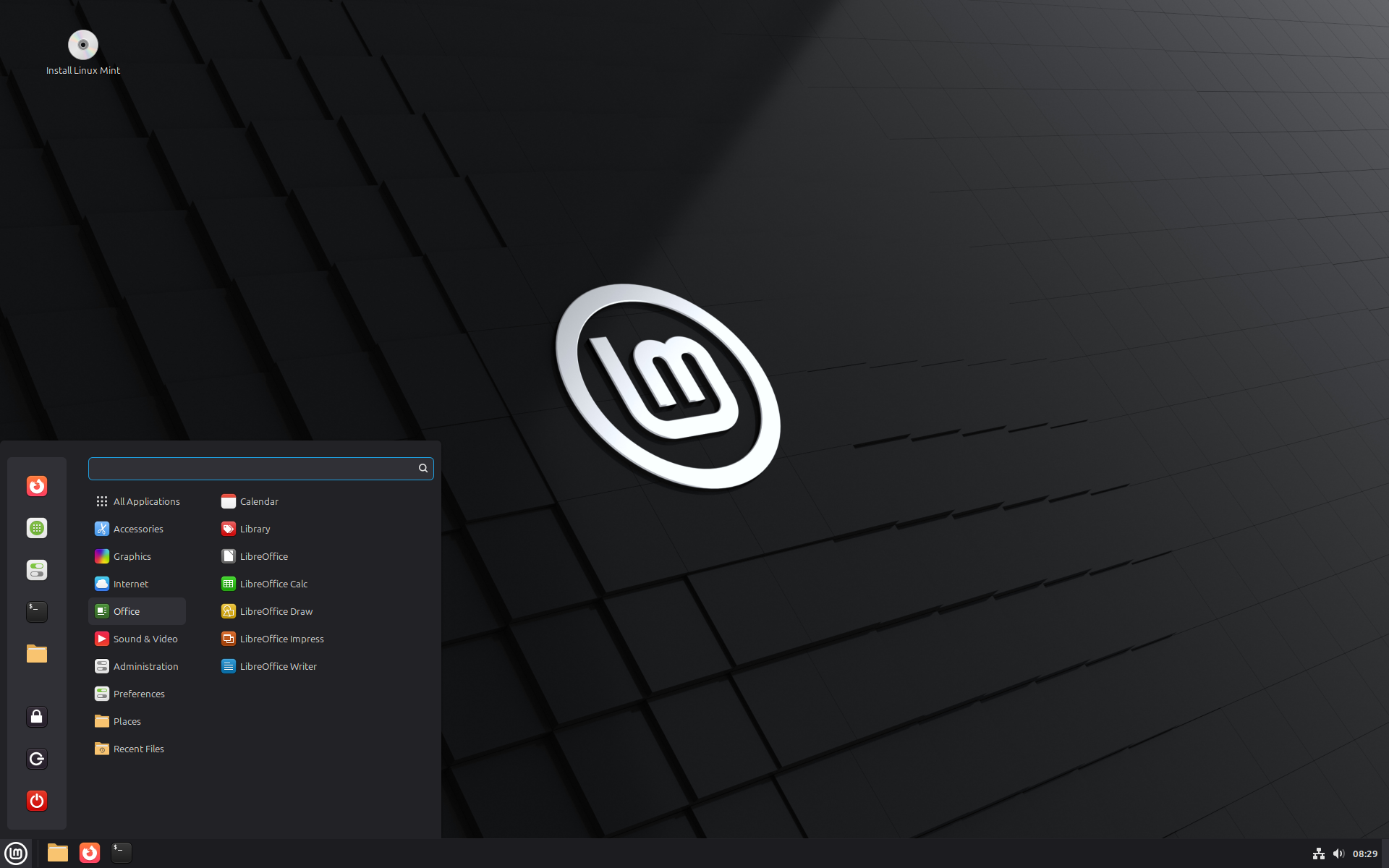
Linux Mint 22.2 is a long term support release which will be supported until 2029. It comes with updated software and brings refinements and many new features to make your desktop even more comfortable to use.
New features:
This new version of Linux Mint contains many improvements.
For an overview of the new features please visit:
“What’s new in Linux Mint 22.2“.
Important info:
The release notes provide important information about known issues, as well as explanations, workarounds and solutions.
To read the release notes, please visit:
System requirements:
- 2GB RAM (4GB recommended for a comfortable usage).
- 20GB of disk space (100GB recommended).
- 1024×768 resolution (on lower resolutions, press ALT to drag windows with the mouse if they don’t fit in the screen).
Upgrade instructions:
- This BETA release might contain critical bugs, please only use it for testing purposes and to help the Linux Mint team fix issues prior to the stable release.
- Upgrade instructions will be published after the stable release of Linux Mint 22.2.
- It will be possible to upgrade from this BETA to the stable release.
- It will also be possible to upgrade from Linux Mint 22.1.
Bug reports:
- Bugs in this release should be reported on Github at https://github.com/linuxmint/mint22.2-beta.
- Create one issue per bug.
- As described in the Linux Mint Troubleshooting Guide, do not report or create issues for observations.
- Be as accurate as possible and include any information that might help developers reproduce the issue or understand the cause of the issue:
- Bugs we can reproduce, or which cause we understand are usually fixed very easily.
- It is important to mention whether a bug happens “always”, or “sometimes”, and what triggers it.
- If a bug happens but didn’t happen before, or doesn’t happen in another distribution, or doesn’t happen in a different environment, please mention it and try to pinpoint the differences at play.
- If we can’t reproduce a particular bug and we don’t understand its cause, it’s unlikely we’ll be able to fix it.
- The BETA phase is literally a bug squashing rush, where the team is extremely busy and developers try to fix as many bugs as fast as possible.
- There usually are a huge number of reports and very little time to answer everyone or explain why a particular report is not considered a bug, or won’t get fixed. Don’t let this frustrate you, whether it’s acknowledged or not, we appreciate everyone’s help.
Download links:
Cinnamon Edition:
- Torrent https://linuxmint.com/torrents/linuxmint-22.2-cinnamon-64bit-beta.iso.torrent
- World Cicku
- World Linux Mint
- World Rackers
- Canada Manitoba Unix User Group
- Canada University of Waterloo Computer Science Club
- USA advancedhosters.com
- USA Clarkson University
- USA Fremont Cabal Internet Exchange
- USA GigeNET
- USA Harvard School of Engineering
- USA Hoobly
- USA James Madison University
- USA kernel.org
- USA Lancaster-Lebanon Intermediate Unit 13
- USA MIRhosting
- USA Open Computing Facility at UC Berkeley
- USA Purdue Linux Users Group
- USA Sonic
- USA Team Cymru
- USA TeraSwitch
- USA US Internet
- USA XMission Internet
- Belarus ByFly
- Belgium Unix-Solutions
- Bulgaria IPACCT
- Bulgaria Telepoint
- Bulgaria University of Ruse
- Czech Republic CZ.NIC
- Czech Republic IT4Innovations National Supercomputing Center
- Czech Republic UPC Ceska republika
- Czech Republic Webglobe
- Denmark c0urier.net
- Denmark Dotsrc.org
- Denmark KLID
- France CNRS IBCP
- France Crifo.org
- France Johnnybegood
- France Université de Reims
- Germany c48.uk
- Germany dogado GmbH
- Germany Friedrich-Alexander-University of Erlangen-Nuremberg
- Germany Funkfreunde Landshut e.V.
- Germany GWDG
- Germany Hochschule Esslingen University of Applied Sciences
- Germany IPB Internet Provider in Berlin GmbH
- Germany NetCologne GmbH
- Germany Netzwerge GmbH
- Germany PyrateLAN.party
- Germany University of Frankfurt
- Germany wilhelm.tel GmbH
- Greece GreekLUG
- Greece University of Crete
- Hungary Quantum Mirror
- Ireland Webworld
- Italy GARR
- Latvia koyanet.lv
- Moldova iHost
- Netherlands Evoluso.com
- Netherlands LiteServer
- Netherlands MIRhosting
- Netherlands NLUUG
- Netherlands Triple IT
- Poland ICM – University of Warsaw
- Poland Poznan Supercomputing and Networking Center
- Portugal FCCN
- Portugal PTISP
- Portugal RNL – Técnico Lisboa
- Portugal Universidade do Porto
- Romania Hosterion
- Romania Hostico
- Romania Orange Romania
- Russia HyperDedic
- Russia Powernet ISP
- Russia Yandex Team
- Serbia SOX
- Serbia University of Kragujevac
- Spain Aire Networks
- Spain Oficina de Software Libre do Cixug
- Spain Raiola Networks
- Sweden Academic Computer Club
- Sweden Bahnhof
- Sweden Brain Drain Lan
- Sweden Infania Networks
- Sweden Zetup
- Switzerland GoFOSS
- Switzerland Init7
- Switzerland Metanet.ch
- Turkey ekiphost
- Turkey Guzel Hosting
- Turkey Linux Kullanicilari Dernegi
- Turkey Verinomi
- Ukraine Distrohub
- Ukraine Hostiko
- Ukraine IP-Connect LLC
- United Kingdom c48.uk
- United Kingdom QuickHost
- United Kingdom Server.net
- United Kingdom UK Dedicated Servers
- United Kingdom UKFast
- United Kingdom University of Kent UK Mirror Service
- United Kingdom VineHost
- Azerbaijan OUR.Technology
- Bangladesh XeonBD
- China Alibaba Cloud
- China Beijing Foreign Studies University
- China Nanjing University
- China Shanghai Jiao Tong University Linux User Group (SJTUG)
- China TUNA
- China University of Science and Technology of China Linux User Group
- Hong Kong KoDDoS
- India Albony Network
- India NxtGen DataCenter
- India PicoNets-WebWerks
- Indonesia DatautamaNET
- Indonesia Heru.id
- Japan ICSCoE
- Japan repo.jing.rocks
- Japan Yamagata University
- Kazakhstan Hoster.kz
- Kazakhstan PS Internet Company LLC
- Singapore Freedif
- Singapore jingk.ai
- South Korea Archive of Siwoo
- South Korea Jeonnam High School
- South Korea KAIST
- Taiwan Taiwan Digital Streaming Co.
- Thailand Khon Kaen University
- Vietnam Clearsky
- Vietnam MeowSMP.net
- Australia AARNet
- New Zealand University of Canterbury
- Argentina Zero.com.ar
- Brazil C3SL
- Chile Universidad de La Frontera
- Ecuador CEDIA
- Botswana Retention Range
- Kenya Liquid Telecom
- Mauritius cloud.mu
- South Africa Dimension Data
- South Africa University of Free State
Xfce Edition:
- Torrent https://linuxmint.com/torrents/linuxmint-22.2-xfce-64bit-beta.iso.torrent
- World Cicku
- World Linux Mint
- World Rackers
- Canada Manitoba Unix User Group
- Canada University of Waterloo Computer Science Club
- USA advancedhosters.com
- USA Clarkson University
- USA Fremont Cabal Internet Exchange
- USA GigeNET
- USA Harvard School of Engineering
- USA Hoobly
- USA James Madison University
- USA kernel.org
- USA Lancaster-Lebanon Intermediate Unit 13
- USA MIRhosting
- USA Open Computing Facility at UC Berkeley
- USA Purdue Linux Users Group
- USA Sonic
- USA Team Cymru
- USA TeraSwitch
- USA US Internet
- USA XMission Internet
- Belarus ByFly
- Belgium Unix-Solutions
- Bulgaria IPACCT
- Bulgaria Telepoint
- Bulgaria University of Ruse
- Czech Republic CZ.NIC
- Czech Republic IT4Innovations National Supercomputing Center
- Czech Republic UPC Ceska republika
- Czech Republic Webglobe
- Denmark c0urier.net
- Denmark Dotsrc.org
- Denmark KLID
- France CNRS IBCP
- France Crifo.org
- France Johnnybegood
- France Université de Reims
- Germany c48.uk
- Germany dogado GmbH
- Germany Friedrich-Alexander-University of Erlangen-Nuremberg
- Germany Funkfreunde Landshut e.V.
- Germany GWDG
- Germany Hochschule Esslingen University of Applied Sciences
- Germany IPB Internet Provider in Berlin GmbH
- Germany NetCologne GmbH
- Germany Netzwerge GmbH
- Germany PyrateLAN.party
- Germany University of Frankfurt
- Germany wilhelm.tel GmbH
- Greece GreekLUG
- Greece University of Crete
- Hungary Quantum Mirror
- Ireland Webworld
- Italy GARR
- Latvia koyanet.lv
- Moldova iHost
- Netherlands Evoluso.com
- Netherlands LiteServer
- Netherlands MIRhosting
- Netherlands NLUUG
- Netherlands Triple IT
- Poland ICM – University of Warsaw
- Poland Poznan Supercomputing and Networking Center
- Portugal FCCN
- Portugal PTISP
- Portugal RNL – Técnico Lisboa
- Portugal Universidade do Porto
- Romania Hosterion
- Romania Hostico
- Romania Orange Romania
- Russia HyperDedic
- Russia Powernet ISP
- Russia Yandex Team
- Serbia SOX
- Serbia University of Kragujevac
- Spain Aire Networks
- Spain Oficina de Software Libre do Cixug
- Spain Raiola Networks
- Sweden Academic Computer Club
- Sweden Bahnhof
- Sweden Brain Drain Lan
- Sweden Infania Networks
- Sweden Zetup
- Switzerland GoFOSS
- Switzerland Init7
- Switzerland Metanet.ch
- Turkey ekiphost
- Turkey Guzel Hosting
- Turkey Linux Kullanicilari Dernegi
- Turkey Verinomi
- Ukraine Distrohub
- Ukraine Hostiko
- Ukraine IP-Connect LLC
- United Kingdom c48.uk
- United Kingdom QuickHost
- United Kingdom Server.net
- United Kingdom UK Dedicated Servers
- United Kingdom UKFast
- United Kingdom University of Kent UK Mirror Service
- United Kingdom VineHost
- Azerbaijan OUR.Technology
- Bangladesh XeonBD
- China Alibaba Cloud
- China Beijing Foreign Studies University
- China Nanjing University
- China Shanghai Jiao Tong University Linux User Group (SJTUG)
- China TUNA
- China University of Science and Technology of China Linux User Group
- Hong Kong KoDDoS
- India Albony Network
- India NxtGen DataCenter
- India PicoNets-WebWerks
- Indonesia DatautamaNET
- Indonesia Heru.id
- Japan ICSCoE
- Japan repo.jing.rocks
- Japan Yamagata University
- Kazakhstan Hoster.kz
- Kazakhstan PS Internet Company LLC
- Singapore Freedif
- Singapore jingk.ai
- South Korea Archive of Siwoo
- South Korea Jeonnam High School
- South Korea KAIST
- Taiwan Taiwan Digital Streaming Co.
- Thailand Khon Kaen University
- Vietnam Clearsky
- Vietnam MeowSMP.net
- Australia AARNet
- New Zealand University of Canterbury
- Argentina Zero.com.ar
- Brazil C3SL
- Chile Universidad de La Frontera
- Ecuador CEDIA
- Botswana Retention Range
- Kenya Liquid Telecom
- Mauritius cloud.mu
- South Africa Dimension Data
- South Africa University of Free State
MATE Edition:
- Torrent https://linuxmint.com/torrents/linuxmint-22.2-mate-64bit-beta.iso.torrent
- World Cicku
- World Linux Mint
- World Rackers
- Canada Manitoba Unix User Group
- Canada University of Waterloo Computer Science Club
- USA advancedhosters.com
- USA Clarkson University
- USA Fremont Cabal Internet Exchange
- USA GigeNET
- USA Harvard School of Engineering
- USA Hoobly
- USA James Madison University
- USA kernel.org
- USA Lancaster-Lebanon Intermediate Unit 13
- USA MIRhosting
- USA Open Computing Facility at UC Berkeley
- USA Purdue Linux Users Group
- USA Sonic
- USA Team Cymru
- USA TeraSwitch
- USA US Internet
- USA XMission Internet
- Belarus ByFly
- Belgium Unix-Solutions
- Bulgaria IPACCT
- Bulgaria Telepoint
- Bulgaria University of Ruse
- Czech Republic CZ.NIC
- Czech Republic IT4Innovations National Supercomputing Center
- Czech Republic UPC Ceska republika
- Czech Republic Webglobe
- Denmark c0urier.net
- Denmark Dotsrc.org
- Denmark KLID
- France CNRS IBCP
- France Crifo.org
- France Johnnybegood
- France Université de Reims
- Germany c48.uk
- Germany dogado GmbH
- Germany Friedrich-Alexander-University of Erlangen-Nuremberg
- Germany Funkfreunde Landshut e.V.
- Germany GWDG
- Germany Hochschule Esslingen University of Applied Sciences
- Germany IPB Internet Provider in Berlin GmbH
- Germany NetCologne GmbH
- Germany Netzwerge GmbH
- Germany PyrateLAN.party
- Germany University of Frankfurt
- Germany wilhelm.tel GmbH
- Greece GreekLUG
- Greece University of Crete
- Hungary Quantum Mirror
- Ireland Webworld
- Italy GARR
- Latvia koyanet.lv
- Moldova iHost
- Netherlands Evoluso.com
- Netherlands LiteServer
- Netherlands MIRhosting
- Netherlands NLUUG
- Netherlands Triple IT
- Poland ICM – University of Warsaw
- Poland Poznan Supercomputing and Networking Center
- Portugal FCCN
- Portugal PTISP
- Portugal RNL – Técnico Lisboa
- Portugal Universidade do Porto
- Romania Hosterion
- Romania Hostico
- Romania Orange Romania
- Russia HyperDedic
- Russia Powernet ISP
- Russia Yandex Team
- Serbia SOX
- Serbia University of Kragujevac
- Spain Aire Networks
- Spain Oficina de Software Libre do Cixug
- Spain Raiola Networks
- Sweden Academic Computer Club
- Sweden Bahnhof
- Sweden Brain Drain Lan
- Sweden Infania Networks
- Sweden Zetup
- Switzerland GoFOSS
- Switzerland Init7
- Switzerland Metanet.ch
- Turkey ekiphost
- Turkey Guzel Hosting
- Turkey Linux Kullanicilari Dernegi
- Turkey Verinomi
- Ukraine Distrohub
- Ukraine Hostiko
- Ukraine IP-Connect LLC
- United Kingdom c48.uk
- United Kingdom QuickHost
- United Kingdom Server.net
- United Kingdom UK Dedicated Servers
- United Kingdom UKFast
- United Kingdom University of Kent UK Mirror Service
- United Kingdom VineHost
- Azerbaijan OUR.Technology
- Bangladesh XeonBD
- China Alibaba Cloud
- China Beijing Foreign Studies University
- China Nanjing University
- China Shanghai Jiao Tong University Linux User Group (SJTUG)
- China TUNA
- China University of Science and Technology of China Linux User Group
- Hong Kong KoDDoS
- India Albony Network
- India NxtGen DataCenter
- India PicoNets-WebWerks
- Indonesia DatautamaNET
- Indonesia Heru.id
- Japan ICSCoE
- Japan repo.jing.rocks
- Japan Yamagata University
- Kazakhstan Hoster.kz
- Kazakhstan PS Internet Company LLC
- Singapore Freedif
- Singapore jingk.ai
- South Korea Archive of Siwoo
- South Korea Jeonnam High School
- South Korea KAIST
- Taiwan Taiwan Digital Streaming Co.
- Thailand Khon Kaen University
- Vietnam Clearsky
- Vietnam MeowSMP.net
- Australia AARNet
- New Zealand University of Canterbury
- Argentina Zero.com.ar
- Brazil C3SL
- Chile Universidad de La Frontera
- Ecuador CEDIA
- Botswana Retention Range
- Kenya Liquid Telecom
- Mauritius cloud.mu
- South Africa Dimension Data
- South Africa University of Free State
Integrity and authenticity checks:
Once you have downloaded an image, please verify its integrity and authenticity.
Anyone can produce fake ISO images, it is your responsibility to check you are downloading the official ones.
- Please read and follow the steps at https://linuxmint.com/verify.php
- Link to the sums: sha256sum.txt
- Link to the signed sums:sha256sum.txt.gpg
Enjoy!
We look forward to receiving your feedback. Many thanks in advance for testing the BETA!
Thank you
+1 thanks to the whole team!
Thank you Clem and devs of Linux Mint for the amazing work I appreciate the effort
In one place in notes there is info about GTK. This is no-go for some users (GTK4 started to use grey antyaliasing only and fonts are harder to read comparing to GTK3).
Very nice upgrade, I’m looking forward to it. I’m using Linux Mint on all three of my computers today and I’m really happy with it. Thank you all from me here in Sweden.
The monthly news from February mentioned a new app menu.
Will the new app menu be available in 22.2 or will we have to wait for Linux Mint 22.3?
Hi Frank,
We’ll have to wait for 22.3. The menu, the status applet and the wayland keyboard handling weren’t fully ready so we postponed the Cinnamon release and didn’t include it in 22.2.
Hello guys from the Mint team!
Will you include this menu soon in the next release of Mint, I thought we would likely to see in the 22.2
Because this menu is so so amazing! And a lot of people will like to see it soon.
Blessings from Mexico
Menu by Joseph:
https://blog.linuxmint.com/upload/2025/02/cinnamon-menu-744×760.png
postponed to 22.3
Boa tarde!
Esse novo menu é lindo demais, deveria vir instalado na versão 22.2 (aumentaria ainda mais a quantidade de usuários para o LM).
Outro ponto que deveria vir nesta atualização são os desfoques no menu, painel e os menus/popups.
O logo deveria ser mudado da cor verde para o azul que é o novo padrão do LM, ficaria mais coerente e mais estético visualmente.
Os ícones do menu e barra de tarefas deveria manter o layout origional dos aplicativos isntalados, cito como exemplo o google chrome, entre outros que ficam esteticamente modificados. Sei que dá para mudar em temas, mas vir como padrão melhoria ainda mais e deixaria mais moderno.
Para finalizar, quando o cinnamon é alterado de claro para escuro, o libreoffice fica estranho, com informações no cabeçalho desfocadas, dificultando a visualização das informações. Esse ponto deveria ser corrigido com urgência.
Good afternoon!
The new menu looks absolutely amazing and, in my opinion, it should come preinstalled by default in version 22.2, as it would certainly attract even more users to LM.
📸 Example of the new menu
Another improvement that would make a big difference is the addition of blur effects to the menu, panel, and menus/popups, giving the interface a more modern and refined look.
I also believe the logo should be updated: switching from green to blue, which is already the new visual standard for LM, would make the design more consistent and aesthetically pleasing.
The menu and taskbar icons should also retain the original layout of installed applications. Right now, programs like Google Chrome end up looking visually modified, which breaks consistency. I know this can be adjusted through themes, but having it as the default setting would make the system look even more polished and modern.
Finally, I’d like to highlight an important issue: when switching Cinnamon from light to dark mode, LibreOffice has header contrast problems, where text becomes blurred and difficult to read. This should be addressed as a priority since it directly impacts usability.
Cinnamenu is way better (last time I checked it was the 2nd most popular extension).
Details with screenshot are here
https://github.com/orgs/linuxmint/discussions/469
Will the XFCE version be updated to 4.20?
Not in Linux Mint 22. It is based on the 24.04 Ubuntu base, which won’t get XFCE 4.20 for the duration of its life. Ubuntu point releases do have XFCE 4.20 but Linux Mint always bases itself on Ubuntu LTS so the next version of Linux Mint that will have XFCE 4.20 will be the next major version (23) to be based on Ubuntu 26.04, which will be release April next year (and Linux Mint 23 will presumably follow a few months after that). The only desktop that is updated by a major version within a Linux Mint release is Cinnamon. The rest will at best only get minor version updates if Ubuntu releases them…
@Santosh
Linux Mint 21.2 shipped Xfce 4.18. So there is precedence of minor versions of Linux Mint getting DE upgrade aside from Cinnamon.
Thats about Xfce 4.20?
It’s shipped with 22.2?
To quote Clem:
“The version of Xfce is the same as in Ubuntu 24.04, i.e. 4.18”
Hello
Up to now, about 16 hours, LM 22.2 works as advertised. I am not a high intensity user but for what I use it for, it works very well. It also helps that I finally got rid of the screen blinking problem on my main laptop. That has prevented me from trying LM 22.x up to now. Seems some Intel drivers had problems with kernels 6.08+.
Anyway it’s all good now and the new version (even beta) really rocks.
Keep up the good work.
François Proulx, Longueuil, Québec, Canada
Amazing OS on my Apple discontinued MacBook Pro 2012. With 13 years of use, still works like new with Linux Mint. Since June, trying LMDE 6, waiting for version 7.
Calendar upgrade is nice, thanks.
Is there any way to not have Cinnamon’s modal dialogs/screen dimming? I use my PC mainly for living room gaming with a wireless controller, the modal dialog box blocks Steam’s onscreen keyboard, the modal dialog can’t be dragged out of the way and the dimming makes it difficult to read the keys that aren’t blocked. Is this just the direction desktop environments are going because of Wayland’s security model and we end users are simply stuck with it?
Great work and congratulations to all the team and collaborators! Looks awesome and thanks for the love put in the UI 💚
Very sad, but I will have to switch to Windows
I have been using Mint since 2012, but recently the bugs have started to interfere with my professional activities
Here are the most critical of them:
1. Dbever crashes spontaneously, I reinstalled Java and looked at the bugs in the logs, nothing helped
2. I use Clip2Net and during online communication I could not use it because my external monitor was disconnected, and Mint sent the window to the unconnected monitor
3. The 730-15ikb laptop does not always wake up from sleep mode, which greatly affects my work. What even worse he remains in the working state and I can turn off it only by hard shut down!
I think that these bugs are associated with the graphic environment, but I don’t want to switch to Ubuntu
Hi Tim,
1. I suppose ‘Dbever’ refers to Dbeaver. I am running on Linux Mint 22.1 and version 25.1.1 works without issue.
3. Cinnamon screen-saver sometimes crashes when waking up from sleeping mode and might appear as unresponsive black screen. You can try logging in with Ctrl+Shift+F1 and type `cinnamon-unlock-desktop`, then Ctrl+Shift+F7 to return to GUI environment.
Couldn’t work on Windows, went back to Mint, but the old version 21.3, everything works as it should, except for sleep mode, when closing the lid the screen is off, the laptop should have gone to sleep but the fans are spinning
22.1 I reinstalled twice, but in both cases dbeaver turns off without errors, just disappears from the screen
Something broke in the graphical part of version 22, older versions worked more stably.
The laptop goes to sleep incorrectly only sometimes
I also noticed that mint 22 the WiFi network began to work poorly, it constantly reconnects every 5 minutes
For DBeaver you may try the following tip from the DBeaver website:
https://dbeaver.com/docs/dbeaver/Troubleshooting-system-issues/#disabling-the-at-spi-accessibility-bridge
I had this issue on earlier Mint versions, not only with DBeaver.
I confirm that in 21.3 everything works fine
Problems started with version 22:
– dbeaver closes randomly
– desktop environment works stably, without moving windows to an unconnected second monitor!!
– wifi works stably (with version 22 it try to reconnect when the signal is weak)
– when mint shutting down, in console we can see many rectangles instead of normal fonts
Version 21.3 best stable version of mint for professional working!
I’ve experienced similar NVIDIA graphics issues with my laptop, though they eventually resolved themselves. I maintain daily full backups, ensuring I can restore my system within an hour if problems arise.
I regularly use BTRFS Assistant for file system maintenance, particularly after experiencing these graphics events. For EXT4 users, I recommend implementing similar preventive measures.
Claude Desktop has proven invaluable for troubleshooting—I frequently paste logs into conversations to quickly resolve issues.
After three months of transitioning to Linux, I cannot imagine returning to Windows. The stability difference is remarkable, as Windows simply cannot match Linux’s reliability.
Changed my laptop from 730-15ikb to Asus M1607KA on AMD Ryzen AI 5 340 proc.
And Mint 22.2 works stable, dbeaver also works good.
Tested AI with LM Studio. AI works excellent. Hardware AI acceleration also works good!
I can’t imagine life without Linux Mint. And the file explorer is the best of all explorers.
But I think that on Linux Mint 21.3 the font displaying was more beautiful
Hello Clem and everyone in the Mint Team. Thank You once again for all your hard work in creating this wonderful OS. Mint has become like a good friend, stable & reliable. I really pleasure to use everyday. I literally wouldn’t want to be without it now. 🙂
I really appreciate the work Clem and the team does. Even when I’ve distro hopped I always come back home to Mint. I love minut.
Nice work, the beta is very good, works fine, i love linux mint, thanks for the hard work to make this wonderful Distro.
To be honest, wayland improvement/fixing should be the top priority.
I am happy that the fingerprint reader on my notebook will be supported with the Zara release. I don’t care about xorg or wayland.
Hence, at least for me, the Mint team set the correct priorities.
Hello Clem and team,
Although modest, I found the updates to be extremely timely and they matched the system very well. From what I noticed, some icons also received a “revamp,” like the qBittorrent and Maps app icons. I regret that my default browser didn’t receive an icon for the system – specifically, Waterfox. However, I hope it will get a custom icon in the next update.
In my last comment, I had asked Clem what he thought about introducing the new Adwaita fonts. I think it’s very reasonable for a system like Ubuntu, which has a visual theme connected to Africa due to its name, to incorporate these fonts. However, in Linux Mint, they don’t make much sense – at least aesthetically. Moreover, the new Adwaita fonts resemble macOS fonts in some ways, giving the system a more neutral tone. A good example of this are the fonts in ZorinOS. Wouldn’t it be worth reconsidering this for the next major update?
Another issue I’d like to mention is the corner panel. I feel that its size is somewhat disproportionate, as it’s noticeable how wide it is. While browsing the Applets, I found one that makes the corner panel look very similar to the Windows corner panel. The Applet is called “Clean Show Desktop.” Attached are the settings I made to make it behave like the Windows corner panel.
Anyway, these are just a few suggestions that could create a more visually pleasing effect in terms of system aesthetics.
Once again, thank you for this amazing release, and I eagerly look forward to seeing my favorite distribution continue to improve.
Congratulations to the entire team,
José
You’re not required to use the Adwaita fonts.
I use Noto, like Mint used to do a few releases back.
The blur in the login screen is configurable? The blur makes it look worse.
Now please add some transparency to the menu like on windows 7 and that’d be a huge UI improvement for LM!
Thnak you so much for all you did here!
I hope it’d be configurable because I don’t like transparency.
I agree. Choice is always wonderful.
But as you can see, most people think that LM Cinnamon has an outdated look, and I kinda think they’re right.
Please don’t get me wrong, I love LM and what LM stands for, and I use it daily and recommend it to everyone but the UI/UX needs some work IMO.
The only problem with transparency (in Cinnamon), is that if there is text or hard-edged patterns behind it, it obscures the text on the transparent item (panel, menu, or whatever). This is because Cinnamon doesn’t support blurring very well, which would solve that problem. I would love to see a blurred transparency, but transparency in Cinnamon as it is, without blur, is totally useless, in my opinion.
I also don’t like transparency, it clutters my visual information and me ol’ brain likes it clean and simple.
If the Mint Team wants to add transparency, sure, nothing to object about new visual features for everybody else, but please make it configurable either by an on-off toggle or by percentage, allowing a zero value, meaning off.
Go in extensions and download the Blur Cinnamon extension. 😉
Jose, I’ve tried the Blur Cinnamon extension, and have the utmost respect for its developer. However, it’s not really very usable. It does ok for the panel background (until you move a window behind it, then its limits become obvious), but the blur in the menus aren’t nearly there yet. It squares off any rounded corners if your theme uses them, and only shows a blurred desktop background, not any icons or windows that are behind the menu. So if you’re using a maximized window and open a panel menu, you suddenly see a blurry desktop background in your menu. So it’s kind of useless in that regard. The best solution would be for Cinnamon to directly support it, which it kind of does, but it’s slow and glitchy. They just need to polish it and work out the glitches, and it’ll be ready to go.
Thanks a lot for all the efforts Clem & team. Couple of things I observed.
1. fingwit wasn’t available as soon as I installed beta version.
2. I installed it via terminal, but it says no finger print reader found. While my laptop has a finger print reader. Could this be a driver issue? hardware is functional in Windows.
I understand that these issues could be usual in beta release. I really appreciate some clarity.
Did you reboot after fingwit installation?
Thank you, Mint team! Great work as usual!
I especially love the blurred transparency on the login screen! I wish we could see that in Cinnamon transparent elements as well (panel, menus, etc.).
I also appreciate the Software Manager redesign. It looks like you fixed the odd padding on the right side between the slider and the edge of the window.
If I could pass along a feature request for Software Manager (I also made a feature request on the Linux Mint github, but I’ll pass it along here as well, just in case)… Anywhere that Software Manager lists packages (for example, on the start page shown in your image in the “New Features” web page, searches, etc.), instead of showing different entries/buttons for both Flatpaks and System Packages, I would like to see them combined, in order to shorten the lists and alleviate any confusion for new users. So, for example, let’s say you search for Blender. As it is now, it shows two packages: One with a Flatpak symbol, and one without any symbol. If this happens, make Software Manager just show one entry/button, with both the Flatpak “box” symbol for Flatpaks, and the LM logo for System Packages, in the corner of the same button. This would give people less to have to sort through when finding software to install, and would allow them to easily know which packages have both options available.
Another feature request for Software Manager would be to add a section at or near the top of the start page (where it currently shows “Featured” packages), where any “New” packages are listed. So, when there are packages that didn’t exist before and have been just added to the repositories within the last month (or two weeks, or whatever time frame seems reasonable), they are listed at the top. This would make discovering new software more intuitive, in my opinion.
Ad this to my last feature suggestion: Or, instead of new packages within the last month or whatever, show the 9 most recent new packages, sorted by most recent to least recent. That might make it more consistent looking on the start page.
Thank you guys for the blur in the login screen, it looks much better than before, and much more modern and elegant, I hope that in the future you will add more blur options in Cinnamon, like for the panel and the menus/popups, it would look very good and modern!
Also I hope the Wayland sessions gets finished soon!
Thank you for the good work Linux Mint team!
thank you for your great work, I have been using Linux MINT for my main operating system since 2007
So great!
I just found out about the new tone of blue in the theme too: I was using a different theme especially because of that, excited to see the changes 🙂
Thanks!
Hi, LM Team! XFCE beta live-session test:
1) The xfce4-datetime-plugin is outdated and useless, besides it has no icon in the toolbar settings. The native time app-indicator does the same, so the outdated plugin should be deleted.
2) The xfce4-weather-plugin doesn’t work, there was the same issue in the previous release. You might take the deb-package of the plugin from Voyager Linux, where it works.
3) The icon-sets in the “Appearance” settings are not cached, that’s why they show yellow exclamation marks (there was the same issue in the previous releases). This command might help:
for d in /usr/share/icons/*; do sudo gtk-update-icon-cache -f $d; done
That’s all, so far. Good luck! 🙂
The xfce4-weather-plugin in XFCE 4.20 is working fine though.
But 22.2 beta is based on XFCE 4.18.
Hello,
Congratulations on your release of Beta 22.2.
I had an idea I wanted to share with you.
Why don’t you consider becoming official maintainers of Cinnamon packages for Debian ?
This is what many people at Ubuntu do, they wear both hats, and it’s beneficial to everyone, including Debian and Mint users, as well as, of course, Ubuntu users. Some Linux kernel maintainers work on the Debian kernel. And there must be other examples of this type if you look around.
You could then debug and maintain Cinnamon ahead of the release of LMDE and Mint 2x.xx, which would facilitate the development and release of your two in-house operating systems.
You would also be closer to Debian/Ubuntu developers. This would allow you to better express your needs and expectations to this Debian/Ubuntu developers.
What do you think ?
Best regards.
This is a good idea in theory.
However… if you’re suggesting that instead of releasing Cinnamon specifically for Mint and just letting it come down through the Debian->Ubuntu->Mint pathway like most other software packages, that would mean that we wouldn’t get Cinnamon updates in a very timely manner, due to the Debian and Ubuntu release cycle. Instead of getting new versions of Cinnamon at every point release, we would have new versions every 2 years (because we’re using an Ubuntu LTS – just look at XFCE, which is still at the 4.18 version released back in 2022, for evidence of that).
If you’re suggesting the Mint team manage both the Cinnamon version going to Debian *AND* the Cinnamon version going to Mint, that would increase their already tightly packed workload. It’s a very small team, so that would reduce their efficiency and make new Mint features overall come more slowly.
So, in my opinion, it’s probably best that the package maintenance stay as it is for now, with Debian’s own maintainers running their own version of Cinnamon packaging. That way, they maintain focus on Mint, and don’t have to worry about Debian. Then again, I’m not on the Mint team, so I can’t speak for them.
@Mike F
No, of course the idea is not to leave the versions of Cinnamon for LMDE and Mint 2x.x frozen in the same version for 2 years as is the case under Debian…
Contributing to Debian development by focusing specifically on Cinnamon would, on the contrary, reduce the amount of work required to release LMDE and Mint 2x.x. LMDE could be released almost directly after Debian, with little or no delay. Mint 2x.x would also benefit from easier integration.
Furthermore, stronger collaboration between Debian, Mint, and Ubuntu developers would lead to better future prospects for these operating systems and their users.
Furthermore, closer collaboration between Debian, Mint, and Ubuntu developers would offer better prospects for the future of these operating systems and their users. Mint teams could positively influence the future of Debian and benefit from the active support of Debian and Ubuntu developers. They would be less alone, the Debian and Ubuntu teams would actively support them.
Clem also has to ask himself a question: what will happen to his creations when he is no longer with us? We all hope that this happens as late as possible, and we will all mourn him on that day. But if the long-term continuity of Cinnamon and Linux Mint is ensured, our pain will be eased, and we will remember him and his work for as long as it remains alive among us.
I sincerely believe that working more closely with the Debian developers would be very positive!
Nice day to you !
Hello!
Some users are still suffering this small issue in both the beta 22.2 & the currently 22.1
https://github.com/linuxmint/mint-themes/issues/506
Blessings from Mexico 😀
Linux Mint 22.2 its working pretty good, only Hypnotyx its not working, in 22.1 Hypnotix works fine, thanks again for your hard work in this wonderful distro
Few tweaks here and there. I’m not impressed with this release. 😑
Thank you for all of the hard work you are putting into Mint! However, in light of all the bizarre changes Microsoft is pushing for Windows, please: 1.) Don’t take away our game-pads, keyboards and mice. 2.) Don’t ever require online accounts and age verification in order to log in to Mint. 3.) Do make Mint a certified “AI-free” OS. 4.) Do bring back the official AMD driver installer for GPUs and APUs. I am so sick and tired of Microsoft’s utter stupidity. Thank you for not being like that.
@Clem:
could you add fingerwit icon in parameters -> hardware before final release, so we could launch this software through parameters window ? Thanks.
I Want to tell to you wayland works well in cinnamon but there is still some bugs. With wayland the display is fast.
Thanks to you and the linux mint team for your hard work.
@Clem:
could you add fingerwit icon in parameters -> hardware before final release, so we could launch this software through parameters window ? Thanks.
I Want to tell to you wayland works well in cinnamon but there is still some bugs. With wayland the display is fast.
Thanks to you and the linux mint team for your hard work.
Thank you for your work, Mint is marvellous. Now I’m testing Xfce BETA 22.2, that’s what I’ve found so far:
1. No serious issues
2. Nice new theming model and I really like the tint of blue. However, one problem. Baobab keeps the light theme even when the dark Mint-Y theme is chosen. It looks glaring white when the other apps are dark.
3. The default wallpaper is nice but it’s still the same as in 2019 I guess. So, it’s rather boring, some people tend to say “that nothing changes” because they judge the book by its cover.
4. Having Xfce 4.20 only in December 2026 or January 2027 is a really sad perspective…
The Calendar app in Xfce sometimes doesn’t respect the dark theme, just as Baobab, which I reported today.
Must the scrollbars be like 5 pixels wide? My success rate in clicking them on the first try is probably around 50%. The situation would be even worse if this were a 4k monitor but fortunately it isn’t.
Go to system settings, then themes. There choose “settings” (the upper right tab), and then “Override the current theme’s scrollbar width”. Adjust to the value of your choice. You must close and reopen a window for the new value to take effect.
It seems that several apps have trouble using dark Mint-Y themes. Previously I mentioned Baobab and Calendar, now I can see that Fonts app and Firefox have the same issue. So, Gnome apps plus FF.
When while using a light theme I launch one of the apps above and then apply a dark theme, these problematic apps turn dark as expected. However, if I apply a dark theme and only later launch Fonts app, Calendar etc, they don’t respect the current theming and appear as white.
LM 22.2 beta Xfce, live session.
Sorry to bother again. Last time, I hope. Checkboxes in dark Mint-Y themes are invisible (unless marked wiith a tick sign). I forgot to mention it.
Is it possible, that in august we’ll have stable 22.2 or you predict longer waiting?
Usually, the beta phase does not take too long unless they find some serious bugs (not just nuisances) that are hard to fix.
They got a later start than usual for this one, which pushes everything back a bit. And the timeframe for beta testing can be difficult to predict. Basically, it’ll be ready when it’s ready. Rushed things are bad things. It could happen in August, it could happen in September. No way to know for sure.
For screen capture without advertising windows I have two scripts:
(user/Images can be changed by user name and folder where images are put)
Full screen: (I assigned F12 key)
#!/bin/bash
timestamp=$(date +%Y%m%d_%H%M%S)
xfce4-screenshooter -f -s “/home/user/Images/cap${timestamp}.png”
Region screen: (I assigned F9 key)
#!/bin/bash
timestamp=$(date +%Y%m%d_%H%M%S)
xfce4-screenshooter -r -s “/home/user/Images/cap${timestamp}.png”
For quick capturing response.
That was for XFCE. But for Cinnamon I use these:
For full screen without advice:
#!/bin/bash
timestamp=$(date +%Y%m%d_%H%M%S)
gnome-screenshot -f “/home/user/Images/cap${timestamp}.png”
For region capture without advice:
#!/bin/bash
timestamp=$(date +%Y%m%d_%H%M%S)
gnome-screenshot -a -f “/home/user/Images/cap${timestamp}.png”
Why not starting cinnamon panel in Favorite Apps like whisker menu? Quicker way to start apps and not looking for them in different menus. In Mint XFCE I have added all applications to Favorite so when I click on start button I have all in view.
Well, while testing Zara I have just discovered the applet Cinnamenu by fredcw and it works great. Just selecting to show favorite apps and then selecting Open menu in that category is enough to have in just a sight all important apps. Great job.
Some visuals and sample apps in centered Cinnamenu, favorite apps selected like the main ones. https://imgur.com/a/nI4nNWp
While browsing your apps, you can right-click and select Add to Favorites.
Then the app will appear with your favorites on the left side of the Cinnamon menu.
Unless I misunderstand your comment.
Hi, many nice improvements in this beta release. They are mostly incremental but definitely enjoyable. Maybe the font is a wee bit too thin and the dark mode needs more contrast, though. I’ve found out that the older font can be used, so no problem. Stability-wise, everything works perfectly.
mesa VA-API video acceleration drivers 25.0.7-0 ubuntu 24.04.1
This update destroys the system and causes the computer screen to remain black.!
This happens for all systems LM 22.x
Looks good. Congratulations
Hi to the Linux Mint team. So… I’m a Linux user since only 3 years. I tried many distros in that time. First started with Ubuntu. Then, tested another distros based on Debian, Fedora and Arch Linux. Even if I’m an IT Tech, this one was not for me. I ever came back to Fedora that is my daily driver since 1 year on my thow personal laptops.
Then, I wanted this week to give another try to Debian based distros because I’m a bit fed up with having to install GB of updates on a regular basis (even though I like having the latest software and system versions). Ubuntu seemed to me a good compromise between recent technologies, but not too many updates to install. But I don’t like Canonical’s direction and its way of forcing Snap apps, among other things (I left Microsoft and Windows partly because of this approach).
So, I decided to try Linux Mint in a VM with this Beta release. 3 years ago, I tried this distro and did’nt like it, Too much simple and not enough modern for me. But… I have to say that i’m really surprised about what Linux Mint looks like today. So much so that I’m waiting for the release of the final version 22.2 to replace Fedora KDE on one of my two laptops. I understand now why it is a popular distro and why beginners like it.
Nice job…
Definitely excited for the new features, best of luck and thank you all staff and the entire LM community as usual!
IDK when 22.2 is gonna release but I’ll someday test it when it comes out!
A little problem with XViewer, maybe just me. When deleting a file, jpg, png… while watching it, Xviewer gets stopped, not responding. I have to right click on the icon for closing it, and it closes after a pair of attempts forcing it to be closed.
Debs cannot be installed. System announce problems aptkit.
org.freedsktop Dbus Error No Reply: Did not receive a reply.
You’re using a command in a Terminal ?
Better describe exactly what you’re doing.
Had no problem installing XnViewMP-linux-x64.deb with 22.2 beta.
The program for installing Debs has a time limit for entering the passport and if it is exceeded, give this notice. If everything goes quickly, there will be no problems.
I am looking so forward to LMDE7, I think it’s going to be absolutely amazing.
After installing LMDE6 and rebooting there is no internet connection. I have to go to etc/modprobe.d/broadcom-stedkms.conf and comment out #blacklist b44. I thought this problem would have been corrected with an update by now.
Something weird happened to me while using desktop-scroller@ccadeptic23 extension. I selected watch active areas, green color appeared. Then I covered the whole desktop trying to change desktops from any place. But… then it was impossible to me to do anything with my mouse, except in the remaining zone of the panel out of the borders f the green areas. I could stop this extension by using the keyboard, but it will not be easy for some users. This extension makes the covered area dead, at least for me. It is intended to be used just in the borders of the screen, but if you play a little further, mouse becomes useless and you can get absolutely out of LMint, and reinstall it or whatever you like, if you are a new user. Maybe it only happens to me, but…
The program for installing Debs has a time limit for entering the passport and if it is exceeded, give this notice. If everything goes quickly, there will be no problems.
Download an ISO or any file with Firefox. Once downloaded, I click the download icon in Firefox and a window with Nemo appears, showing all my disk drives, not the Downloads folder. I was only able to fix this by changing the default file-opening application to Thunar. I haven’t tried Dolphin. I don’t know if there’s another solution with Nemo.
LMint Zara Beta, with extensions like Burn my Windows, Compiz Windows Effects, and applets like sound150, Cinnamenu, grouped-window-list, workspace-switcher, looks pretty nice, fast and very productive. Congrats!!
Another issue. When inserting a USB drive, it appeared in the file manager, even after setting Thunar as the preferred application and disabling all options related to removable media in Thunar to prevent it from launching. The solution came by opening Nemo and disabling that behavior in its preferences.
Which DE are you using, Cinnamon or XFCE?
Hi, François. It’s Cinnamon.
Your comments are somewhat confusing.
1- “It appeared in the file manager”. Which one, Nemo?
2- “even after setting Thunar as the preferred application and disabling all options related to removable media in Thunar to prevent it from launching.”. So you have set Thunar as prefered file manager, and then set its option to prevent it from launching on removable media insertion? I don’t understand why, it seems contradictory to me.
Well, I want to mention something that might only happen to me, but I find it very dangerous in an operating system. After switching to Thunar and the unexpected appearances of Nemo, the next step was to uninstall Nemo using the Software Center. Luckily, I had made a full backup of the system beforehand, so I didn’t lose all my work. After uninstalling it, without any warning appearing, I restarted and could no longer access Cinnamon. I don’t know if there’s an easy way to recover the system, but if not, it’s quite risky to allow an application to bring down the entire system without any prior notice. I repeat, maybe this only happens to me for some unknown reason.
Looking for information I put this writing in case it is the way it happened to me:
After switching to Thunar as my file manager, I decided to uninstall Nemo using the Software Manager. No critical warning appeared during the process. Upon rebooting, Cinnamon failed to start, leaving me without a graphical environment. Fortunately, I had created a backup beforehand, but an average user could lose full access to the system without knowing how to recover it.
I’d like to suggest implementing one or more of the following preventive measures:
Display a clear warning when attempting to uninstall Nemo, indicating that it is an essential component of Cinnamon.
Mark Nemo as “protected” or “critical” to prevent accidental removal.
Implement an automatic recovery mechanism: if Cinnamon fails to start due to Nemo’s absence, run sudo apt install –reinstall cinnamon or launch a graphical recovery mode.
Register this dependency in the package system so that its removal requires advanced confirmation.
Linux Mint is known for its user-friendly approach, but situations like this can compromise that experience. I hope this suggestion helps strengthen the system’s robustness even further.
Thank you for your hard work and dedication.
In case this is not this way, please do not make sense of it.
Congratulations upon the immanent release.
You archive beta repositories when there are issues open and indeed unresponded-to within those repositories. That seems at best confusing. What are the reporters of those issues to think about the ostensible problems at issue? Those reporters will wonder whether to re-submit the issues elsewhere.
Thank You
Dear Linux Mint Devs!
I noticed for at least 2 upgrades:
1. System settings/Firewall (gufw) – the inside of inside windows is black on nVidia old and new cards in AMD AM4 systems.
2. If I right click on Desktop 50% of the time the half bottom of the menu is blank.
3. In older kernels on AMD x570 chipset and M.2 NVMe Gen 4.0 drives the copy paste from one folder to another on different disks in the same M.2 slot was about 2,8 GB/s, now it’s 1,0 GB/s – 1,4 GB/s even on new drives. Please help with that – ext4 partitions.
Thank You so much!
Hi Team. I always look forward to a new release. You all put in a tremendous effort to improve Mint Cinnamon. One small suggestion I would make is to remove OpenVPN as it is implemented in Mint. It seems to be broken always cycling password/2FA. Best to remove it and allow users to install the direct versions. The Fedora Cinnamon twist works perfectly so it seems to be a legacy glitch going on. I hope it gets worked out soon.
I’ve tested the 22.2 beta and I was very impressed. I can’t wait to update my OS. I’ve been using mint as my daily driver for approx 15 years and its never let me down as it’s so reliable. MATE has always been my personal favourite DE, (as an old timer) though other comments on this blog about MATE are conspicuous by their absence. I hope that doesn’t mean that interest in MATE de is waiting and that LM my drop it in the near future.
I used MATE a few years and now, I’m using Cinnamon, it’s much better.
I installed version 22.2 on my test machine this morning. MATE of course! I don’t like XFCE at all and I don’t care for Cinnamon although I could live with it. I would be very disappointed if Mint were to drop MATE.
Jerry
Yes, Francois. Something went wrong between me and translator XD.1. It appeared in Nemo after I selected thunar as preferred file manager. I disabled options in Thunar to prevent USB auto lauching. Then I had to disable options in Nemo. I mean, I had not only to select things in Thunar, but in Nemo too. If I select Thunar as main file manager I did not understand why Nemo was opening the Download folder or USB files. All was nice at the end.
I want to congratulate the Linux Mint community for their well-functioning desktop operating system. I’ve been using Debian on all my computers, desktops, and servers, since Debian 3.1 “Sarge.” I started on July 1, 2006, almost 20 years ago. I’ve also used FreeBSD on servers, from version 10 to the present. On desktops, I’ve always used GNOME2 or MATE desktop. A couple of months ago, I started testing Linux Mint 22.1 Xia on my PC, while on my laptop I kept Debian 12 Bookworm. I upgraded my laptop to Debian 13 Trixie. Today, the honor goes to Linux Mint LMDE Faye, which I use on both my PC and laptop. Linux Mint accomplished what no other distribution could: it changed my exclusive preference for Debian desktops with GNOME2 or MATE, after using them for almost 20 years, to LMDE. And Linux Mint, in any of its flavors, just works after installation. For me, Linux Mint is what Ubuntu wanted to be but never achieved. Congratulations!
I love Linux Mint!!! Linux Mint = Windows 12
Updated PC with LM 22.2 through Update Manager when it appeared today (2 Sep @ 1800 UK time). Many thanks.
Thank you Mint-Team,
The 22.2 Zara Update was available in the Update Manager today (02.09.2025 20:00) and run easily on my Fujitsu Lifebook E734 – No problems so far, also this latest version of this great Linux Operation System with the Cinnamon Desktop works fast, snappy and looks good, as always since years! It is much better than W11 will ever do.
I recommend it to everyone!
Small remark:
After upgrading by the Update Manager under “edit” (German: “Bearbeiten”) still shows the entry “Upgrade to Linux Mint 22.2 Zara” (German: “System auf Linux Mint 22.2 Zara aktualisieren”) – This should not be shown after the upgrade is done and therefore it needs to be removed from the menu when the upgrade is finished.
(Please have a look)
Best regards
A German Linux Mint user – since Version 17 Qiana in May 2014 – as I replaced Windows XP on an very old Asus Laptop after a lot of testing by this beautiful Linux-Distro that constantly improved until today!
Totally happy as usual with new Version 22.2 Zara
XX
On the stable release of LM22, the troubleshooting “System Reports” are notifying me that “A new version of Linux Mint is available”. Learning now that 22.2 is actually a Beta version, I feel as though the notification is premature and a bit misleading. True, there’s also a button to “Ignore this report”, but I certainly don’t want to miss out on the notification later when the stable version is ready. Thank you for considering this feedback.
My current System:
Kernel: 6.8.0-79-generic arch: x86_64 bits: 64 compiler: gcc v: 13.3.0 clocksource: tsc
Desktop: Cinnamon v: 6.2.9 tk: GTK v: 3.24.41 wm: Muffin v: 6.2.0 vt: 7 dm: LightDM v: 1.30.0
Distro: Linux Mint 22 Wilma base: Ubuntu 24.04 noble
Very nice upgrade. Thank you. 🙂
Installed Mint 22.2 when the update came through the Update Manager today! Some observations…
1. So far, everything seems to work just as well as 22.1.
2. I tested the new features:
– Sticky: Looks and works great, although I never have a good use for it.
– Login screen blur: Looks fantastic! I wish you would do the same with *all* transparency elements in Cinnamon. There are extensions and workarounds that sort of work, but an official solution would be best. Otherwise, transparencies in Cinnamon are useless, because text and hard-line images behind the transparencies obscure the text on top of the transparencies, making them impossible to read. Blurring the transparencies would solve this issue.
– Hypnotix: I don’t use it. Uninstalled it a long time ago. Didn’t test.
– Fingwit: My laptop doesn’t have a fingerprint reader, so it isn’t really functional for me. It obviously didn’t detect a fingerprint reader when I ran it. One thing I noticed is that when closing the program, it froze for about 30 seconds, give or take, before closing.
– Libadwaita: As much as I loath libadwaita, it did detect the colors used on the system now, which is a slight improvement. I wish it would just accept the full theme, like any normal windowing system, and be done with it.
– Libadapta: This is something I was really excited about, for the above reason. However, it wasn’t installed by default. And when I installed it, it didn’t seem to do anything, even after a reboot. I thought maybe I had to uninstall libadwaita so that libadapta could replace it, but trying to do so meant all my libadwaita-based software had to be removed. So I’m not sure how to use this. I’ll have to do more research on it.
– Xapps improvements: I like these, especially the ability to edit the description in web apps! Works great!
– Artwork improvements: I generally use Mint-X, and never use Mint-Y because of the dull flatness of it (I wish there was *at least* a nice gradient drop shadow behind buttons so that you can tell the difference between a flat box element and a flat button element. Mint-X doesn’t appear any different, and I can’t speak to the additional blue of Mint-Y.
– Software manager improvements: Looks much nicer! I like that you added a UI element to explain the difference between System Packages and Flatpaks for the new users.
– New kernel: I can’t use it without losing a feature I actually use. I have a dual GPU system (an integrated AMD GPU and a dedicated NVIDIA GPU), and I use the prime-applet to switch between the two or set to on-demand mode, as needed. Using kernel 6.14 requires me to upgrade to a newer NVIDIA driver. However, nvidia-prime doesn’t work with the newer driver versions and is uninstalled, meaning prime-applet can’t function. So I have to drop back to 6.8 now that 6.11 is at end-of-life. Not great, and I don’t know what I’ll do about this next year, if nvidia-prime isn’t upgraded to work with the newer kernels.
3. Things I’d like to see added in the (hopefully very near) future:
– Blurred transparency: Full (and optional, for those who don’t like it) support for transparency blur system-wide.
– Mint-X modifications: Fully functional dark mode that can be selected system-wide, in-set and darker scrollbar (which makes the scrollbar position much easier to see – I have a hand-made modification of Mint-X with this feature in-place I can send to you if you’d like to see exactly what I mean), and rounded corners on drop-down and context menus.
– Fully themeable libadapta integration.
– Nemo icon labels: Add a gradient drop shadow behind desktop icons. I’ve actually made a sort-of hackish program that adds this feature with some adjustments to the default gtk.css, and lets you adjust the parameters of the shadow (which I can send to you as well, if you’d like to see it), but I’d like to see just a basic gradient drop shadow behind desktop icon labels in Nemo as default.
– Wishlist item for all GTK 2/3/4 windows that aren’t libhandy or libadwaita based: *Optional* rounded bottom corners on all windows, to match the rounded top corners on themes like Mint-Y and Mint-X and most others. Some on your development team have said that this might interfere with window elements when I’ve requested this before. However, I’ve tried an experimental muffin hack (https://github.com/SunPodder/muffin/tree/rounded), based on mutter-rounded, which just puts a rounded mask over all window corners (works ok-ish, but is currently buggy, so an official implementation would be much better), and I’ve tried every program I have, and even installed some that I thought might demonstrate this problem, and none of them have window elements covered to the point of being unusable or ugly. So this would be a really nice option, if it can be implemented.
Also on my wishlist: Bring back the “Linux Mint” panel theme to the default set, so I don’t have to remember to grab a back up of it again before installing the next major version of Mint. It’s the only dark panel theme that matches Mint-X, so getting rid of it was not a good move, in my opinion. And while you’re at it, make a version of it to match every Mint-X color variant.
And another wishlist item: Software Manager improvements:
1. While you can switch between System Packages and Flatpaks with the dropdown when looking at a specific package’s information page, it would be nice to also consolidate both into single buttons on package lists, and where the lists show a Flatpak box icon, also show a LM icon for system packages. That way, category and search lists aren’t as cluttered with duplicate entries for each package type.
2. Include a “New Software” section on the software manager home page. This would show the 9 or 12 or so latest additions to the software repositories, and maybe allow the user to browse to a list of *all* new packages added within the most recent reasonably defined amount of time. Possibly even add this to the top of every category, if any new packages exist in the category. This would make new software discovery much more intuitive.
Mike f wrote:- “Bring back the “Linux Mint” panel theme to the default set, so I don’t have to remember to grab a back up of it again before installing the next major version of Mint. It’s the only dark panel theme that matches Mint-X”
Seconded!! I too find the Linux Mint panel matches mint X very well. Not installed LM22.2 yet, waiting for the “official release blog post” in case there are issues I should be aware of, but eagerly awaiting 🙂
Libadwaita apps in Mint should accept full theming. I believe Mint’s included themes only theme the titlebars to match currently. This, of course, won’t work with flatpak apps because they use their own version of the library. There is no software currently using Libadapta which is why you don’t see anything. In fact Mint’s version of libadwaita and libadapta are essentially identical at the moment.
Joseph, titlebars in libadwaita programs installed via apt (not Flatpak), do not accept my system theme. I’m using Mint-X, and the title bars are flat, with circles around the window controls instead of the embossed window controls of Mint-X, and any buttons presented in the titlebar are just flat, gray, rounded off square areas surrounding the button icon instead of the 3-D buttons that Mint-X uses. I looks just like the basic default libadwaita theme to me. I also have some other theming issues that seem to be only present in my main user account (some programs are stuck in dark mode while using Mint-X or Mint-Y), but this libadwaita non-theming problem is present in a newly made user account as well. I hate that Gnome pulls this libadwaita crap on us, so I’m not saying that this is anyone’s fault but theirs. I’m just reporting that if Mint’s fork of libadwaita/libadapta is supposed to do full theming of the titlebar, it’s not happening on my system.
The update to 22.2 has appeared in my Update Manager as well. I doesn’t say anything about it being beta so I’m assuming it’s the stable version. But the linux mint homepage still shows 22.1 as the most recent version. So I’ll hold till I’m sure it’s the stable version.
Just updated. Took less than 10 minutes and no problems at all! Thanks!
Many thanks to the whole team who scheduled the new release of Linux Mint!
I installed it myself yesterday when it appeared in the update manager. The installation was easy and quick, without problems. Hats off guys!
The only small issue I found was that I couldn’t find my appointments in the calendar (panel). I download them automatically from Nextcloud via Internet Accounts. The problem was that gnome-calendar was no longer installed. I don’t know whether it’s a bug or not — I reinstalled it, changed a few settings, and everything’s fine now.
The new features work as they should. I can’t say anything about Fingwit because I don’t have a fingerprint sensor yet…
Hi! Shouldn’t I have a newer kernel after upgrading from 22.1 to 22.2? Thanks!
“System:
Kernel: 6.8.0-79-generic arch: x86_64 bits: 64 compiler: gcc v: 13.3.0 clocksource: tsc
Desktop: Cinnamon v: 6.4.8 tk: GTK v: 3.24.41 wm: Muffin v: 6.4.1 vt: 7 dm: LightDM v: 1.30.0
Distro: Linux Mint 22.2 Zara base: Ubuntu 24.04 noble”
It will use the kernel you had installed previously unless you do a full reinstall instead of an in-place upgrade. You can install the 6.14 kernel yourself by opening the Update Manager, and selecting View -> Linux Kernels. Go to the “6.14” tab, select the top entry in that list, click the Install button, and enter your password to approve the change. Once the installation is complete, you can reboot. After the reboot, if everything works, you can go to the same kernel manager, click the “Remove kernels” button, and select any old kernels you want to remove. It’s always recommended (but not mandatory) to keep at least one additional known-working kernel in addition to your new one, in case something goes wrong.
Fastly repositories
https://github.com/linuxmint/linuxmint/issues/658
Is this setting still current? (Missing some essential communication) Fastly is not set as default,
but instead of that a potentially unsafe HTTP mirror.I really don’t understand these kinds of decisions.
Flawless update. The care and attention of the Mint developers to the user experience is beyond outstanding. I’ll gladly continue my monthly contributions, and my tradition of increasing them annually. Thanks.
In a world of increasing neoliberal oligarchy, software enshittification, surveillance capitalism, pitiful regulation of the forces of plutocracy, and depressing amounts of apathy it’s really a delight* to see the continuous progress of both Linux and Mint as community projects and examples of what can be achieved for the good of all.
*refreshing… even minty
My TRMNL display (Kickstarter project) is showing the following message just now “To know even one life has breathed easier because you have lived. This is to have succeeded.”
The Mint team has surely enabled millions to breathe easier; long may they continue to do so. It’s easy to forget it at times, then you read about Microsoft migrating documents to OneDrive without consent and many similar such acts, or you use Windows again and get reminded of what shambles it is, or another walled garden OS designed to constrain your choices and keep you buying new hardware (my wife is running Mint on a 2nd hand Macbook Air from 2013 and it runs perfectly).
Bravo Mint team!
Hello Clem & Everyone in the MINT Team, I upgraded from 22.1 to 22.2 Zara this morning and had a very smooth & glitch free experience. Zara is very nice and I do like the subtle color changes to the grey/black theme. It definitely does give it an uplift visually. Extremely pleased & extremely happy. Thank you everyone in the development team your hard work is deeply appreciated. Just a lovely upgrade.
@Clem + LM Team
As always, totally reliable and simple upgrade 22.1->22.2. Everything works like charm 🙂
Thanks … Well done!
Just one question: In Driver Manger is now as “recommended” NVIDIA driver 550. What not the latest available driver 575?
Good Question, but the latest recommended NVIDIA driver is the 580.82.07.
I look forward to 22.2.
Many thanks to the developers!
Just a guess, but maybe the latest version didn’t made his way in the Ubuntu repos yet.
Another guess would be that the recommended version is not necessarily the latest version.
I am on LM22. Until yesterday, the Update Manager offered me to update to LM22.1. But just as of yesterday, it has changed to offer LM22.2. Then when I visit this blog I see LM22.2 is a BETA. What is happening ? Should I skip LM22.1 ? Should I wait for LM22.2 to be stable ? Please advice.
This article refers to the beta version, but the final version has been available on the servers for two days. The team has simply not yet published an official announcement (which is why the website’s home page still displays version 22.1).
Oups, forgot about this : just seen that the website now show the 22.2 release. The official announcement was published few hours ago : https://blog.linuxmint.com/?p=4881
After upgrading from 22.1 to 22.2 today, I nearly cannot see any checkboxes anymore… . Dark mode, Mint Y dark orange….well done guys. Never change a running system… .I never understand why every release need more and more “theme-refinements”…
I wonder why one of my laptops already has the 22.2 upgrade possibility displayed while the other does not …
The upgrade path seems to be “Xia” to “Zara”.
What happened to the letter Y? e.g. “Yvonne”.
Good question, except your example name doesn’t end in ‘a’ or sounding like ‘a’.
1st of all; thank you all very much for another great release.
One small hiccup here, as a few of my desktop icons will not stay in place after a reboot. The grid and snap feature is set to OFF too.
Just to clarify after a week’s use. It happens when the computer wakes from sleep; but not on a reboot. Otherwise it’s rock solid….MANY THANKS again!
Can anyone confirm if Mint 22.2 uses the NTFS3 or the NTFS-3g drive for accessing NTFS drives – important in my transition from windows to mint for main workstation. And if it uses NTFS3 is it stable now. Also can kernel 6.17 be loaded to Mint 22.2 OK as it appears to have symlinks patch for NTFS3? Would I be best to stick with NTFS-3g?
Hi,
The NTFS module is blacklisted since 22.1. NTFS-3G is used instead.