
It is now possible to upgrade LMDE 6 to version 7.
First, refresh your cache and install the Upgrade Tool by typing the following commands in a terminal:
apt update
apt install mintupgrade
Then type the following command to launch the Upgrade Tool:
sudo mintupgrade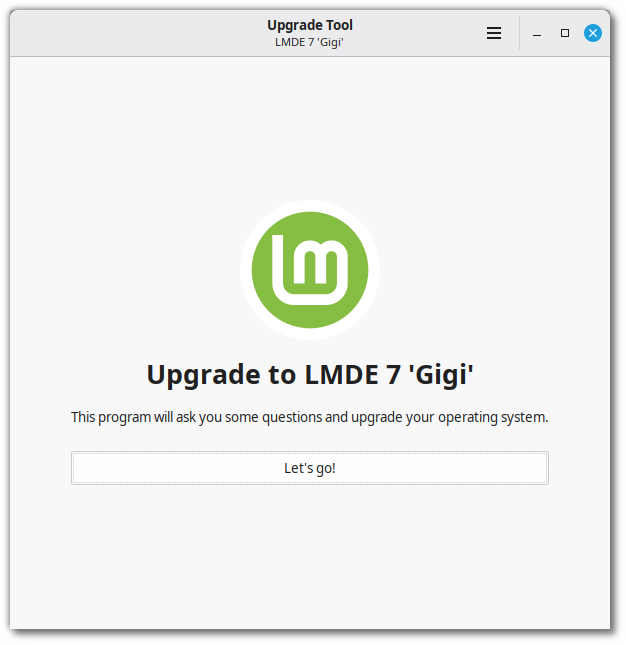
Follow the instructions on the screen.
When the tool is done and the upgrade is successful uninstall it and reboot your computer.
apt remove mintupgrade
sudo reboot
This is a major upgrade. It can take several hours.
You will be asked to be up to date and to prepare system snapshots. Do not rush, do not take shortcuts.
Don’t hesitate to seek help if you have questions or if you face problems with the upgrade.
Notes:
- If you have other ways of rolling back the upgrade and restoring your system to the way it was before, you can skip the system snapshots requirement by disabling it in the preferences.
- Temporary files are left behind during the upgrade. Please read section 5.1.6 of the Debian 13 release notes for information on this issue and how to remove these files.
- Debian discontinued support for i386 so LMDE 7 is only available in 64-bit. It is not possible to upgrade from LMDE 6 32-bit.
Thanks for this new version of LMDE, and sorry again to be noisy on the LINUXMINT forum.
This has worked for me on two laptops already, thank you very much!
Interestingly,
I have a /boot/efi partition of only 260MB, but /boot resides in my / partition (which has plenty of space).
Thanks for the hard work, this is amazing!!!
That’s the standard and recommended setup for a modern Linux installation using UEFI.
– The EFI partition (the 260MB FAT32 one) is mounted to the directory /boot/efi inside your main root (/) partition.
– The key is the difference between the two directories:
/boot/efi – This is where the EFI System Partition is mounted. It only holds the very small UEFI boot loaders (.efi files) that the motherboard firmware is designed to read.
/boot (the larger directory that contains /boot/efi) – This lives on your main root partition and holds the large Linux kernels (vmlinuz-*) and initial RAM disks (initrd.img-*).
This separation works perfectly because the main GRUB bootloader file, which is on the EFI partition, simply points to the kernels that are on the main root partition’s /boot directory. It’s the most efficient way to partition a drive!
Very, very many thanks for all your efforts in producing lmde7. Nice to be able to avoid all the ubuntu stuff. 🙂
Thanks for LMDE I am really enjoying using it, great experience its now my daily driver.
Upgrade worked flawlessly – except one thing: afterwards I had to install the localisation files for libreoffice manually, because they were missing (libreoffice-l10n-de & libreoffice-help-de).
I see that my Linux Mint version can’t be upgraded into that one (“Zara”). What do i do then? Do i leave it as is, or is there a different upgrade? I’m new to it, so the answer could be obvious to you or not.
Zara is ubuntu-based, LMDE is debina-based.
Ubuntu itself has a Debian base, too, so Zara has both Debian and Ubuntu, LMDE7 Gigi has ONLY a Debian base.
Waiting so many time… Finally we can enjoy this LMDE 7. Thanks so much!!!
Great News
Q. Can the upgrade tool be pointed at a previously downloaded LMDE 7 iso.
Would save downloading 2+ times and may make install process faster.
I’ve been on LMDE since the beginning (LMDE “one”!) and never looked back. Thanks for the seventh incarnation of this great distro. 🙏
The Foreign Packages step in the mintupgrade tool doesn’t do anything to downgrade packages to oldstable when I click Fix. Should I wait for an update or other instructions, or attempt to downgrade them with aptitude?
Or should I forge ahead with apt dist-upgrade?
Thanks for your word preparing the tools !
This worked fine and I am using LMDE every day.
No need for windows with Thunderbird, Firefox, LibreOffice, Apache Server and more …
Have a good internet connection ready, these were about 2.500 downloads …
Upgrading 32 bit systems to Gigi: The cinnamon desktop won’t upgrade, but if you have a slow old 32 bit device like an old eee pc, then you might use the mate desktop, which can be upgraded to LMDE 7 / trixie.
Possibly also fine with xfce etc?
Danke für die gute Arbeit zum upgrade auf LMDE 7! Mintupdate hat ganz schön geschaufelt…es hat sich gelohnt! Ich bin seit langem begeisteter LMDE-user!
Anmerkung: Um die aktuelle Virtualbox zur Arbeit zu bewegen, braucht es derzeit noch den Eintrag
“sudo modprobe -r kvm_intel” im Terminal! Vielleicht gibt es ja zeitnah eine Korrektur!
Mit Respekt Grüße an das LMDE-Team
Ludwig
Can I install LMDE 7 with secure boot enabled, sir?
Upgrade went perfectly from 6 to 7! So well set up steps during the installation procedure, Team! THANKS!
Worked perfectly.
Thank you very much for the great work!
LMDE 7 BETA version had no issues for me during testing. I’ve been using LMDE since v4, and had a better experience with LMDE stability-wise than the regular Linux Mint versions. Only thing that regular LM has that is an advantage is the device driver app, which makes the installation of proprietary video drivers a snap. Would be great if this could be ported to LMDE.
Smooth upgrade on my old Thinkpad E560. LMDE is the best distro for me. Thanks to Clem and team… your effort is really appreciated.
Started with LMDE 6 as a windows 11 refugee, since I am on older hardware. Worked pretty neat, some tinkering here and there required but the community is fantastic and now I would never switch back. I am excited to test LMDE 7 and see if its holds up to the hype.
Working fine on an old Dell XPS 9370, i7-8550 16GB. Initially installed some years ago with LMDE 5, upgraded with no issues to LMDE 6 and today to LMDE 7.
Congratulations on your excellent work!
Fantastic…. Thank you so much!
The mint-upgrade tool hit too many roadblocks in my test host. I’m comfortable working with apt from the command line, so updated the official package repository list in /etc/apt/sources.list.d and proceeded with upgrading that way.
Rodando liso no meu Lenovo Thinkpad T430. É minha máquina principal, e já rodava o LMDE 6. Obrigado!!!
I have a issue with the installation from 6 to 7. The problem is with brave-browser but even if i disinstall it, mintupgrade tell me to remove this file but i don’t know how to do that. Can anyone help me please?
I guess my 32 bit ideapad will be staying at LMDE 6,. I don’t see a supported until date for LMDE 6.
I’m so happy for this new version. LMDE is solid rock. Thank you guys for all your hard work
I am running Faye as a Virtualbox VM.
mike@LMDE:/etc/linuxmint$ cat info
RELEASE=6
CODENAME=faye
EDITION=”Cinnamon”
DESCRIPTION=”LMDE 6 Faye”
I ran:
apt update
apt install mintupgrade
sudo mintupgrade
It’s a bare bones install. Nothing other than the basic code plus the Brave browser. But it appears to be stuck at “Fixing check ‘System snapshots'” and a “checking system snapshots”. FYI, because this is a VM, I don’t run TimeShift.
I had the same problem twice. It seems to happen when it tries to create a system snapshot. I got around it by creating a new system snapshot manually and then started mintupgrade again.
I’ve upgraded two mini PCs using this process it worked fine. I don’t use timeshift either, if you’re willing to roll the dice you can always just click on the three bars in the top right corner of the upgrade tool window, then pick “Snapshot” and turn the slider for “Recent Timeshift Snapshot” off. That will allow you to click “Check Again” and proceed with the upgrade without a Timeshift Snapshot. Of course you could possibly have a failed upgrade which would require a reinstallation so do this at your own risk.
Hello, I just follow the steps and my old Intel Core 2 Duo iMac got the new version without trouble!!
Thank you so much 🙂
I had errors when upgrading. I had to uncheck timeshift in the preference box and also add –allowerasing to mintupgrade before the upgrade can proceed fully. Hopes it helps.
Hassle-free upgrade on my Asus ROG G752 daily driver laptop. Many thanks for all your work!
I have LM 22.2 Zara installed, the LMDE 7 mintupgrade tool check gives the following message: your version of Linuxmint is ‘Zara’. Only Linux mint ‘Virginia’ can be upgraded to Linuxmint 22 ‘Wilma’
How can I upgrade to LMDE 7?
LM 22.2 Zara is Ubuntu based (Ubuntu itself has a Debian base), LMDE6 Faye and LMDE7 Gigi both have ONLY a Debian base and no Ubuntu stuff at all, so you have to install LMDE7 from scratch.
If you have a separate partition for /home, which is strongly recommended, you can install LMDE7 Gigi from scratch but retain your /home partition and so have no data loss and, if you have Cinnamon DE on LM 22.2 Zara, not either loss of your settings.
I myself have two Linux partitions – LM 22.3 Zena and LMDE7 Gigi – (Multi boot), both use the same /home partition. LMDE 7 Gigi is my main systm for daily use, LM 22.3 Zena is an alternative in case LMDE crashed, since I do many experiments on my DELL Optiplex 7010.
I have lmde fully functioning on two machines. (hp Prodisk and Thinkpad)
Trying to upgrade i meet this problem on both:
sudo mintupgrade
Authorization required, but no authorization protocol specified
Scusate sono un novizio.
Ho Linux Mint 22.2. Cinnamon, ver. 6.4.8
Kernel Linux 6.14.0-35-generic.
Non riesco ad aggiornare, Mi dice che non posso aggiornare questa versione, ovvero:
“La tua versione di Linux Mint è Zara, solo la versione Linux Mint 21.3 Virginia può essere aggionata alla versione Linux Mint 22 Wilma”
Ora , cosa dovrei fare?
Grazie
Is there a way to bypass the Timeshift snapshot?
I don’t use Timeshift at all
You can uninstall Timeshift completely; I don’t either use it, I do all my backups by rsync. When a new LMDE version is available I install it from scratch but retain the /home partition, so no data loss occurs and all settings sty as they were before. Yo have, however, to reinstall your apps.
Thank you – everything works well.
… and thank you for the beauty, ease, and freedom of Linux Mint without the pain of canonical
Greetings from Berlin, Germany
Michael
so – this is – again – a fantastic tool. after 40 years i was finally escaping from windows to mint cinnamon last january and never regretted it; but – i soon liked the idea to get rid of the ubuntu staff. not that it is bad, but lmde feels to be kind of “cleaner”. so i started to slowly “mirror” my machine to another one using lmde on xternal nvme first – very much like it.
Would you guys be able to get the driver manager and the Kernel manager (both Ubuntu programs) from main Mint working on LMDE. It would make a huge difference for some of us. I looked around for source code for both but can’t find anywhere.
Upgrade fails with “http://packages.linxmint.com not found”, etc.. Using a proxy, configs in apt.conf.d, /etc/environment. Up to date no problems ever with updates !
Does mintupgrade ignore proxy settings ??
I like LMDE 7 Gigi more than LM 22.3 Zena, first the installation process is more comfortable – while LM 22.x offers “Something else” as third option, LMDE says what it realy is: “Manual partitioning”. Next, in LM 22.x shutdown dialog “Hibernation” is not available, in LMDE it is. To activate it in LM 22.x you have to manipulate system files in /etc, in LMDE it just works fine.
I am currently running LMDE-6 on my Legacy Bios PC, I have created an install USB which the PC will Boot from, does this mean I can use the Upgrade Tool ? or is it only for UEFI bios PCs?
I would have thought there was a way to do this by the Software Manager. So it would be more easy to update for like my grandmother instead of it only being a nerd like me who can figure out doing it using command lines in the terminal.
Thank you so much for LMDE. I love it and have been using it for years.
But I’ve never had any luck with the upgrade.
There are always issues with third-party package sources that can’t be fixed via the GUI. It’s not a problem for me, but it’s unsolvable for less experienced users.
Why is Timeshift mandatory? I’d prefer it to be optional. I have my own solution, and being forced to clutter up the hard drive with the snapshot every time (which then clutters up my backup) is pointless.
Unfortunately, it didn’t work this time either. There were error messages in the Python script. Unfortunately, I wasn’t able to copy the error message. A reinstallation is unfortunately necessary again, but unfortunately, this means I’ll lose a lot of my own work.
Hello,
tried to install mintupgrade. first nothing happens with systemcheck , have timeshift installed and use it. check box unmarked, and installation is working until the end when creating modules, error. i think it could be nvidia tesla driver because its explicit named, so update not working .
i have a copy of the installation in terminal if someone would like to have a look and help out
i really like LMDE and i am not sure if an update via dvd-iso would work