
The team is proud to announce the release of LMDE 7 “Gigi”.
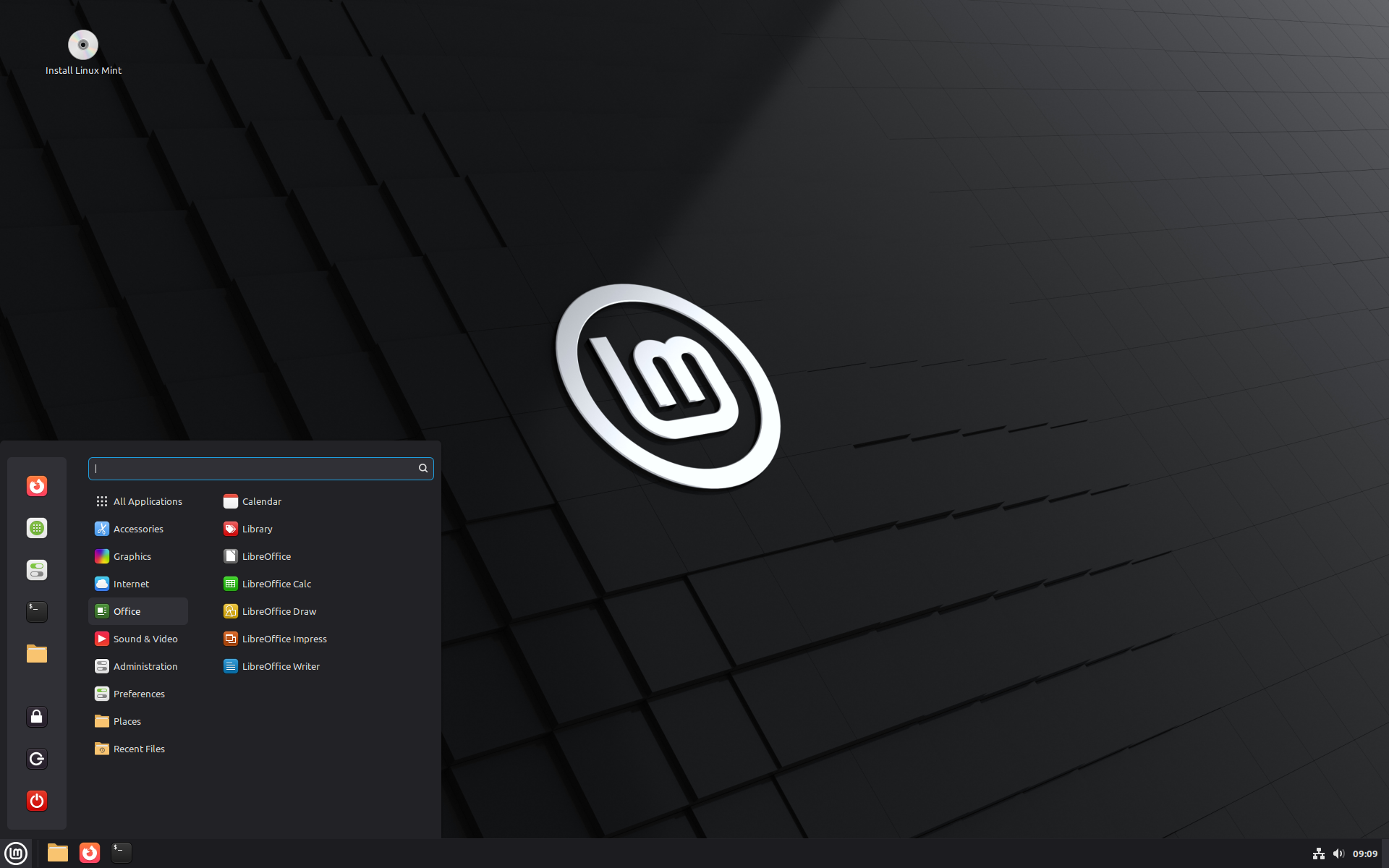
LMDE 7 Gigi
LMDE is a Linux Mint project which stands for “Linux Mint Debian Edition”. Its goal is to ensure Linux Mint would be able to continue to deliver the same user experience, and how much work would be involved, if Ubuntu was ever to disappear. LMDE is also one of our development targets, to guarantee the software we develop is compatible outside of Ubuntu.
LMDE aims to be as similar as possible to Linux Mint, but without using Ubuntu. The package base is provided by Debian instead.
Important info:
The release notes provide important information about known issues, as well as explanations, workarounds and solutions.
To read the release notes, please visit:
System requirements:
- 2GB RAM (4GB recommended for a comfortable usage).
- 20GB of disk space (100GB recommended).
- 1024×768 resolution (on lower resolutions, press ALT to drag windows with the mouse if they don’t fit in the screen).
Upgrade instructions:
Upgrade instructions for LMDE 6 users are available at: https://blog.linuxmint.com/?p=4923
If you are using LMDE 7 BETA, you don’t need to upgrade. Just apply any available updates.
Download links:
- Torrent https://www.linuxmint.com/torrents/lmde-7-cinnamon-64bit.iso.torrent
- World Cicku
- World Linux Mint
- World Rackers
- Canada Manitoba Unix User Group
- Canada University of Calgary
- Canada University of Waterloo Computer Science Club
- USA Clarkson University
- USA Fremont Cabal Internet Exchange
- USA GigeNET
- USA Harvard School of Engineering
- USA Hoobly
- USA James Madison University
- USA kernel.org
- USA Lancaster-Lebanon Intermediate Unit 13
- USA Linux Freedom
- USA MIRhosting
- USA Open Computing Facility at UC Berkeley
- USA Purdue Linux Users Group
- USA Sonic
- USA Team Cymru
- USA TeraSwitch
- USA US Internet
- USA XMission Internet
- Belarus ByFly
- Belgium Unix-Solutions
- Bulgaria IPACCT
- Bulgaria Telepoint
- Bulgaria University of Ruse
- Czech Republic CZ.NIC
- Czech Republic IT4Innovations National Supercomputing Center
- Czech Republic UPC Ceska republika
- Czech Republic Webglobe
- Denmark c0urier.net
- Denmark Dotsrc.org
- Denmark KLID
- France CNRS IBCP
- France Crifo.org
- France Johnnybegood
- France Université de Reims
- Germany c48.uk
- Germany dogado GmbH
- Germany Friedrich-Alexander-University of Erlangen-Nuremberg
- Germany Funkfreunde Landshut e.V.
- Germany GWDG
- Germany Hochschule Esslingen University of Applied Sciences
- Germany IPB Internet Provider in Berlin GmbH
- Germany NetCologne GmbH
- Germany Netzwerge GmbH
- Germany PyrateLAN.party
- Germany University of Frankfurt
- Germany wilhelm.tel GmbH
- Greece GreekLUG
- Greece University of Crete
- Hungary Quantum Mirror
- Ireland Webworld
- Italy GARR
- Latvia koyanet.lv
- Latvia University of Latvia
- Moldova iHost
- Netherlands Evoluso.com
- Netherlands LiteServer
- Netherlands MIRhosting
- Netherlands NLUUG
- Netherlands Triple IT
- Poland ICM – University of Warsaw
- Poland Poznan Supercomputing and Networking Center
- Portugal PTISP
- Portugal RNL – Técnico Lisboa
- Portugal Universidade do Porto
- Romania Hosterion
- Romania Hostico
- Romania Orange Romania
- Russia HyperDedic
- Russia Powernet ISP
- Russia Yandex Team
- Serbia SOX
- Serbia University of Kragujevac
- Slovakia Energotel
- Spain Aire Networks
- Spain Oficina de Software Libre do Cixug
- Spain Raiola Networks
- Spain University of Zaragoza
- Sweden Academic Computer Club
- Sweden Bahnhof
- Sweden Brain Drain Lan
- Switzerland GoFOSS
- Switzerland Init7
- Switzerland Metanet.ch
- Turkey ekiphost
- Turkey Guzel Hosting
- Turkey Linux Kullanicilari Dernegi
- Turkey Verinomi
- Ukraine Distrohub
- Ukraine Hostiko
- Ukraine IP-Connect LLC
- United Kingdom c48.uk
- United Kingdom Server.net
- United Kingdom UK Dedicated Servers
- United Kingdom UKFast
- United Kingdom University of Kent UK Mirror Service
- United Kingdom VineHost
- Azerbaijan OUR.Technology
- Bangladesh XeonBD
- China Alibaba Cloud
- China Beijing Foreign Studies University
- China Nanjing University
- China Shanghai Jiao Tong University Linux User Group (SJTUG)
- China TUNA
- China University of Science and Technology of China Linux User Group
- Hong Kong KoDDoS
- India Albony Network
- India NxtGen DataCenter
- India PicoNets-WebWerks
- Indonesia DatautamaNET
- Japan ICSCoE
- Japan Yamagata University
- Kazakhstan Hoster.kz
- Kazakhstan PS Internet Company LLC
- Saudi Arabia Maeen Network
- Singapore Freedif
- Singapore jingk.ai
- South Korea Archive of Siwoo
- South Korea Jeonnam High School
- South Korea KAIST
- Taiwan Taiwan Digital Streaming Co.
- Thailand Khon Kaen University
- Vietnam Clearsky
- Vietnam MeowSMP.net
- Australia AARNet
- New Zealand University of Canterbury
- Argentina Zero.com.ar
- Brazil C3SL
- Brazil Universidade Federal de Mato Grosso
- Chile Universidad de La Frontera
- Ecuador CEDIA
- Botswana Retention Range
- Kenya Liquid Telecom
- Mauritius cloud.mu
- South Africa Dimension Data
- South Africa University of Free State
Integrity and authenticity checks:
Once you have downloaded an image, please verify its integrity and authenticity.
Anyone can produce fake ISO images, it is your responsibility to check you are downloading the official ones.
- Please read and follow the steps at https://linuxmint.com/verify.php
- Link to the sums: sha256sum.txt
- Link to the signed sums:sha256sum.txt.gpg
Enjoy!
We look forward to receiving your feedback. Thank you for using Linux Mint and have a lot of fun with this new release!
Congratulations! 🎉
Great job, I a have been running LMDE7 for a few days and its flawless.
Yayyy!! very happy LMDE 7 is now officially released and upgrade is also available!! the real Linux Mint Masterpiece is now here!! tried it on a PC and it is working like a charm and is much faster than ubuntu based version!! i am going to install it on a laptop also now!! i was eagerly waiting just for this announcement!!
Thank You So much to The Mint Team!!
Awesome work, installed LMDE 7 as a fresh install, to compare to Mint.
A big thank you to the Mint team!
Already installed it on 2 of my computers. Working great!
Thanks for the best Operating System out there, you are all Awesome @ LinuxMint !!
I’ve been using LMDE for years now. So happy to get a new version!!
Well done, ya’ll! I have been impatiently waiting for the final release, refreshing Distrowatch several times a day. 🙂 Going to do at least 2 new installs tonight! Thanks to the team for all your hard work!
Perfection.
Upgraded my wife’s LMDE 6 laptop to LMDE 7 following the instructions you gave and it is working flawlessly. Many, many thanks for all your great work.
If Mint has to drop Ubuntu in the future, will there be a Mate version of LMDE?
So far I have not been able to make Virtual Box work. It is not available in the Software Manager so I downloaded 7.2.2 from the web site. Couldn’t make it work. Works fine with Mint 22.2. I then tried to install Version 7.1 from the website instructions but I couldn’t get to the point where I could install Virtual Box. So at this point LMDE7 is a “no go”. Virtual Box on LMDE6 works just fine.
Did you downloaded VirtualBox 7.2.2 (or 7.1.12) for the correct Linux host “Debian 13” (trixie)?
Same here, virtualbox refuses to run – says that another hypervisor is running – worked file before the upgrade.
Just to say that the virtualbox program runs but no clients do. I have run the following ,but that is a far as my knoledge goes.
ianp@mini:~$ lsmod | grep kvm
kvm_amd 217088 0
kvm 1396736 1 kvm_amd
irqbypass 12288 1 kvm
ccp 163840 1 kvm_amd
So I am not alone on this!
You can either upgrade to a newer kernel version from Debian backports (VBox works out of the box on 7.16 kernel, but requires some setup on the 7.12 LTS which Debian 13 ships with):
‘ sudo apt install -t trixie-backports linux-headers-amd64 linux-image-amd64 ‘
Or alternatively you could manually blacklist KVM in the modprobe config file, but this should only be a short-term solution:
‘ sudo nano /etc/modprobe.d/blacklist.conf ‘
type the following lines
blacklist kvm
blacklist kvm_amd
blacklist kvm_intel
Save with Ctrl+S, exit with Ctrl+X
Run the following updates just to be sure
‘ sudo update-grub ‘
‘ sudo update-initramfs -u ‘
And reboot. Both methods should work with Virtualbox 7.2.2 (btw, just in case, it’s generally a bad practice to directly download packages, it’s recommend to add the official VirrualBox repo to your Debian/LMDE installation ).
If you go with the KVM blacklist method, remember how you did it, because once a newer version of virtual box comes out, or you decide to upgrade your kernel, you will have to reverse the changes (remove those three added entries from the blacklist.conf file).
meme probleme avec l installation de virtualbox:il dit attente de la fermeture d un processus;j ai redemarer le systeme et la virtualbox c est installé sans probleme et fonctionne tres bien
Yes virtualbox works on a clean/new install but NOT on an upgrade from lmde6
Not alone at all, Jerry!
Even on a LMDE 7 fresh install, Virtualbox 7.2.2 shows a message : VT-x is being used by another hypervisor (VERR_VMX_ROOT_MODE) when I try to start a Windows 11.
The fix is to kill the KVM and blacklist it. This worked for me
Check if KVM is running
Open a terminal and run:
lsmod | grep kvm
If you see lines with kvm_amd or kvm_intel, it means KVM is active.
Unload KVM for now (temporary fix)
Run:
sudo rmmod kvm_amd
sudo rmmod kvm
(If you had Intel CPU it would be kvm_intel, but you’ve got AMD.)
Then try starting your VirtualBox VM again — it should work.
Make it permanent (so it doesn’t load after reboot)
Create a blacklist file so Linux won’t auto-load KVM:
echo “blacklist kvm” | sudo tee /etc/modprobe.d/blacklist-kvm.conf
echo “blacklist kvm_amd” | sudo tee -a /etc/modprobe.d/blacklist-kvm.conf
Then reboot.
It depends on the kernel version !
AFAIK it started with kernel 6.x – I have 6.12 on my Lenovo with LMDE6 because it requires a new WLAN driver. I had exactly that problem. The fix from Ian Pawson is right.
Maybe this is your issue: There’s a known incompatibility with VirtualBox and kernels beyond 6.11 (see this post https://forums.virtualbox.org/viewtopic.php?t=112890#p552437). To get it working again, you need to append this kernel parameter: “kvm.enable_virt_at_load=0” in /etc/default/grub on the line GRUB_CMDLINE_LINUX_DEFAULT.
The date of the LMDE 7 release and the date of Windows 10 EOL are the same. Is that a timely coincidence?
End of 10
https://endof10.org/
End of 10. Ten reasons to switch from Windows to Linux on your desktop
https://blog.documentfoundation.org/blog/2025/10/14/end-of-10-ten-reasons-to-switch-from-windows-to-linux/
LOL – I literally just inquired about expected release date on the beta thread. Congratulations to the LM team!
I’m back to LMDE7! I used Arch Linux that is great to be top update on kernels and softwares but breakages and unstability isn’t easy to deal with… LMDE7 works perfectly except Virtualbox 7.2.2 as other people said… keep us posted when a fix is available. Great work again for Linux Mint Team!
what is this “Locked root account” on the release notes? does this mean after installing the os i cant login / install other software until i do that? or is this different kind of root account? do i do this from live usb or after install without login screen requirement? doesnt the installer already set the first user as root user like linux mint ubuntu version, or does it only do normal user account? help im confused here, eli5 if possible.
For virtualbox : the kernel automaticaly loads the KVM module at startup. So either :
run sudo modprobe -r kvm_intel before launching virtualbox
or
put in /etc/modprobe.d/ a text-file like kvm-blacklist.conf with contents : blacklist kvm_intel
LMDE 6 is a long-term support version from 2023 09 ; when will the support be ending? thanks
Released in September 2023. Supported life time roundabout 3 years. So the expected end of the supported lifetime might be October 2026.
The update process went successfully after following your detailled instructions! Great job as usual! Congratulations!
I’m just posting this here as a possible aid to others. Maybe it’s a quirk of Transmission that I don’t know about. Anyway, attempting to download the .ISO via a torrent gives a (reproducible, multiple torrent downloads) error message that the torrent file contains corrupt data *IF* you download the torrent file before running Transmission. Open Transmission first, and everything works OK.
It’s FOSS News claims that LMDE 7 will run on a Raspberry Pi 5 (https://news.itsfoss.com/lmde-7-release/):
“LMDE 7 ships with Linux kernel 6.12, an LTS release supported until 2026 that packs in some notable hardware support. If you have a newer Intel-powered computer with Arrow Lake or Lunar Lake chips, AMD-powered graphics with RDNA 4, or a Raspberry Pi 5, LMDE 7 works out of the box without driver headaches.”
Is this true? If so, are there any “caveats”, etc.?
Just on the day Windows 10 died 😅
Opera cannot not be used:
Error: dependency is not satisfiable: libglib2.0.0 (>=2.39.4)
The same thing happens with Vivaldi! I last experienced such errors in Linux in 2007. Wonderful!
I also use Vivaldi browser and after I did a fresh install of LMDE 7 a few days ago I reinstalled Vivaldi browser using copy and paste terminal commands from the Vivaldi website. I have not experienced any issues with Vivaldi browser since reinstalling on LMDE 7 so perhaps you might want to try a fresh install and configuration of your Vivaldi browser if you have not already done so.
I installed the opera navigator from from the file .deb found on its site . It does work with my LMDE 7 on my laptop HP Probook. It should do also for you try again.
Did anyone manage to upgrade LMDE 6 to LMDE 7 without loosing Opera and/or Vivaldi?
A year ago or so I had to uninstall Opera due to getting some error messages when trying to update Opera.
If by upgrading to LMDE 7 also will lead to problems with Vivaldi, then I am not going to upgrade to LMDE 7 as long as LMDE 6 is still supported. This is one more year?
On my LMDE 6 system when I check the version of the installed libglib2.0-0 package, it says version 2.74.6-2+deb12u7. Am I missing something here? Doing a clean install is not an option for my Covid inflicted brain.
I see that both of these browsers are available in Flathub as Flatpaks, but they are both unverified.
Paulie from new Zealand, just finished upgrade to LMDE7, have been using LMDE6 as my daily driver for over a year after my Ubuntu upgrade completely screwed my machine. Upgrade went smoothly & all is working well so far. I turned off backup check to speed things up as I keep at least 3 Timeshift back ups on an external HDD. Thanks to the team for making this happen.
Small follow-on from my thanks on 14th October. My wife had some problems when trying to get into facebook and Outlook, while I was out, because Microsoft started complaining that she seemed to be logging on from a ‘new device’ in another location. (This is par for the course, of course – but floored my wife, who had never seen this before). All is sorted now by ensuring a security email was sent asking for a one-time use code. From now on she will be fine. We are now a MS free house.
Being windows free is a great thing. Only some government software require Windows 11. Unfortunately, we keep a retail pack for use with Virtualbox when required.
just fresh installed. where the new cinnamon menu ? was expecting the new cinnamon stuff huhuhuhu T_T. also another question, is lmde like kde neon where it always get latest version of its de ? (latest but still stable ofcourse, not beta).
Hello Clem and Team,
thanks so much for all your work on the new LMDE 7.It looks and feels great and so fast.
Installing was very easy and took shorter time then last version.
Im on Linux Mint since 5 years , never ever look back to Windows.
Thanks and regards
Stefan
I love the LMDE line. Now LMDE 7 realy rules. I prefer it above lniux mint based on ubuntu.
Very nice. I hope for a kernel interface like in the standard mint version. But if not. mwa.. It runs like clockwork anyway !. I used the backport kernel on LMDE 6 and that also works like a charm.
So yes, Clem and team. Awesome work !! thank you !!!!
Finally, I was really looking forward to it. I think they managed to fix all the bugs that Debian 13 had in time.
Many thanks to the entire Linux Mint team!
I started with the previous version, LMDE 6, and I’ve been very satisfied ever since. I’ve been using different Debian-based Linux distributions since the Windows XP days, and LMDE is by far my favorite.
I’m currently running LMDE on an ASUS ProArt X670E Creator WiFi with an NVIDIA RTX 4080. The NVIDIA drivers have been a bit troublesome.
Interestingly, when I installed the LMDE 7 Beta, I used Debian’s nvidia-driver package, and after the first boot, I only got a terminal. I logged in with my username and password, typed startx, and everything worked perfectly afterwards. However, after installing the final LMDE 7 ISO, the system still drops me into the terminal at every reboot, even after running startx. I restored the Timeshift snapshot from the beta.
On my ASUS Vivobook with AMD Ryzen AI 365 (LM 22.2), I’ve experienced occasional freezes with the integrated Radeon GPU. The system becomes stable by adding this boot flag to GRUB: amdgpu.dcdebugmask=0x600. It disables Panel Self Refresh (PSR) and Panel Replay, which are known to cause freezes on some AMD laptops with kernel 6.12. But I’ll keep testing LMDE 7 on the laptop when I have time.
I also want to thank the Linux Mint community on the forums for their patience and support — they always help us sort out these tricky issues. I’m a university professor, and I try to convince as many people as I can to join our community.
Keep up the great work — LMDE truly makes me happy!
When do we get that nice new cinnamon menu in the ubuntu 22.2 version? Is there going to be an update before next release?
I have just installed lmde7. I have a strange problem. I have been using Linux Mint for a long time, but I have never had this before. I cannot right-click on the desktop; nothing happens. I also cannot see any icons on the desktop. When I call up “nemo-desktop” in the terminal, everything works. But shouldn’t it start automatically? Does anyone have any idea why it does not start automatically?
As a workaround, I now start nemo.desktop in the startup programs. That works, but it can’t be the solution – or thank you very much for your tips.
I’d do a complete reinstall from scratch if I were you.
Hello Helmunt, I am running LMDE 7 as you do. I encounter about the same behaviour only when I use wayland.
I did not make a fresh install but upgrade from LMDE 6 in my way by copy of the home directory content.
That worked quite well, I had only to reinstall some applis and a few passwords.
i have this Problem with x11
Gigi is nice, thanks a lot for that. The only thing that bothers me is the new dark theme. It is hard on the eyes. I can’t see borders between windows and menus, basically it is a two-color theme. Shadows don’t help too much because they are very subtle.
THIS OS IS AWESOME! WOW!
THANKS!
External USB ext4 formatted hard drive is not automatically mounted, only manually.
exfat and ntfs are automatically mounted.
Solution:
Make the following change in the file /usr/lib/udev/rules.d/64-ext4.rules
SUBSYSTEM==“block”, ENV{ID_FS_TYPE}==“ext2|ext3|ext4|ext4dev|jbd”, ENV{UDISKS_AUTO}=“0”
Change to
SUBSYSTEM==“block”, ENV{ID_FS_TYPE}==“ext2|ext3|ext4|ext4dev|jbd”, ENV{UDISKS_AUTO}=“1”
Maybe it will help someone.
Not to mount automatically USB ext4 is a safety measure to prevent evil maid attacks when all sessions are locked.
According to http://storaged.org/doc/udisks2-api/latest/udisks.8.html.
But if you don’t fear this type of attack you can modify the file /usr/lib/udev/rules.d/64-ext4.rules.
Danke, das bewirkte auf meinem LMDE7 das automatischem Einhängen meines externen in ext4 formatierten USB-Stick.
Dear Linux Mint Team,
Thank you for your work on this impressive release. I see many improvements. After testing it for a week, I noticed that it runs faster; the fonts in some programs look crisper; and the connection to my Wi-Fi printer is more reliable. Unfortunately, I also encountered some problems that I can’t resolve. Matlab 2025 has become unusable. Every Matlab dialog window related to files, such as the “Save As” or “uigetfile” commands, displays a black window instead of a list of files. Then, the process freezes and uses 100% of the CPU. I tried using Timeshift to return to the previous LMDE6 snapshot because Matlab is my main work tool, but the restoration failed, and the system wouldn’t launch. If you have any ideas on how to resolve the Matlab problem, I would greatly appreciate it.
Esta nova versão, LMDE7, é magnifica!
Parabéns à equipe de desenvolvimento, fizeram um trabalho excepcional!!!
Melhor LMDE já desenvolvido!
Awesome, but are you planning to release LMDE Xfce also?
Is it possible to get Mullvad VPN & Browser in your repo?
Já suporta o Secure Boot ativado? Eu sempre procuro manter os padrões das configurações de Bios default como o fabricante do hardware envia, senão não é para mim. Não vou desativar ou mudar as configurações do fabricante, considero que os engenheiros que produzem os hardwares nos quais eu confio são mais inteligentes do que eu.
The first update in a Virtualbox machine went perfectly well.
The second attempt was in a desktop, and at the end there was no software-updater anymore.
I had to do a reinstall.
on upcoming version or update, please expose this settings. “Audio Sample Rate” In audio setting & “emoji” in font selection setting.
it seem my pc speaker & headphone (7yr old hw) cant go over 44k hz but the default for both main lm & lmde is 48k hz, tried very hard to modify config on main lm but after i fresh install lmde, its seem that the config file is not on the usual place anymore. so if possible i would like to request mint dev to expose those setting in their respective setting gui.
as for emoji, i prefer to use other emoji font but again, its seem not as easily to set it up & unfortunately only noto emoji is available in repo.
lastly is it possible for mint team to include “hyperfluent grub theme” by coopydood or “distro grub theme” by adisoncavani in mint repo? i dont wanna mess up my grub by trying to do that manually.
also audio bit depth please.
I love LMDE 7 !
I tried to use the fingerprint reader.
I bought a usb stick fingerprint reader.
The Chipsailing CS9711 Fingerprint Reader
USB-ID: 2541:0236
But the fingerprint reader software does not recognize the chip?
How to enable this chip/reader and or how to make a chip able in the list of working hardware?
New kernel, new firmware? Can anyone tell me how to get this working?
Besides this hickup, LMDE 7 is simply awesome !!!! I don’ t even think this hickup is and LMDE 7 hickup but a hardware compatibility issue. Can anyone help me with this?
Hola, como es la política de actualizaciones del escritorio Cinnamon de LMDE? Hoy es la última que existe mientras la de 22.2 está bastante mas atrasada. Si LMDE actualiza siempre a la última versión es la perfección a mi gusto, algo así como Kde Neon del Cinnamon. Las IAs me dicen cualquier cosa sobre el tema, y en foros peor todavia
I did the fresh install, with manual partition, but encountered problem. After finishing the installation, my laptop couldn’t get into login.
I got this message, “cannot open acces to console, the root accout is locked.”
Was there something wrong with my installation? What can I do to fix that?
Thanks in advance
What partioning did you do?
Did you format the partitions?
My partitions:
– boot efi
– swap
– root
– home
I formated boot (fat32), swap (swap), and root (ext4) partition. I didn’t format home, as my data there.
boot/efi should be FAT16, not FAT32.
Formatting it was not a good idea IMHO.
You’ve lost all other partitions info you could have (windows, other linuxes).
Why not use Fat32 for Boot/EFI? I always use Fat32. Is there some sort of downside to this?
Jerry
Well, I don’t know, I’ve always seen it in FAT16 format.
Anyway, it’s always smaller than 500MB.
Mine is 100MB actually.
The upgrade from LMDE 6 to LMDE 7 doesn’t work for me 🙁
The upgrade process stops after a few seconds with an error message like this:
“Your version of Linux Mint is unknown. /etc/linuxmint/info is missing”
(exact error message text: “Ihre Version von Linux Mint ist unbekannt. /etc/linuxmint/info fehlt”)
That’s correct. The directory “/etc/linuxmint/” contains only a single file called “mintSystem.conf”.
I am using the desktop environment Xfce instead of Cinnamon (installed Xfce4, uninstalled Cinnamon).
LMDE has been installed inside of a VM. By going back to the snapshots before and after moving from Cinnamon to Xfce I can confirm that the file “info” gets deleted when changing the desktop environment.
Wondering if anyone has gotten the following sensor to work with the fingwit fingerprint scanner tool:
$ lsusb -s 001:004
Bus 001 Device 004: ID 138a:0097 Validity Sensors, Inc.
This is on a T470 Thinkpad but it appears to have been used on laptop from various vendors.
Congratulations to the Mint team on the release of LMDE 7 “Gigi”!
Seriously, thank you for this project. LMDE’s goal of ensuring compatibility outside of Ubuntu isn’t just a theoretical exercise – it’s a real lifesaver.
I just installed LMDE 7 on a newer mini PC (Ryzen 5) where standard Mint (Cinnamon) was having major stability issues, and “Gigi” is running absolutely flawlessly. It’s fast, rock-solid, and feels like coming home.
Knowing LMDE exists gives a lot of confidence in the future of Mint. Keep up the fantastic work, folks!
I’ve been testing different distros after many years of Linux Mint. Happy to say i’m back. Reason was HDR-Gaming. But it turned out to be not that imporant without an actual OLED-Display.
Overall Cinnamon really is just such a great destkop environment. One little tiny bit of great functionality would be a mute Button for each Programm in the Task-Bar like in KDE, described here https://github.com/orgs/linuxmint/discussions/71 as well.
Thanks for the great work as always!
Greetings
Linux Mint should have:
The ability to translate windows or select text for copying to the translator, as add-ons aren’t described in every language.
More graphical options and less in the console.
Add-on images and descriptions, and not so sparse ones in the package manager.
The ability to drag icons from the Start menu to the desktop.
Both upgrade from LMDE6 and fresh install worked flawlessly.
Congratulations e thank you very much!
This is great, I was not expecting the final release until December. Well done Mint team!
And, am I the only one that noticed the release date – October 14 2025, the end of life support for Windows 10. Is the Mint team dropping a hint there? 🙂
First let me say that LMDE 7 is great. Good job!
I think there is a bug in update-grub. I need to add a boot parameter in order to make my system run stable.
So I edited /etc/grub and appended it to the line GRUB_CMDLINE_LINUX_DEFAULT= …
Then I ran sudo update-grub which created the boot.cfg file with a new time stamp but the changes were not in it! I had to manually edit boot.cfg (which is tedious) to make it work.
The grub source file is supposed to be /etc/default/grub.
Danke, sehr gute Arbeit,
habe LMDE 6 auf LMDE 7 ohne größere Probleme aktualisiert, läuft soweit gut …
Hardware: 2 x MacBook 2008 64bit DualCore (2,1 und 2,4 GHz) jeweils 6 GB RAM und 512 GB SSD.
Inkl. eingebauter iSight (mit Patch) läuft alles wie es aussieht weiter rund.
I installed it today, it looks great!
Seconds display does not work.
LMDE 7 installation process is functional, although not as refined as that of the ‘regular’ Linux Mint: I still see text-based warning and error messages, as opposed to completely GUI messages.
I’m also having some dependency problems installing some apps (not from the Software Manager). I suppose not LMDE’s fault (and I could probably resolve it if I spend effort at the command-line level), but I wish it worked as seamlessly as it does on the regular Mint.
OEM install in LMDE7 does not appear to work in the same way as Mint 22.
I am refurbishing some old laptops, max ram, new SSD, etc, then want to do full install, login to OEM user, add all updates and some selected apps, & ship. With Ubuntu Mint the new user gets an experience to new similar what they would get if they got a new Winbox… I tell them “it’s not Windows, but it’s not very different at a basic level”. By the time they need the terminal they are comfortable with daily usage and lack of ads!
LMDE7 seems to copy the ISO & make it bootable, then on first boot you login as new user & get full installation process displayed. That’s very different, and off-putting to escapees from the borg.
Question? Have I been doing something wrong?
Certainly I cannot ship LMDE7 the way I can Mint22
We can make it better but I’d like more precise feedback with comparison screenshots and what’s expected here.
Hey, some big improvements coming to flatpak: https://blog.sebastianwick.net/posts/flatpak-happenings/
“It is now possible to define which Flatpak apps shall be pre-installed on a system, and Flatpak will automatically install and uninstall things accordingly.”
Could next Mint release use some default flatpak apps?
The printer applet does not disappear from the taskbar when the printer is no longer available.
The setting in the applet is “Show printer icon – When printer is available.”
When I set “Show printer icon – When printing,” the icon disappears after printing.
Does anyone have any idea why the icon no longer disappears?
I installed LMDB7, and it worked very well. But suddenly, I lost ,Audacious,QMMP, Moc, and QT.I will enjoy to play music with my PC.What I can do?
lovin it! TNX!
I switched to this version from Debian 13. Cinnamon is my favourite DE and it will always be so. Thanks for your hard work!
Needs work. Can’t even change icon sets. No matter what is selected default icons remain.
Both upgrade from LMDE6 and fresh install worked flawlessly.
Congratulations e thank you very much!
Worked like a charm. I would suggest that you uninstall all the old kernels before doing the upgrade. I had about 15 installed kernels and a lot of time was spent during the upgrade dealing with them. I didn’t realize that LMDE doesn’t remove old kernels like the regular Mint Edition does.
Will thi run on a 32 bit processor ? I have a Centrino in an older laptop
No, LMDE6 was the last 32-bit LMDE release. You will have to switch to something like Antix, Alpine, or Puppy, but the problem going forward is that packages (such as Firefox) are stopping 32-bit support as well. See the recent It’s Foss article https://itsfoss.community/t/linux-mint-debian-edition-6-end-of-support-for-32-bit/15035/2
Hallo liebes LMDE Team,
es läuft bei mir reibungslos (LMDE 7) mit ein paar Einschränkungen, die ich vom LMDE 6 nicht kenne !
Bin trotzdem sehr zufrieden und bitte macht weiter so, vielen Dank.
I bought a nice 4-year-old laptop a year ago but it came with Windows 11 on it and I quickly found I hated Win11 so I hardly ever used it. I decided to give Linux another try and, after much reading, I chose Mint this time around. I’m very impressed with how easy it is to navigate Mint. I worked in IT supporting an enterprise Windows OS environment for many years so this has been a pretty easy transition for me and I don’t mind working with the command line at all. I even found tutorials on how to install Mint on a USB flash drive (an actual full OS install not a “live” USB). With the guidance of a few tutorials, I figured out how to manually create Linux partitions so I could have a standalone OS install on a USB drive that didn’t rely on any Windows partitions on the laptop’s SSD. Linux Mint has made working with a computer fun again. After working with Mint 22.3 and LMDE 7 I’m going with LMDE 7 as it seems simpler and doesn’t need updates as often. I’m wary of OS updates as that’s what gave me the most grief breaking the Windows OS. The Mint forums are welcoming to newbies and are full of step-by-step detailed instructions on how to fix or tweak anything in Mint. Generally speaking, Mint just plain works. Congratulations on these latest versions. Well done folks!