* News about Mint
Linux Mint 6 “Felicia” XFCE CE RC1 released!
Mint tools updates for Linux Mint 5 Elyssa LTS
* News about Linux
The Linux Foundation’s “I’m Linux” Video Contest
A new version of Ubuntu Brainstorm
UbuntuDeveloperWeek beginning January 19
Watching the Obama Official Inauguration on Linux with Moonlight. A Firefox plugin was made ready on January 20
Pidgin had problems with MSN but that is fixed now
The latest news about the kernel is always found here
* News about IT
Steve Jobs takes time out
Apple smashing Macs to pieces
Newly discovered bug in javascript allows “smart” phishing, but you would have to visit other pages when you are logged in to your bank. Never, ever use another web service (browser, mail, torrent – what have you) when you are logged in to your bank!
Two security vendors have said they would block police attempts to hack into systems without a warrant.
Enhancing Child Safety and Online Technologies, a report
Google’s Gdrive arriving in 2009
China includes MSN in list of porn sites in a crackdown on porn, but in reality free speech
The web is shrinking according to Netcraft
Some news about ReactOS (an attempt to create an Open source Windows equivalent)
DARPA awards $30m to create security test bed
The BadVista campaign is closing
T.J. Maxx Hacker Sentenced to 30 Years in Prison
Paris Hilton’s site infected with malware (well, well)
CWE/SANS TOP 25 Most Dangerous Programming Errors
What a Windows 7 BSOD Looks Like 🙂
IFPI publishes Digital Music Report 2009 and claims 95% of downloaded music is illegal
* Hardware news
Intel sees more hard times in 2009
Intel cuts prices on some chips up to 48 percent
Researchers hack into Intel’s vPro
Intel to Roll Out Processors with Graphics Cores This Year
Laser-Hard Drives in the Making, may be thousands of times faster than present disks
Seagate hard drives manufactured in December 2008 may become inaccessible when the system is powered on.
* Other news
Court Affirms Wiretapping Without Warrants
PC Market Growth Evaporates in Fourth Quarter as Financial Crisis Hits Home, According to IDC
* Comic of the week
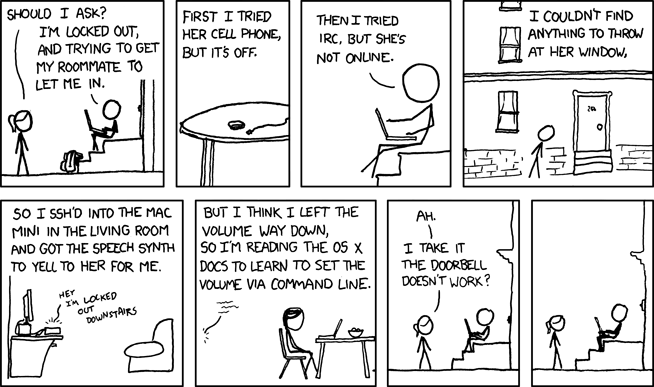
Credit goes to xkcd – http://xkcd.com/
* More about Linux Mint
How to donate
Home page
Blog The planet Wiki Forum
* Editors comment
As always – if you find something I’ve missed in the newsletter please tell me – you can post a comment.
Enjoy life
Husse

