
This is the BETA release for LMDE 7 “Gigi”.
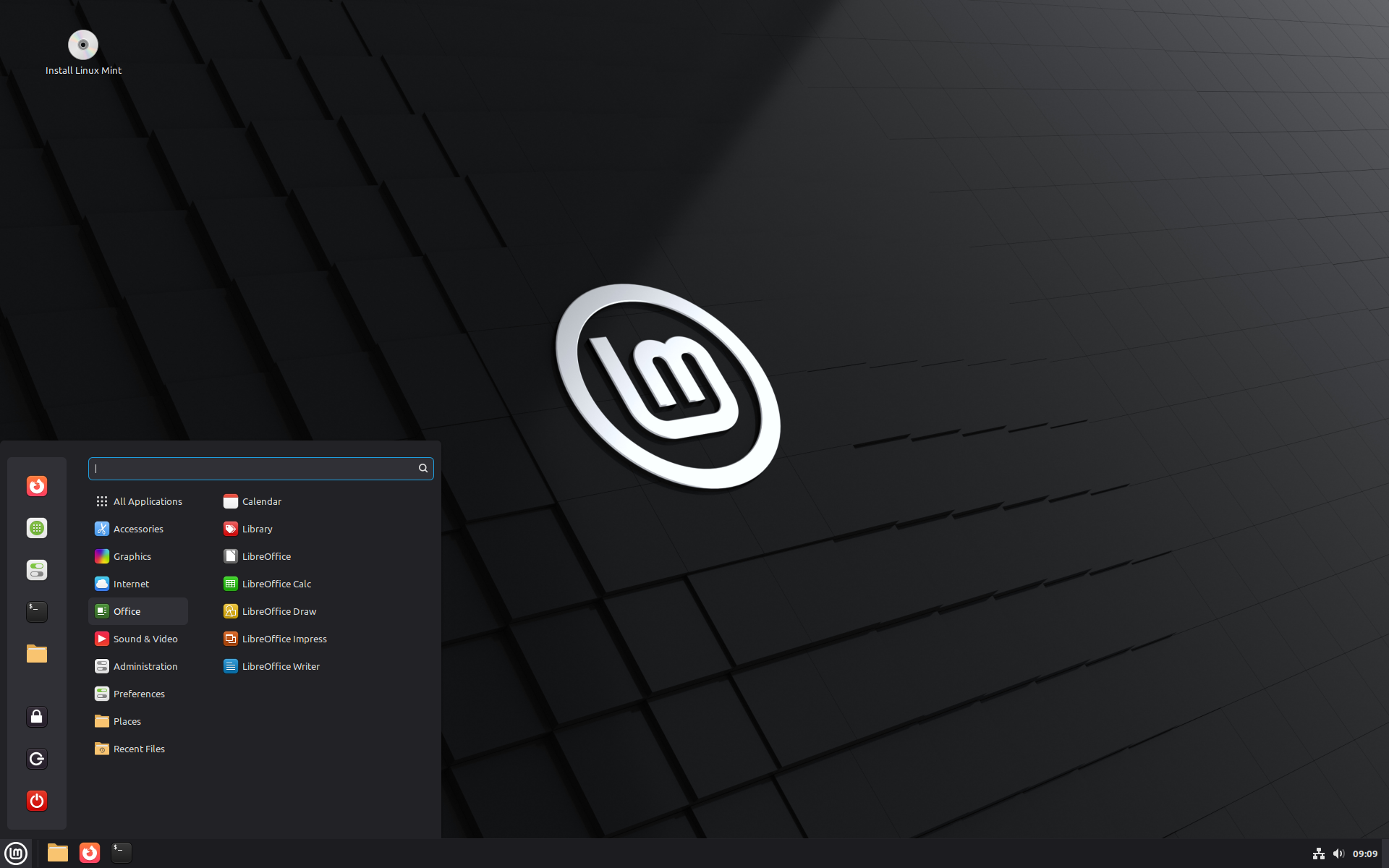
LMDE 7 Gigi
LMDE is a Linux Mint project which stands for “Linux Mint Debian Edition”. Its goal is to ensure Linux Mint would be able to continue to deliver the same user experience, and how much work would be involved, if Ubuntu was ever to disappear. LMDE is also one of our development targets, to guarantee the software we develop is compatible outside of Ubuntu.
LMDE aims to be as similar as possible to Linux Mint, but without using Ubuntu. The package base is provided by Debian instead.
Important info:
The release notes provide important information about known issues, as well as explanations, workarounds and solutions.
To read the release notes, please visit:
System requirements:
- 2GB RAM (4GB recommended for a comfortable usage).
- 20GB of disk space (100GB recommended).
- 1024×768 resolution (on lower resolutions, press ALT to drag windows with the mouse if they don’t fit in the screen).
Upgrade instructions:
- This BETA release might contain critical bugs, please only use it for testing purposes and to help the Linux Mint team fix issues prior to the stable release.
- It will be possible to upgrade from this BETA to the stable release.
- Upgrade instructions will be published after the stable release.
Bug reports:
- Bugs in this release should be reported on Github at https://github.com/linuxmint/lmde7-beta.
- Create one issue per bug.
- As described in the Linux Mint Troubleshooting Guide, do not report or create issues for observations.
- Be as accurate as possible and include any information that might help developers reproduce the issue or understand the cause of the issue:
- Bugs we can reproduce, or which cause we understand are usually fixed very easily.
- It is important to mention whether a bug happens “always”, or “sometimes”, and what triggers it.
- If a bug happens but didn’t happen before, or doesn’t happen in another distribution, or doesn’t happen in a different environment, please mention it and try to pinpoint the differences at play.
- If we can’t reproduce a particular bug and we don’t understand its cause, it’s unlikely we’ll be able to fix it.
- The BETA phase is literally a bug squashing rush, where the team is extremely busy and developers try to fix as many bugs as fast as possible.
- There usually are a huge number of reports and very little time to answer everyone or explain why a particular report is not considered a bug, or won’t get fixed. Don’t let this frustrate you, whether it’s acknowledged or not, we appreciate everyone’s help.
Download links:
- Torrent https://www.linuxmint.com/torrents/lmde-7-cinnamon-64bit-beta.iso.torrent
- World Cicku
- World LayerOnline
- World Linux Mint
- World Rackers
- Canada Manitoba Unix User Group
- Canada University of Calgary
- Canada University of Waterloo Computer Science Club
- USA Clarkson University
- USA Fremont Cabal Internet Exchange
- USA GigeNET
- USA Harvard School of Engineering
- USA Hoobly
- USA James Madison University
- USA kernel.org
- USA Lancaster-Lebanon Intermediate Unit 13
- USA MIRhosting
- USA Open Computing Facility at UC Berkeley
- USA Purdue Linux Users Group
- USA Sonic
- USA Team Cymru
- USA TeraSwitch
- USA US Internet
- USA XMission Internet
- Belarus ByFly
- Belgium Unix-Solutions
- Bulgaria IPACCT
- Bulgaria Telepoint
- Bulgaria University of Ruse
- Czech Republic CZ.NIC
- Czech Republic IT4Innovations National Supercomputing Center
- Czech Republic UPC Ceska republika
- Czech Republic Webglobe
- Denmark c0urier.net
- Denmark Dotsrc.org
- Denmark KLID
- France CNRS IBCP
- France Crifo.org
- France Johnnybegood
- France Université de Reims
- Germany c48.uk
- Germany dogado GmbH
- Germany Friedrich-Alexander-University of Erlangen-Nuremberg
- Germany Funkfreunde Landshut e.V.
- Germany GWDG
- Germany Hochschule Esslingen University of Applied Sciences
- Germany IPB Internet Provider in Berlin GmbH
- Germany NetCologne GmbH
- Germany Netzwerge GmbH
- Germany PyrateLAN.party
- Germany University of Frankfurt
- Germany wilhelm.tel GmbH
- Greece GreekLUG
- Greece University of Crete
- Hungary Quantum Mirror
- Ireland Webworld
- Italy GARR
- Latvia koyanet.lv
- Moldova iHost
- Netherlands Evoluso.com
- Netherlands LiteServer
- Netherlands MIRhosting
- Netherlands NLUUG
- Netherlands Triple IT
- Poland ICM – University of Warsaw
- Poland Poznan Supercomputing and Networking Center
- Portugal PTISP
- Portugal RNL – Técnico Lisboa
- Portugal Universidade do Porto
- Romania Hosterion
- Romania Hostico
- Romania Orange Romania
- Russia HyperDedic
- Russia Powernet ISP
- Russia Yandex Team
- Serbia SOX
- Serbia University of Kragujevac
- Spain Aire Networks
- Spain Oficina de Software Libre do Cixug
- Spain Raiola Networks
- Spain University of Zaragoza
- Sweden Academic Computer Club
- Sweden Bahnhof
- Sweden Brain Drain Lan
- Sweden Infania Networks
- Switzerland GoFOSS
- Switzerland Init7
- Switzerland Metanet.ch
- Turkey ekiphost
- Turkey Guzel Hosting
- Turkey Linux Kullanicilari Dernegi
- Turkey Verinomi
- Ukraine Distrohub
- Ukraine Hostiko
- Ukraine IP-Connect LLC
- United Kingdom c48.uk
- United Kingdom Server.net
- United Kingdom UK Dedicated Servers
- United Kingdom UKFast
- United Kingdom University of Kent UK Mirror Service
- United Kingdom VineHost
- Azerbaijan OUR.Technology
- Bangladesh XeonBD
- China Alibaba Cloud
- China Beijing Foreign Studies University
- China Nanjing University
- China Shanghai Jiao Tong University Linux User Group (SJTUG)
- China TUNA
- China University of Science and Technology of China Linux User Group
- Hong Kong KoDDoS
- India Albony Network
- India NxtGen DataCenter
- Indonesia DatautamaNET
- Japan ICSCoE
- Japan Yamagata University
- Kazakhstan Hoster.kz
- Kazakhstan PS Internet Company LLC
- Saudi Arabia Maeen Network
- Singapore Freedif
- Singapore jingk.ai
- South Korea Archive of Siwoo
- South Korea Jeonnam High School
- South Korea KAIST
- Taiwan Taiwan Digital Streaming Co.
- Thailand Khon Kaen University
- Vietnam Clearsky
- Vietnam MeowSMP.net
- Australia AARNet
- New Zealand University of Canterbury
- Argentina Zero.com.ar
- Brazil C3SL
- Chile Universidad de La Frontera
- Ecuador CEDIA
- Botswana Retention Range
- Kenya Liquid Telecom
- Mauritius cloud.mu
- South Africa Dimension Data
- South Africa University of Free State
Integrity and authenticity checks:
Once you have downloaded an image, please verify its integrity and authenticity.
Anyone can produce fake ISO images, it is your responsibility to check you are downloading the official ones.
- Please read and follow the steps at https://linuxmint.com/verify.php
- Link to the sums: sha256sum.txt
- Link to the signed sums:sha256sum.txt.gpg
Enjoy!
We look forward to receiving your feedback. Many thanks in advance for testing the BETA!
Thank you, guys! LMDE is the best mint version. Cheers from Brazil!
Lightning fast!!
I thought I’d have to wait ’till the end of September or even October for a full beta!
Nice work!
LMDE is great. I always found Ubuntu to be a bit on the heavy side. The Ubuntu installer might be slightly better. Why not use Calamares installer for LMDE? It makes it easier to set up swap file or correct swap partition than the LMDE installer.
Since feature parity is a goal for LMDE I can give the following tip: If the package arctica-greeter-guest-session is installed in Debian 13 a fully working guest session will show up in Slick Greeter.
Thank you for your work; this version works very well for me!
One question: why has the Synaptic package manager disappeared?
Many thanks for your efforts – installed on a virtual machine to test. Very much looking forward to the final release
Still use it for 2 days within a proxmox vm. I’m very satisfied, especially about speed and using of ressources with xrdp compared with identically configured LM22.2 Cinnamon VM. Yes, there are issues related to icons, as you already mentioned. I would not really recognize that. If it will be so stable, slim and fast, I will think about to replace all my Linux Mint Clients with LMDE7 in future.
Thank you very much for your effort! It’s time to send you money again 😉
Thank you guys! This will, probably be the best Linux Mint version of all times.
Have thested the Beta as ISO from USB on 4 machines already, no problems, besides on an HP Elitebook 820 G1 where the Broadcom BCM43228 802.11a/b/g/n did not work but I expect it to do so once installed.
It would be important if you could create an easy-to-access and easy-to-use kernel manager with a GUI, similar to the one already available in LM 22.2. That’s the big debt LMDE owes. Thank you for the great work you do with each release.
Thanks for keeping up with LMDE!
my main concerns are whether the RTL8852BE chipsets have a driver included this time,
and whether the LMDE version of the mint update manager will have the linux kernels’ section under ‘view’ to match the functionality in main linux mint.
Excited to see LMDE progressing nicely.
Me too ! I love my LMDE 6
I installed LMDE7 yesterday and so far no bugs, good job Mint team
SharedVM folder (LMDE7 as VMware Workstation Pro 17.6.4 guest, Host LM 22.2) does not work …
SharedVM folder works (VMware Workstation Pro 17.6.4 build-24832109).
1. Install VMware Tools: Code: sudo apt install open-vm-tools open-vm-tools-desktop
2. Enable Shared Folders in in VMware settings, go to the Options tab, select Shared Folders, and choose Always enabled. Add your folder: Click Add and select the folder on your Windows host to share
3. Reboot after enabling the shared folders. Check for the folder: Navigate to the /mnt/hgfs/ directory. Your shared folders should appear here.
4. If the shared folder doesn’t appear in /mnt/hgfs, you can manually mount it. Create the mount point:
Code: sudo mkdir -p /mnt/hgfs
5. Add the mount entry to /etc/fstab. Open the file for editing:
Code: sudo nano /etc/fstab
6. Add the following line at the end of the file:
Code: vmhgfs-fuse /mnt/hgfs fuse defaults,allow_other 0 0
Save the line with “strg + O” then “Enter” then close with “strg + X”
7. Remount the file system:
Code: sudo mount -a
Reboot VM to ensure the shared folder mounts automatically on startup
Alternative for Auto-Mounting
After adding the entry to /etc/fstab, you can try running this command in the terminal to mount it immediately:
Code:
sudo vmhgfs-fuse .host:/ /mnt/hgfs/ -o allow_other
This should list your shared folders under /mnt/hgfs/.
No, it works!! but you have to do some work. Verify Shared Folders are Mounted (Linux Guests)
Google: “How to Fix VMware Shared Folder Issue” from “Config Server Firewall” It’s a description for Ubuntu but works also on LMDE and Debian
@Michael Finck Thanks for detailed answer! The problem was connected with the obsolete AddOn for linux via VMware. They still propose to use linux.iso with old vmware tools, and that tool does not work on LMDE7.
open-vm-tools(-desktop) works well. VMware should add some script to its Linux VMware installed distro to add open-vm-tools automatically in a case of “Install VMware Tools …” command from VMware GUI.
On Linux VMware guest is still this message:
VMware Tools is no longer shipped with VMware Workstation for legacy guest operating systems.
Please download it from https://packages-prod.broadcom.com/tools/frozen/linux/linux.iso and refer to https://knowledge.broadcom.com/external/article?legacyId=1014294 for installation steps.
No VMware Tools image exists for the guest operating system
LMDE is great. I always found Ubuntu to be a bit on the heavy side. The Ubuntu installer might be slightly better. Why not use Calamares installer for LMDE? It makes it easier to set up swap file or correct swap partition than the LMDE installer.
Since feature parity is a goal for LMDE I can give the following tip: If the package arctica-greeter-guest-session is installed in Debian 13 a fully working guest session will show up in Slick Greeter.
I just install LMDE 7 in dual boot with my LMDE 6 and I copy the home contents from LMDE6 to LMDE7.
This enabled me to recover most of my settings. I am very happy with the result. Gigi is already working perfectly on my laptop HP probook 640. No doubt I will keep it latter.
I use a seperate partiton for LMDE home, works out very nicely
All goes nice in LMDE7b, but two issues: (in Zara was ok)
Nemo: In tree view, when right-clicking on the left panel and selecting Properties, Nemo crashes. Thunar: When trying to unmount a USB drive, it freezes and doesn’t close.
funnily im currently experiencing this in 22.2 cinnamon….
Thanks for your response, Tolga, which made me check again Nemo’s behavior in Zara. I had confused the file manager in Zara… In Zara, Nemo also crashes when right-clicking on the left panel in tree mode. So it must be a long-standing issue. As for Thunar, yes, it freezes when unmounting a USB drive in LMDE7b, which didn’t happen in Zara. Now I have to use two file managers depending on the task. Ok.
Another issue now about Thunar in LMDE7b: the terminal wouldn’t open when right-clicking on a folder and selecting ‘Open terminal here’. It works in Zara. I wanted to find out which emulator is set as default.
I did:
readlink -f $(which x-terminal-emulator)
and terminal says: /usr/bin/gnome-terminal.wrapper
Then I did: sudo nanp ~/.config/xfce4 and it was empty, so I did:
mkdir -p ~/.config/xfce4
nano ~/.config/xfce4/helpers.rc
and then I put this:
TerminalEmulator=xfce4-terminal
Saved and closed and now Thunar opens terminal everywhere.
Maybe installing another terminal emulator and selecting it in system config as preferred application for Terminal would solve the problem, but this I did worked for me.
I am also experiencing this in Mint 22.2. It seems to be a Nemo problem, not a LMDE one.
Dual booting LMDE 7 beta and LM 22.2, each on their own 2TB NVMe drive. Both running fine with identical software installed.
Well done, guts, especially the addition of the OEM install in LMDE; long awaited, I suspect.
guts? Sorry; guys!
I downloaded and tried LMDE 7 and thought it great. It worked perfectly, fast, and stable. I tried it on a USB stick. It also loaded in Gnome Boxes on Linux Mint Xfce. Thank you, Linux Mint Team. Best regards.
Great work!! Because of me, you can throw the Linux Mint with Ubuntu in the trash can. LMDE 7 is perfect. Running like clockwork so far.
If somebody has shuttering or crackling audio in virtual machines, this is the solution:
https://gitlab.freedesktop.org/pipewire/pipewire/-/wikis/Troubleshooting#stuttering-audio-in-virtual-machine
Por fin ya estoy emocionado descargando LMDE 7 adoro esta distribucion es lo maximo
Remove entirely my LMDE6 and replace it with LMDE7 Beta, works fine . Thanks much!
Hello,
I tested LMDE7 beta on VirtualBox: it works very well!
One question: why has the Synaptic package manager disappeared?
Hello,
There are two things that should be improved as a priority in Linux Mint 22.x:
– Notify users via a pop-up when a new version of Nvidia (or other) graphics drivers is available so that necessary updates can be performed. Indeed, Nvidia drivers very often have critical security vulnerabilities that can only be corrected by updating them. Therefore, not notifying users of the need to perform these updates is pure recklessness on your part, bordering on disrespectful to the people who place their trust in you. In the event of such problems, you would be held morally responsible. This situation damages your brand image…
– Notify users via a pop-up when a new version of Mint is released so that Landa users who don’t follow current IT news can update their machines when necessary and avoid being stuck with an upsimplified and insecure version of their OS, as is too often the case today. Because here too, leaving machines unsecured is reckless ;-(
As it stands, without such warnings, we cannot recommend Linux Mint to beginners, nor to people who don’t closely follow current IT development news, because they will quickly and inevitably find themselves with an insecure system ;-(
Best regartds.
I have noticed when a new version of mint is available, a system report icon appears in the tray, clicking that will tell you a new version is available. I do not use Nvidia so cannot comment there
I’m on board since LMDE 3 “Cindy”.
Thank you for keeping up such a great work!
Will install LMDE 7 “Gigi” later today, really looking forward to using it.
What about a new installer that offers a minimal install?
For example without Firefox, Thunderbird and LibreOffice?
That would be nice, as many of us use another browser, do not use Thunderbotd and or use OpenOffice and that would reduce installation time and size.
Perhaps you could use the usual install, but have it ask you lots of questions?
Quoting the forum admin’s answer (https://forums.linuxmint.com/viewtopic.php?t=453553)
As it says on the website: “Linux Mint is an operating system for desktop and laptop computers. It is designed to work ‘out of the box’ and comes fully equipped with the apps most people need.” Not including LibreOffice doesn’t make sense. Nor does doubling the hours spent on building, QA testing and beta testing the LMDE ISO to offer another variant. That won’t fly and doesn’t make sense.
Please instead feel free to ask for help with installing/uninstalling apps to customize your LMDE install.
Btw, I made a custom install script to remove apps I don’t need (Rythm’n box or Celluloid, for example) and install those I need (VLC for example). You may proceed this way (the app names can be provided by the LM Menu, right-click on app, choose properties and see the associated command/package to remove)
Great Job! Thank you from Russia.
I tried LMDE 7 BETA and it worked generally as I would expect. However, Virtualbox is not included in the Software Manager. I downloaded the latest version and installed it. When I try to run WIndows 7 or WIndows 10 in Virtualbox. they attempt to start and then fail with the same kind of message I got in Mint 22.2 when using the 6.14.0-x kernel. The Vbox problem was solved in Mint 22.2 by reverting to kernel 6.8.0-x. I will wait for stable version of LMDE 7 to be released before I try it again.
Hello, I don’t know what error you’re getting when starting VMs.
But maybe this will help.
Linux Guest Additions: Introduce initial support for kernel 6.12 (NOTE: In kernel 6.12, KVM initializes virtualization on module loading by default. This prevents VirtualBox VMs from starting. In order to avoid this, either add “kvm.enable_virt_at_load=0” parameter into kernel command line or unload corresponding kvm_XXX module
That was a pleasant surprise to see Gigi beta so soon! So on a rather antiquated Sony vaio i7, installed fine. At the end after pressing enter it ‘hung’ but in another terminal was having a loop error “cannot read block -5” or something. Not serious. On restart it had no recall of the wifi I used for the installation. Again, easy enough. And on shutdown, again ‘hung’ (silly me, did not think to look in another terminal as to why).
Looking forward to the final Gigi release. Thanks to all the team who worked on this, and Zara, and… 🙂
LMDE 7 beta is great. LMDE is soo good that I have a suggestion to the Mint Team, Its now your time to make LMDE the Default Flagship ‘Linux Mint’ and convert the name of currently ubuntu based linux mint to LMUE (Linux Mint Ubuntu Edition), because Ubuntu has just become trash nowadays! they are adding unnecessary corporate fuss in Ubuntu’s base that its now no longer reliable, and has completely lost what it used to be. Especially their conversion of ‘sudo’ to ‘sudo-rs’. There is a risk that in future they may also change other things like APT with their own package manager in the name of modernisation of their base. So i request the mint team to NOT ship with rust based ‘sudo-rs’ in upcoming Linux Mint 23 next year if it comes to LTS version.
These changes of ubuntu may make it difficult in future to base mint on it, So better, make the default ‘Linux Mint’ based on Debian, and provide ubuntu one as alternative. That way both options will be available for people, but the default will be Debian base, thats why, just completely switch main mint to Debian base!!
thats a humble request and suggestion from a mint user!
Upgraded to the LMDE 7 Beta edition on my Think Penguin laptop and everything seems to be running beautifully. Thanks so much! Great work as always.
Helmut: This sounds like the fix for Mint 22.2 running kernel 6.14 also but unfortunately, being an old geezer, I don’t know how to do either of things suggested.
Hello Jerry,
open /etc/default/grub as root (sudo) in an Texteditor
add kvm.enable_virt_at_load=0 to the line GRUB_CMDLINE_LINUX_DEFAULT=
Example:
GRUB_CMDLINE_LINUX_DEFAULT=”quiet console=ttyS0 kvm.enable_virt_at_load=0″
save grub file
then open a Terminal an run sudo update-grub
reboot machine
That’s it
Thank you and a big thumbs up! On my test computer running Mint 22.2 (MATE) I changed the grub file as noted, re-installed the 6.14.0-29 kernel, and rebooted. Both Windows 7 and Windows 10 now start as they should. (Please note that need for Windows is only occasional and I can do everything I want to do with Linux Mint 99.9 percent of the time.) Next I will plug the drive containing LMDE 7 back in the test computer and apply this change there. Also I will apply this change to Mint 22.2 on my main computer and re-install Kernel 6.14.0.29.
The other procedure (blacklisting the kvm module) for a session or permanently is described in the first post of this topic in the LM forum :
https://forums.linuxmint.com/viewtopic.php?t=452535
When are you going to relase LMDE in Xfce?
Just did a whole-sic install on older L430 Thinkpad. Only bug was the login reported “Incorrect password” upon first login for password set during install. Still accepts password but it’s odd. Subsequent logins were fine.
Synaptic in LMDE 7 beta must be first manually installed to run Fastfetch. (An equivalent to Neofetch in LMDE 6)
It took me some trials to find this workaround.
Interesting. Fastfetch worked for me without explicitly installing Synaptic. I am running the MATE desktop environment on LMDE 7. Any chance that could make a difference?
Where is the difference of using LMDE 7 vs. Debian 13 with Cinnamon? Thanks for clarifying!
Hello, good afternoon. My name is Gabriel Nuñez. I’m from Buenos Aires, Argentina. Since yesterday I’ve been trying out LMDE 7. I had a small problem when I tried to change the wallpaper in Wailand. The entire background turned black.
LMDE 7 beta has been running well on twin laptops, Lenovo T480 for a week now. Working very much as expected apart from a visual problem with the back-in-time app. I’ve raised an issue in Github for that one.
Big thanks to Clem and his Linux Mint team for all the Mints and especially for LMDE. I’m supporting three other users of LMDE and it takes, basically, zero time and effort apart from an upgrade every couple of years. You guys seriously rock!
A few more things noted:
– USB attached storage doesn’t show up in Nemo for mounting/unmounting; need to mount/unmount via Gnome-Disks or CLI.
– Gdebi is no longer included in base system
Gdebi no longer installed is not a bug.
(you can install it manually if desired though)
On september 2024’s blog, it was written:
Aptkit
The transition towards Aptkit and Captain is now finished. Starting with Linux Mint 22.1, set to be released this December, none of our projects will depend on aptdaemon, synaptic, gdebi or apturl anymore.
Aptdaemon, mintcommon’s aptdaemon module and ubiquity will eventually be discontinued.
The transition towards Aptkit and Captain gives us the following benefits:
No more translation issues. Everything is now fully translated.
No more bugs/papercuts. We no longer depend on unmaintained components which are upstream from us.
Redefined scope. Anything we didn’t need was removed, anything that was missing (purging packages, downgrading to specific packages etc..) was added.
This allowed us to completely refactor the code in the Update Manager and greatly simplify its architecture. It worked well but it had been written decades ago and some of the techniques and components it relied on weren’t future-proof. Its multithreading code was deprecated and hard to maintain. It depended on Synaptic and technology related to Gtk.Plug/Socket which couldn’t work in Wayland. It also handled multi-processing calls and serialization itself. All of this was simplified.
In the Software Sources tool, the downgrading of foreign packages was performed via a VTE (an embedded terminal). This is now handled by Aptkit directly, with a nice progress dialog.
I recently installed LMDE 7 on a 15-year-old laptop, which truly brought it back to life. However, I encountered an issue during the installation and first boot. I booted the installation media using BIOS mode with Ventoy, but the installation wizard added an EFI boot partition to the fstab, causing the first boot to fail. I had to reboot using the installation media, mount the root partition, and remove the EFI partition entries from fstab. After that, the system booted normally and runs smoothly, even on such an older laptop.
I dont know if this sounds silly but as i am dual booting with win10, sometimes i download stuff in linux that i may have to copy/transfer to the windows data partition.
Now with this lmde7 i am unable to write/modify files on the non-linux/windows partition.
This is a handicap for me. can do so with debina 12/13. Also successfully tried in MX25 beta.
So, temporarily sticking to mx25 while waiting for this issue to be resolved.
Tough my personal choice is lmde. hope this is solved early.
if i am missing something (some trick), please guide me. i would love to stay with lmde7.
Thanx in anticipation.
In win10 start cmd as administrator and type
powercfg /H off
exit
In my opinion it’s more important to shut down Windows completely with the following command:
shutdown /s /t 0
Feel free to create a link/shortcut on the desktop; I use this method daily, and it solved several problems inside Windows.
lmde7; and got this message at boot time
and is in the log as well”
RETBleed: WARNING: Spectre v2 mitigation leaves CPU vulnerable to RETBleed attacks.
Other than that all works very nicely, good job
Presently using M22.1 no such errors in the log, same machine
Hello everyone , just a remark : When testing Wayland in Lmde 7 beta I discovered than my AZETY keyboard layout was changed to a QERTY layout with no way to correct it since this option is missing in the keyboard appli.
This will be probably corrected in the next LMDE7 release.
This is answered here: https://blog.linuxmint.com/?p=4895
Been using LM for a few years but thought I’d see what LMDE-7 is all about. A few observations: I typically use xFce so was hoping to see an option during install to select it without have to jump thru hoops after installation. Debian has all the popular flavors, but alas not LMDE – not a deal breaker as I can live with Cinnamon, but still. During installation overwriting everything on the target disk it failed to install the GRUB bootstrap and indicated a manual install would be required to correct this. Tried the “Boot Repair” application and it said it had fixed things, but it hadn’t so the target disk wasn’t bootable at all. Got past that and noticed there were updates that needed to be installed, but that was also unsuccessful and all the menus were grey’d out. For the most part the desktop look like Mint, but the menus and such have a real Debian look to them. Just personal opinion, but the Mint menus and such look a lot more polished to me than the Debian ones. Hopefully if Mint is “forced” to abandon the Ubuntu base and proceed down the Debian path the end result will end up looking a lot more Minty and Debiany – otherwise I might as well just move to Debian distributions.
Hola, recién instalado hace unos dias LMDE7 y fenomenal, parece final no beta. Llevo desde 2020 con LMDE y sin problemas, aunque la version LM Ubuntu, tampoco me dio problemas, veo la v. debian más estable y segura, siempre Cinamon mi preferencia.
I like LMDE 7 so far. I just can’t seem to get it to recognise my Bluetooth adapter on my notebook. It’s an ASUS vivobook S5606 with an Intel© Core™ Ultra 7 255H × 16 (Arrow Lake-P). Adapter seems to be BE201. Anyone having the same issues and know a fix?
I got it fixed with:
sudo apt install -t trixie-backports linux-image-amd64 linux-headers-amd64
Something went bad in your install because fresh installs of LMDE and Linux Mint (Ubuntu edition) look the same.
Thank you , it’s working like a charm
it works Really good
This will probably be my recommended replacement for people leaving EOL Win 10 (and not upgrading to Win 11). When it comes out of BETA. Going to test drive this.
Curious if the devs have a sense of when LMDE7 will move out of beta? Think it’ll be by end of October?