
I’m posting about the artwork again to follow-up on the contest and the desktop backgrounds for Linux Mint 9.

Wallpapers included by default:

The following wallpapers will be included by default in Linux Mint 9 (click on the pictures to see them in full size).

From “29A”:

From “Talento Design”:

From “At your service”:

From “96works”:

From the Linux Mint community, (from left to right: “Emotion” from distro hopper, “AirMint” from dkreations and “LM9” from Zwopper):

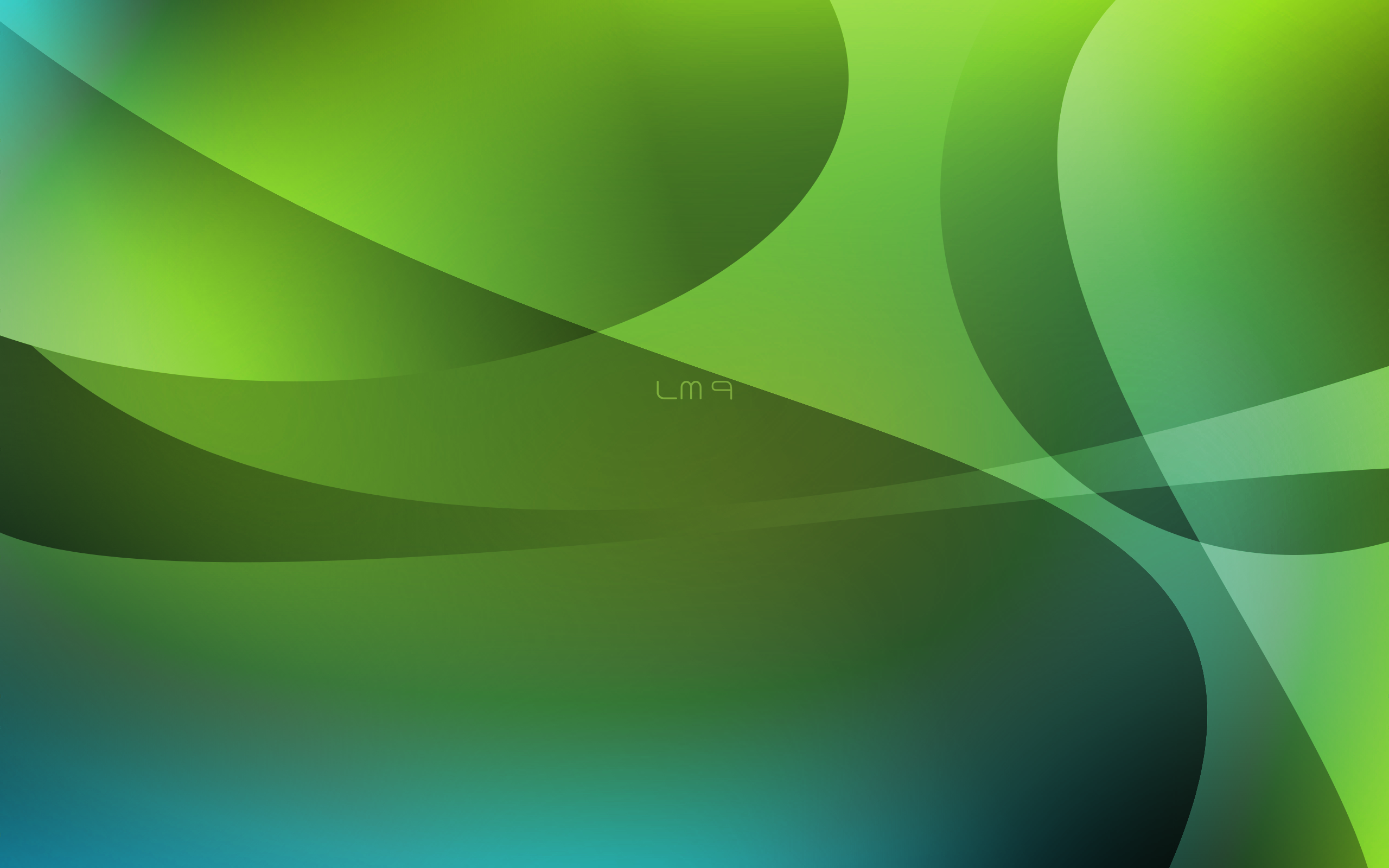
Note: “LM9” from Zwopper will come without the label shown on the above picture.

Note: If space doesn’t allow it, some backgrounds could be removed. The pictures which are sure to be included by default  are marked with a thick border.

The default background:

At the moment, the default background is the one from “Talento Design” (first one below). Alternative choices include a design from “96works” and “AirMint” from dlkreations. See below:

Poll: I can’t promise I’ll follow the majority vote, as always I’ll do what I think is best but I’m interested to know your thoughts on this.

[poll:12]

Other backgrounds:

A number of packages will appear in Linux Mint 9:

  • “mint-wallpapers-extra” will contain many wallpapers made for Linux Mint 9 which weren’t installed by default, unbranded versions of 96works’ artwork, variations from Talento Design and At your service, and a few others.
  • “mint-wallpapers-previous-releases” will contain the wallpapers used by past releases, such as the very popular “Dew” used in Linux Mint 7 Gloria, and the black wallpapers used in Linux Mint 3, 4, 5, 6..
  • “mint-wallpapers-source” will contain the .PSD, .XCF, .SVG sources of the wallpapers and also the Linux Mint logos. We bought the copyrights on the artwork from 29A, At your service, Talento Design and 96works and we’re freeing it all for everyone to use. This package will give artists in our community great resources to start from, to modify and to reuse for their own creations.
  • We’ll also probably include a community package which will grow bigger as the community adds to it, but this is likely to happen after the release of Linux Mint 9.

Blue, green, black:

Many of the backgrounds shown above are also available in blue and will be featured in the KDE edition of Linux Mint 9.

The plan to design a metal-looking theme was postponed to Linux Mint 10. Black backgrounds are likely to come back into fashion at that stage. At the moment, we’re using a black panel and so we’re happy to stick to green for the background (as you can see there’s a lot of green in the pictures shown above).

Focus and efforts:

We’re working really hard on the upcoming release. We’ve looked at a lot of things, we’ve made many improvements and there’s been a huge amount of coding done for Linux Mint 9. I’ve no doubt people will be pleased with the release as we’ve significantly made things better. I know some people are upset when we talk about artwork, either they don’t see the importance of it when it comes to users’ first impression, or they think that the time we put into this is time taken away from more important things. This is the icing on the cake, something that comes very late in the release cycle… something which priority was low but which is extremely important to us as we’re getting ready to release. Attention to details is something we can’t oversee. When it comes to look & feel, things are so subjective and trends change so fast that it’s easy for us to make a mistake, but we’ll spend a few days at the end of each release cycle, like we’re doing right now, and whether we get it right or not, we’ll try our best to relax and to put efforts in making Linux Mint look the best we can.
Themes:

The decision was taken not to change the theme or the icons in Linux Mint 9 Isadora, making it look similar to the previously released Linux Mint 7 Gloria and Linux Mint 8 Helena.

We looked into the making of a metallic looking theme, it was even mentioned publicly and I’m sorry to disappoint. Widgets had to use background pictures to achieve that effect and although it looked really nice on the desktop it was significantly impacting the performance of the system. We’ll still look into this and into ways of achieving this effect without making the system slower in the future, but it will not happen for Linux Mint 9.

Buttons layout:

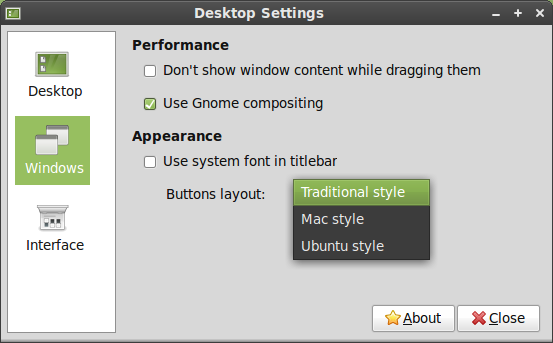
The window buttons in the title bar will remain on the right. The “Desktop settings” tool (mintdesktop) was rewritten and, among other new features, now allows you to set the layout of these buttons. I’m personally curious as to why people would place their buttons that close to the window menu, but who knows, maybe Ubuntu’s bold move in that direction can actually seduce people and start a new trend? So if it does convince you and you feel like placing your buttons on the left side, whether it’s Mac or Ubuntu style, the tool will help you do that.

Desktop background:

The default background for Linux Mint 9 wasn’t chosen yet.

The following 4 backgrounds came from the community and look like good candidates:

– Zwopper’s: http://forums.linuxmint.com/viewtopic.php?f=20&t=44898
– Black leather: http://forums.linuxmint.com/viewtopic.php?f=20&t=36185
– Emotion: http://forums.linuxmint.com/viewtopic.php?f=20&t=40198
– AirMint: http://forums.linuxmint.com/viewtopic.php?f=20&t=27439

The Black leather background uses licensed artwork, so if it is chosen we’ll have to acquire the rights from its author (who doesn’t seem to be reachable at the moment).

To give ourselves more choice we also outsourced the task of creating a background for Linux Mint 9. A contest was started on 99designs.com and a few backgrounds were submitted already:

http://99designs.com/other-design-tasks/contests/desktop-background-linux-mint-42399

I also started a debate on the forums to make sure this contest wasn’t interpreted the wrong way by the artists in our community and to talk about the relations between outsourcing and community in general, if you’re interested in this debate, please visit the following link:

http://forums.linuxmint.com/viewtopic.php?f=20&t=46243

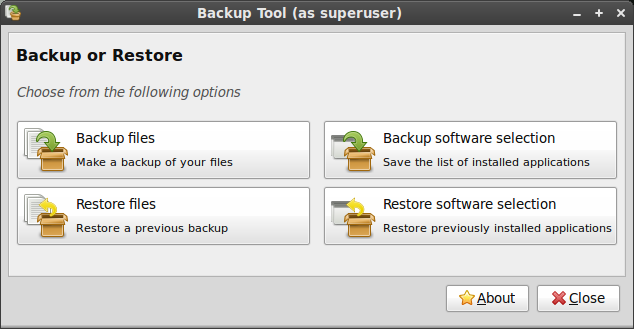
Linux Mint 9 will feature a brand new version of mintBackup, the “Backup Tool”, rewritten from scratch by a newcomer in the development team, somebody people on the IRC and the forums know quite well: Ikey.

The new tool comes with the following features:

  • It can backup and restore files and directories
  • It can backup and restore your software selection
  • It can check differences in files and perform incremental backups/restorations
  • It can check the integrity of the files after it copies them
  • It can backup straight to an archive and compress it on the fly

Being written in Python, it’s not as fast as copying files directly or using rsync (unless you turn off the integrity checks and the checksum verifications) but it’s quite robust and it’s extremely easy to use. The software selection backup/restoration is also very intuitive and will be of tremendous help for people upgrading to a newer version of Linux Mint.

With this tool, comes an entire tutorial on how to upgrade your system, the philosophy behind it, the risks, the method and answers to the most frequently asked questions.

This answers a need that many people have and something that was lacking in our distribution. It’s another stance taken by our project and another philosophical difference between us and most other operating systems. Our lack of confidence in package upgrades, our policy of prevention when it comes to potential regressions and our recommendations to always perform fresh installations… all of this had to be backed by an alternative solution that would be easy and reliable to use. With this guide and this new tool we finally have what was missing.

The tool was developed for Linux Mint 9 Isadora but also tested on Linux Mint 8 Helena. Together with the tutorial it will replace the traditional “Upgrade instructions” associated with each release and end the development of our in-house, yet not recommended, mintupgrader tool.

As the support on Linux Mint 6 is coming to an end, many people will probably be happy to get access to this new solution.

Link to the tutorial: http://community.linuxmint.com/tutorial/view/2