
The team is proud to announce the release of Linux Mint 10.
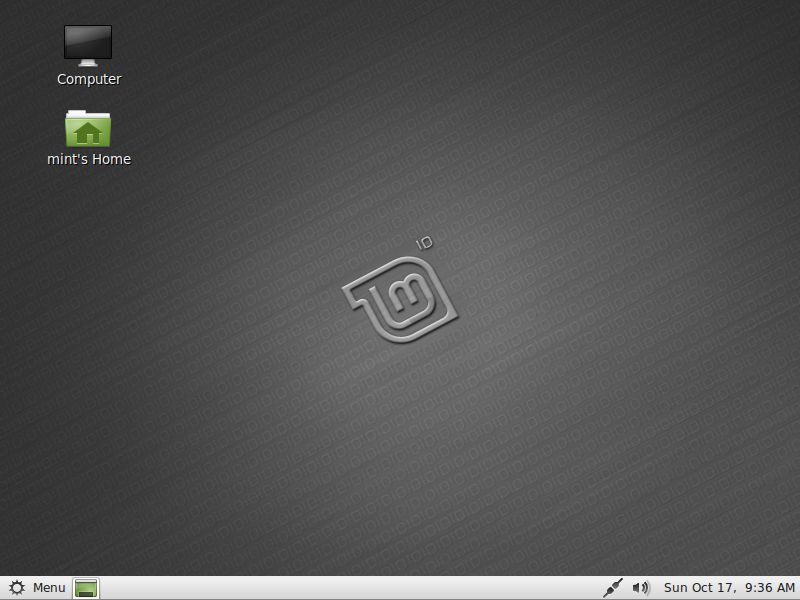
Linux Mint 10
New features at a glance:
- Welcome screen
- Install codecs and upgrade to the DVD edition from the welcome screen
- Menu
- Highlights newly installed applications
- Finds and installs software from the repositories
- Search engines
- GTK bookmarks support
- GTK themes support
- Software manager
- Application icons
- Better categorization
- Update manager
- Ignore updates
- Download size
- Upload manager
- UI, speed, ETA
- Connection test
- Cancel / Run in background
- New look and feel
- System improvements
For a complete overview and to see screenshots of the new features, visit: “What’s new in Linux Mint 10“.
Known problems:
- Splash screen resolution
- Moonlight
- Upstream issues
To get more information about these problems and their solution, read the “Known problems” section of the release notes.
System requirements:
- x86 processor (Linux Mint 64-bit requires a 64-bit processor. Linux Mint 32-bit works on both 32-bit and 64-bit processors).
- 512 MB of system memory (RAM)
- 4 GB of disk space for installation
- Graphics card capable of 800×600 resolution
- CD-ROM drive or USB port
Upgrade instructions:
- To upgrade from a previous version of Linux Mint follow these instructions.
- To upgrade from Linux Mint 10 RC, simply apply any level 1 and 2 updates (if any) available in the Update Manager.
Download:
Linux Mint 10 is available in 32-bit and 64-bit via Torrent and HTTP download:
- Download Linux Mint 10 DVD 32-bit
- Download Linux Mint 10 DVD 64-bit
- Download Linux Mint 10 CD 32-bit
- Download Linux Mint 10 CD 64-bit
- Download Linux Mint 10 USA/JAPAN 32-bit
- Download Linux Mint 10 USA/JAPAN 64-bit
- Download Linux Mint 10 OEM 32-bit
- Download Linux Mint 10 OEM 64-bit
Enjoy!
We look forward to receiving your feedback. Thank you for using Linux Mint and have a lot of fun with this new release!
Great great GREAT! 🙂
voglio installare questo su win10 32bit.
che consigli mi puoi dare
Already downloaded.
non ancora, sta scarricondo
great!!
after using mint, I became your fan.
great job, great distro.
amazing!
thank you for the great work!
“Written by Clem on Friday, November 12th, 2010 @ 6:06 am” Working until early on the morning or late in the night? 😛
Great release! Hope to have the LMDE 64bits soon 😀
I have been using the RC release with no problems and will just update any 1 and 2 updates if available. Great distro this one 🙂
Thanks for all the great work! Downloading…..
Cool. also do 3g usb modems work on this?
Thank you sooo much. Downloading and sharing.
Cheers,
Downloading from the swedish mirror… 🙂
I hope this will be more reliable than LM9….otherwise I have to wait a little more…for LMDE. It’s a lot of interesting releases comming up now! 😀
i have had no updates on my julia rc, since november 5th. is that ok?
I found it last night on the UK mirror and installed it on my 64 bit desktop. We are now getting acquainted and making it to do what I want!
The only issues so far have been with Audacity and Pulse Audio and I think I’m now getting on top of them. For developers, this is an area which requires work. It is far too complex for what we need and is crying out for simplification.
Overall I’m very impressed, well done Clem and the team.
Отлично! Уже качаю!!! 🙂 🙂
@ mercier
Since the 5th i have had 1 level 1 update which was mint translations and 22 level 3. A couple of the level 3 were for chromium.
With madness that has taking over in Canonical, I think Linux Mint will receive, in open arms, more and more users who aren’t pleased with “Emperor Mark Shuttlewood”.
Long live to Mint !!!!!!!
applause and congratulation..
i want to download now..
GOOOOOOOOOOOOOOOOOOOOOOOOOOOOOOOOOOOOOOOOOOOOOOOOOOOOOOOOOOOOOD”!
THANKS A LOT 🙂
Congratulations to the entire Linux Mint team! 🙂
OH JULIA! Oh JULIA! Welcome! We love you!
Thanks to the whole Mint Team for this great release.
It was well worth the wait.
Thank you very much! Good job! Best wishes!
Can i upgrade from RC to 10 ? how? thank you in advance
linux mint 10 julia final???
OMG! Mint 10! Thank You very very much!
Finally the wait is over.
gracias gran trabajo pero prefiero la lts.
Linux Mint keeps getting better with very release.loving it just by reading the “What’s new in Linux Mint 10“. downloading immediately. a big thanks to the linux mint team
Thanks guys, this is the best distro I have used thus far (And I have been using Linux since the 90’s) I bought a new Compaq laptop just for it and everything worked right out the box, even better then Ubuntu 10.10.
You guys are the best! THANKS! 🙂
hahaa….
.
If Ubuntu 10.10 is the ‘Perfect 10’,is this (‘10.10.10’) even more perfect?
Splendid: downloading now!
Roll on the Openbox version (hint).
Many thanks.
i’m repeting what i write little earlier in mint facebook i just can’t understand how the hell clem and mint people manage to raise the quality of this distro every 6 months, i thought isadora was maybe pinnacle of evolution on gnome 2.xx and i began to wait for gnome 3 but julia done it, …now i don’t really know what else needs this distro to make it even more user friendly and sophisticated, maybe a wish would be face recognition or fingerprint authentication just for pleasure cause you’ve done it all about speed, stability, beauty and overall ease of use. Nothing more than congrats to all you and a little me cause i’m an usual helper in spanish translations lol
Hi. Thanks and great work. Whether, keyboard and mouse freeze problem is solved??? Please let me know…
well, you guys did a great job… as usual. congrats ^ ^
Хорошая новость 🙂
Wahoo!! I’ve been enjoying the RC (64bit) for some time.
Congratulations to Mint team!
Just one small little detail when it comes to linking to this blog page: When I post the link on facebook, the first thing people get to read after the headline is “to get more information about these problems and their solutions…etc..etc.
One just might think that this is not the ideal first impression one might want to make….
O.K. guys, time to get some sleep.
Great job.
Finally… I am so happy! Congrats Clem and the wonderful team…!
Seems to be lot of hard work and effort has gone into this to make it AWESOME from round the corner’s 😉 ! Great Job !
Congratulations !!!
Finally¡¡¡¡ the wait was killing me… thanks mint team for the early Christmas gift… CONGRATULATIONS¡¡¡¡¡¡¡¡¡¡¡¡¡¡¡¡
Welcome Julia!
Benvenuta Julia 🙂
WOW!!! the best distro has finally arrived. kudos to the entire mint team
You guys are Awesome….. Blows Ubuntu out of the Water…. Would like to see the default based purely on Debian though… hopefully one day 😉
check out my page
http://www.youtube.com/Linux4UnMe
There are no updates to update RC to final Mint10 Version…
When will they be out.. ?
Is it the last release with an ubuntu base?
Can anybody let me know how to configure internet connection using broadband ethernet connection. I am residing in India. Thanks
“Finally”
Era ora
greetings from Rome
Woohoo! 😀 Thanks, guys! >:D<
非常不错!
amazing!
Outstanding work and my congratulations to the team for a job well done!
Thanks.
Fantastic work Clem and everyone else, downloading now, been anxiously awaiting…Thx again:)
Excellent news!!! The very best release ever! Thank You very much!!!
GLAAAAADDD!!!
Ok, guys, time to get some rest! 🙂 🙂
Mint Rulez! Congratulations to the WHOLE team… that works HARD for a free product.
Although it is a free product, I would kindly like the ENCOURAGE the readers and fans to contribute… even a buck is great! C’mon, guys! Clem & the team work hard for us! They read our complains, take our suggestions, have a hard time to develop a (GREAT) distro not based on a scheduled date, but on QUALITY.
Let’s keep’em motivated, guys! They could be doing something else – even at nights – but they don’t. They could be doing something else for THEMSELVES, nor for us… but they don’t! The main benefit for this distro comes for US. The users.
One single minute to contribute, guys. Thanks!
My wife’s name is Julia, this could be trouble!!!! Congrats, I’ve been using the RC and its the best Mint yet. (been using since 7)
Nice one to Clem and team.
You really make it seem so easy with your view but I find thistheme to be truly something which I guess I would never understand.
Very nice work, thank you!
🙂
Running it right now on my laptop. 🙂 LOVING IT!!!
😀 Thanks to Clem and team…
congratulations, Julia is beautiful and feels a lot snappier. thanx everyone!!
Baixando para instalar.
Estava precisando de uma distro GNOME.
Ótimo serviço.
thanks! gracias lo voy a bajar! saludos desde Uruguay
#######################################
Does anyone have LINUX MINT running on their ASUS 1215N laptop?
I have it running — nice and fast — I over wrote my Windows 7 partition [ “I Don’t Do Windows”, and have only Linux 10rc.
I noticed some mention of a proprietary Video Driver for the Asus 1215, tried to install / activate the Video driver, but it crashed my Linux Mint 10rc, so I had to re-install.
Anybody with a fix or the same problem??
Great job Linux Mint Team!!! Linux Mint is #1 in my book. 🙂
#####################################################
Great! Can’t wait to download and install it 🙂
Good !!
Very Nice
i’ll try it
Congratulations! The best distro! LMDE only in the future, could be higher
I only hope that the DVD upgrade issue is solved. The reason I’m saying this is because even after upgrading to the DVD version (when I was using the RC) my VLC player could not sometimes read some block on the DVD. Consequently the DVD stopped playing. I tried several DVDs most of them had the same issue.
Thanks.
Урррраааааааа!! Уже качаю!
Thanks for the great work!
There’s nothing terribly interesting about “just another lame Ubuntu spinoff”, no matter how much polished it is. If there is a future for Mint, this is bundled with the Debian Edition. Ubuntu is a noob quasi-distro which is severely flawed by design.
once upon a time, there was a operating sysytem who called with linux but now, there is better one “julia”. it is perfect.
The main download website seems to be down. Can someone please post the torrent links here. Thanks!
I’ve been playing around for some time with Ubuntu 10.10 and LM 10 RC on the same computer. I got the impression that Mint is a bit quicker and more responsive. Has anybody else experienced this? Is there any reason for it? Best release so far.
Share your precious bandwidth! Help get Mint to the masses by downloading the torrent(s) and spread the good bytes like Johnny Appleseed! Your fellow Mint lovers will be grateful!
The best Gnome distro so far for my netbook, using RC on the second partition but using Mint 9 LXDE for the basics (blazing fast) and hoping a Mint 10 LXDE will fix my wireless issue (only required kernel upgrade). Any plans?
Miiiiiiiiiiint rocks from india Man after using ubuntu i tried mint and was blown away u guys rock will be downloading soon. who say linux is dead
Runs very well on a 1005HA-M EeePc!
Je tiens à remercier toute l’équipe.
Congratulation Mint Team !
I’ll give this a try tomorrow. The RC was 99%. Hopefully the issue I was having with my older Dell Latitiude X300 WiFi firmware was resolved to make it 100%!
This is the best linux distro for realz…I like to call it *vitamins for my pc*…hehe
Much thanks to Clem and his team…
Running off my external and i just have to say i loves it so. I primarily use Fedora due to school but the best thing about graduating is a degree and full time use of LinuxMint the finest OS that ever has been or ever will be made.
I was Windows user before Gloria came into my life; since then I do nothing but praise the Linux way, I’ve turned a couple of my friends into Linux users, I see Windows computers as a nuisance now, all of this because of you guys, Mint opened my eyes :D, I’m so amazed on how you’ve imrpoved in just 3 distros, Let me thnk you very sincerely about it, Mint is the state of the art on OSs from my Systems Engineer perspective; Keep up the good work you’ve done so far.
Thanks for Gloria, Helena, Isadora and Julia.
¡¡¡¡Felicitaciones por el magnífico trabajo!!!!!
NO WIFI SUPPORT AGAIN
ALFA AWUS036H Wireless G/B LAN USB WiFi Network Adapter
Manufacturer Alfa Standard 802.11g/b
Model Number AWUS036H 1000mW
Chipset Realtek RTL8187 (aka RT8187L)
OS Compatibility Win98SE/2000/ME/XP/Vista/7, Linux & Mac* Speeds 54mbps
Liked LM 10 RC, waited final, now downloading it! Great job guys! Tank you!
Pretty beautiful! Terrific!
Congratulations. However, I will be sticking with 9/LTS. It’s just too good to mess with. Nice work Clem. You guys have restored my faith in Linux!
Great News!!! Is there an Alternate DVD that I need to install for software RAID?
Thanks for all the hard work, also waiting for the KDE64 edition.
WOOOP WOOOP!! Congrats to the Linux Mint Team! The ABSOLUTE, VERY BEST version of Linux out there. PERIOD.
Awesome job Clem and everyone involved. It may be a bit soon, but is there any roadmap on the KDE versions?
Great work, team.
Thank you.
I tried the rest now I’m trying the best thank you very much Great work Team mint.
Congrats Mint! However, wifi is broken. I can get wifi running 9 live disc, but I cannot get wifi when I run 10 live disc.
Where are torrents downloads people of Mint??
Your site is down and torrent downloads are infact .iso files ??????
Man I’ve been using Linux Mint since the version 4 and I love it, even if some bugs come out, I still love it. After every Ubuntu release my internal timer resets itself and I just wait like crazy for the newer Mint release.
I want to thank Clem and the whole Mint team for what they are doing for the community.
Thanks again.
AWESOME OS. I’m contacting the online magazines/websites! If you want to help, I would also ask when the corporate game makers are going to start supporting Linux. I’ve already contacted the following sites:
http://www.arstechnica.com
http://www.next-gen.biz
http://www.Gmpoint.net
http://www.pcmag.com
http://www.ea.com fiscal year ending March, 2010: Sales: $3,654.0M (hmm?)
I emailed every site on the list, including all 13 PR Reps at EA, informing them of the new cutting edge version and inquiring as to whether support for the Linux platform (particularly the new Linux Mint 10) will be foreseeable by them in the near future. The Linux community would surely thank them, if it was. 😉
Many more to come, after I have lunch. 🙂
Here are the torrents http://www.papayamedia.com/linux-mint-10
Like @argentinoandino I agree with him…this distro (that I’ve recomended a lot) it’s the best low entry step for the newcomers in Linux World.
Also for the old hardware we can choose XFCE, LXDE or Fluxbox desktop.
Congrats to U!! keep working on it.
The links to download the torrents are missing the “.torrent” at the end making it impossible to download them without fixing the url
Been using it all day today. It’s awesome!!
This is amazing guys. Very excited about Julia. Can’t wait to get home and give it a spin 🙂
More power to Clem and Team!
You guys are terrific. I am using LM 10 RC for almost 2+ weeks and doesn’t have any problems except the time widget/applet has moved up to the screen each time and vanished.
I have also started a community site for India http://www.linuxmint.in. every body are welcome to join and collaborate for the betterment of LM.
This theme is sooooooo depressing. Grey everwhere! Also, KDE programs stopped working in LM 10 whereas LM 9 worked while in GNOME. And even in KDE, the programs didn’t work either, there were many error messages. I suggest people who use KDE and the programs to wait before upgrading.
Linux Mint leads the Linux pack! What can I say? I’m a huge fan. Congratulations and thanks to the development team.
Using Linux Live USB Creator version 2.6 (final) the 32-bit ‘DVD’ fits well into a 5.5GiB primary fat32 partition on a ’16GB’ USB2 stick, plus a 9.4 GiB extended partition fat32 logical data drive that can be seen by Mint but not by Windows. With only Level 1 and 2 Updating selected there’s still room for added favourites like AcidRip, kshisen and gnome-disk-utility, without all the complications of GRUB2. The persistent USB install is running very well on E2180 and E5200 rigs. Video playback quality is subtly better in Kaffeine DVB-T and VLC Player and overall responsiveness is great. (My hard drive install is still Mint-9)
Thank you once again, Clem and the team !
Awesome! Many thanks!
YES – thank you everybody involved. 😀
The fsck problem does not remain!
Also the locking at startup when 24bit color is selected and batteri supply is connected is away. 🙂
This one is much closer to perfect than Mint 9, from a technical point of view. 🙂
“Jorge Says:
November 12th, 2010 at 2:46 pm
NO WIFI SUPPORT AGAIN
ALFA AWUS036H Wireless G/B LAN USB WiFi Network Adapter
Manufacturer Alfa Standard 802.11g/b
Model Number AWUS036H 1000mW
Chipset Realtek RTL8187 (aka RT8187L)
OS Compatibility Win98SE/2000/ME/XP/Vista/7, Linux & Mac* Speeds 54mbps”
Thank you Jorge!
I don’t have to waste 700MB of data for another piece of junk. (Bad kernel!)
Awesome work! All the best guys…
damned, another mint servers overload attended 😉
Great work Clem and the whole team. I’ve used the 10rc since it came out. Very good. I have the impression it works better than 9.
The “cool” theme was something I had to get used to, but now I love it.
Now I’m waiting for Mint-Debian in the 10 look.
Thanks you all.
Great Linux! Linux Mint became my favourite 2 years ago since I first tried. Linux Mint 10 very very nice release. I’m trying to Hoke up all off my friends to use Linux Mint and this release make it really easy. It is Great.
already using the rc release without major problems thanks for a great distro-regi
love it~!
can anyone tell me what is on the DVD that is NOT on the CD?
much thanks,
Joe
Anyway Jorge,
You could fix your problem downloading and installing the kernel 2.6.33 series. The problems came after that series.
ok, I answered my own question…
here are the packages from the mint-meta-gnome-dvd meta package not included in the CD versions
Depends: f-spot, gnome-wise-icon-theme, mint-backgrounds-helena, mint-backgrounds-isadora, mint-elementary-icons, mintinstall-icons, nautilus-share, openoffice.org-base, sun-java6-plugin, samba, samba-common-bin, shiki-wise-theme, smbclient, ttf-dejavu, ttf-dejavu-extra, ttf-wqy-microhei, vlc
Description: Set of packages included in the DVD edition of Linux Mint.
and here are the packages included in the mint-meta-codecs meta package, not included on the alt versions of mint
Depends: gstreamer0.10-esd, gstreamer0.10-ffmpeg, gstreamer0.10-pitfdll, gstreamer0.10-plugins-bad, gstreamer0.10-plugins-bad-multiverse, gstreamer0.10-plugins-ugly, gstreamer0.10-plugins-ugly-multiverse, libdvdcss2, libdvdnav4, libdvdread4, cabextract, gecko-mediaplayer, totem-xine, unrar, unshield, mint-flashplugin, w32codecs
Description: All the packages required for multimedia support in Linux Mint.
After release of Linux Mint 10,no doubt that it will be no. 1 linux distro.It will be ahead than Ubuntu very soon!!!
Hey everybody!!! Use Linux Mint
Make it no. 1 !!!!!
I pushed a project to have a Linux distro installed in our school’s computer lab. I chose Linux Mint hands down over all the others for its look and feel and its particular easiness to use for those who come from the MS world.
Thanks a bunch for this marvelous piece of work !
Almost 2 years ago I migrated to Arch. I’ll stay there, but Mint is the distribution which I recommend to friends who just want to work and don’t want to play with Linux.
Today I had a look at mint 10. Congratulations!
== Idea ==
One hint to the mint team: I will install Mint on PCs of family members who cannot administer their PCs themselves. I need to log in as a remote user (root) for repairs, backup, administration etc. I’ll find out how to do that (including virtualization). A distribution which supports such kind of family networking out of the box may meet the needs of more and more aged and handicapped people who need computers, networking etc. but who can get support only from remote family members. Actually, I found that user interfaces which are optimized for senior citizens are user friendly for everybody. And I am getting old too 😉
Best regards from Munich
Goetz
Fantastic. My argument against “Linux is not a desktop operating system” is even better than ever 😀 Go Team Mint!
Wait for the final version, ends finally. Linux Mint is my favorite Distro (moved from Ubuntu).
And whats more, I may make LM my primary OS with this release (I would love to, if thats possible!).
Thanks for giving me Julia.
Hermosa!
thanks
Time to move from RC to release.
Gee-Sus! Am I blind or what? How come I missed the warning about Julia (Mint 10) overwriting the MBR? I used to have such a nice set-up with a variety of OSes and one very capable and practical boot manager (BING); I want GRUB in the boot record of the respective partition, not the MBR, thank you very much. I guess I just have to spend a few more hours getting everything up and running again… sigh-sigh-sigh. It would be polite on your part, Clem, to warn people about this (or did I really miss the banner?).
As far as first impressions go, Julia didn’t leave a particular good one.
Hora de trocar a Isadora pela Julia.
Wonderful news! Too impatient to upgrade Isadora!
Writing from Linux Mint 10
Great work!!
Great job. Best release yet!
Top notch, thanks for all the hard work, it is much appreciated. Been using 10 RC from day one, nice and stable since I turned off ATI Radeon KMS. Keep up the good work.
GB
Wow! I’m currently giving it a try and I’m amazed!
Before seeing it by myself, I thought that the new theme wasn’t as good as ol’ green ones, but it turned out that I was wrong. The new look is as fresh as every LM so far, and cooler than never! Once again, elegance comes from freedom.
Congratulations! You’ve done it again!
Greetings from Uruguay
Thank you soooooooo much! You guys make my life easier and much nice!! Cheers!
I’ve been waiting for this!
Thank you for your work!
@137 (my own post): It was completely my bad. However, a few more red flags would have helped…
Ура!!!
great job 10 rocks
thanks again for a great distro
My stupid Scientific Atlanta 2100R2 modem got detected (widely used in Argentina), now i can get connected in a live session! I use Mint to rescue disastrous situations only but great nonetheless!.
Switched from Linux Mint 9 KDE to Linux Mint 10, this distro just keeps getting better. Keep up the great work.
Might there be a KDE version soon?
Great job …..
becouse of this release of linux mint 10 is going to be the only OS on my computer 🙂
Waiting for Debian edition…
Спасибо вам 🙂
My first experience with Linux Mint was was version 9. Ok, but nothing to write home about. LM10RC was releases and I tried it as a live cd. Much better than any other distro–I have tried most of the popular ones. It was a choice to wait for LM10. Got it, installed it, wearing the t-shirt. It doesn’t get any better. Finally, a release that works really well.
To all who make Linux Mint possible. Thank you.
Don’t take me wrong, I am definitely pro-Linux, but I am getting tired of all the hassle associated to the fresh installs. I am not and IT guy, I’m just a regular user, so I only sit in front of my computer to get my work done, not to work in my computer.
Of course, I can stay with the current version or do a package update, but… you know the answer.
I am not trying to troll my friends, I just want to represent the group of the simple end-users. I believe that fresh re-installs are not the future, at least, not the way they are today. Too much re-configuring and retuning, or re-installing some other software. Too much hassle, definitely not seamless.
Anyways, congratulations for the new version. I’ll install it one of these days.
Hi, I am ex-user of Windows 7 and Mint is a perfect transition of me. Post install of Ubuntu 10.10 I was searching for more polished one and Friday 12th Nov when this was released I made a point to download it the same day and install. Now this is sole OS both on my Home PC and Office Laptop. Mint Rocks 🙂 Thanks to the devs and team involved in this wonderful OS.
I thought Linux Mint 7 was the best, as 8 and 9 main havent worked properly. But Mint 10 blows mint 7 out of the water!
Doesn’t work with my nvidia graphics [geforce gts 360m].
Screen turns into a disaster of colors.
I will just stick with the wonderful LMDE =). But, great job anyways
Vive La Linux Mint!
DOWNLOADING <<< Hopes my sound cards works not like dis ubuntu…
does anyone know if the 64bit version sounds work perfectly?
@Jose
If you don’t like reinstalling every 6 months, you should look into Linux Mint Debian Edition (LMDE). It has a rolling release, so you just install the updates when they come and you’re good to go. No reinstalling.
Installed the final-release not yet.
Mainproblem with Mint10RC(-LiveCD) was the nonfunctional
‘windows manager’ and a shrunk screensize on an old Monitor(Samsung SyncMaster500p, 15inch).
Is this failure solved?
good job. thank you!
Good work by everyone involved! Julia is my new girlfriend. Bye bye Isadora.
great…am currently ruined koz of ubuntu maverick and their “r bbish” support. Now I will be moving to Linux Mint cause i heart its freaking great and that the community is ALIVE!
Hi everyone!
Linux Mint is why I left the windows two years ago. I commend your excellent work and I only have one question. Why can not we update the Linux Mint 9 to Linux Min 10 on the way it works in LMDE?
It would be great if this could be done the easy way by clicking on an “upgrade to Linux Mint 10”, for example.
Nevertheless, every new Linux Mint is getting better and just because I install the new version.
Greetings from the Croatia!
At last, i was waiting for it for loooooooooooooooooong time!
I’m sorry, but mint should be green.
qoute:
Prabath Says:
November 12th, 2010 at 8:15 am
Hi. Thanks and great work. Whether, keyboard and mouse freeze problem is solved??? Please let me know…
Please let me know, is this issue resolved? Cause for me with the 10.10 of Ubuntu/Kubuntu/Lubuntu etc. the touchpad was a big issue. And it was the same on 4 different models of laptops.
The touchpad (mouse) freeze every 5th second…
is it the same here??
you’re meeting my day guys, this is what i was looking for.. Great work ..fantastico
А Linux Mint KDE 10 будет???
Now this is soon to be installed.
Exelente linux mint!!
existos.
@Slim Croatia
Upgrading OS is never easy, and is never a good idea.
But fortunately, Linux is way superior to Windows. So all you have to do, is to have a separate /home partition, and you can install new versions of Mint with loosing your preferences and Data.
Today I would Like to say it been “1” year since I been using Mint. wow now with version 10 its awesome I will never look back at windows with there big hungry resources. Mint 10!!! way to go LOVE the theme easy on the eye and it just runs sooooo fast only 6 sec to boot..
Hi,
first my compliments to all developers for this fantastic piece of software, called Julia, that i installed yesterday.
This is my Reviews/Guide to Julia on my Blog:
http://ubuntu-inside.blogspot.com/2010/11/guidarecensione-linux-mint-10-julia.html#en_version
Thanks to all 🙂
Thanks @Kevin
I will give it a try.
yeah, the same problem still with the mouse, how can I solve that? does anyone know? it is so irritating…
the mouse kind of like stops for 2 milliseconds and then it works again, like it jumps on the screen. the same with my external mouse (using a laptop).
anyone, please… people in the Ubuntu forums are complaining about the same thing…
Gracias gracias gracias
Thanks for such a brilliant distro. You all did a Great Job!!!!!!!!! Mint really rocks, because almost everything works perfectly. I have just missed the beautiful green mint icon on mintmenu, but that was not a big deal, because I quickly figured out how to change it. I also had to do a little trick in order to get transparency on gnome-panel. Maybe the theme would be perfect if it could allow transparency without the need of changing gtkrc file.
Is anyone else having problems connecting to the linux mint website to download the new operating system?
Mike: Server downtime: http://blog.linuxmint.com/?p=1591
This is the best by a wide margin. I can’t offer enough congratulations. Well done to Clem and the team. Fabulous work!!
Great !
so, there is still no fix for the touchpad / mouse issue?
it freezes etc. all the time. I had to re-install 10.04 / LM 9 to get it to work OK.
Anyone else?
I cant boot from live usb.. help..
i had problem when try compiz get that:
compiz (core) – Fatal: Software rendering detected.
compiz (core) – Error: Failed to manage screen: 0
compiz (core) – Fatal: No manageable screens found on display :0.0
my laptop dell insporn 51Om
any help here
It’s a nice distro , I’ve been using it since Version 5, but this versions default theme is very ugly, to this version … default theme always impressed me, and my friends, but this metal x theme sux guys, onest … hope you will make a theme pack for lm10 to download 🙂 nice work overall
Okay guys. I SAID I was going to contact some online magazines/websites. Heres the complete list (continued from entry # 112, including the originals):
http://www.arstechnica.com
http://www.next-gen.biz
http://www.Gmpoint.net
http://www.pcmag.com
http://www.ea.com
http://www.pcworld.com
http://www.pcw.co.uk
http://www.zdnet.com
http://www.maximumpc.com
http://www.computeractive.co.uk
http://www.pcadvisor.co.uk
http://www.computerworld.com
pcquest.ciol.com
pcplus.techradar.com
Some websites have multiple departments that need to be contacted. Thats a few random tech sites plus the first page of “online pc magazines” (at least in MY browser). I’m getting pretty good with the “about”, “contact us”, and “editorial department” links! Heh. Something like 20-22 emails (believe it or not) in all. That should provide the critical news to some popular sites and encourage a little acknowledgment. I hope others might also take a little time to either donate, or spread the word (OR BOTH). Thanks again to the Mint Team for an AWESOME release! Cheers!
looks great love the desktop & icons
And the dream of a Complete linux office err NO!
My problem still is Printing in Linux
Still my main OS Of Choice
Thanks Clem And the Team
I’m really impressed with this latest release of Mint. The installer was always high quality and functioned well, but now you guys have really polished it and given it a highly clean and professional look to go with it. Very streamlined, very clean, excellent job. Also, the overhauled Mint theme and the new icon set give the desktop and menus the same super clean and professional look to go with the quality already present. Haven’t encountered any problems yet, excellent job guys!! You’re the reason Mint is the #4 most used OS!!
I’m running it on an iMac. It’s the fastest Linux I’ve used so far.
First reactions:
Back up tool refused to restore software selection;
Files back of your /home will leave a crippled system;
Having /home in another partition untouched will not help;
Wifi hangs on login;
some of the newly installed apps don’t start from menu -unless you edit out %c etc from the properties > command;
weather don’t show in cloak in panel;
icons for network and update tool show up where they please;
no skype;
multiple items gets selected in menu and its goes into a blinking spree;
software manager slow and don’t install apps successfully;
etc …
super
matur nuwun Clem
http://www.sabily.org/website/en/sabily/content.html
@gorillaki #79 above:
Do you care to elaborate? How is LM 10 “just another lame Ubuntu spinoff”? It includes a number of tools created specifically for Mint, an intuitive and usable interface, and functions very, very well as a desktop OS. By saying “Ubuntu is a noob quasi-distro,” without backing it up, you appear to be regurgitating the same old flames that fans of other distros continue to throw out against Ubuntu, and you sound a bit noobish yourself.
I am glad to see that Mint is beginning to embrace a Debian base, and I am using LMDE myself, but to dismiss Ubuntu and anything Ubuntu-based as something merely for noobs (despite all of its successes and that fact that it *IS* actually easy to use, so maybe that is a compliment?), and to call it a “quasi-distro” (what does that even mean? Is it not really its own distro?) is rather ludicrous. Despite its shortcomings (or rather compromises) Ubuntu has done a lot to help get linux onto desktops for people with and without CS/IT degrees, and Mint is even better. I’m nearing three years with Linux Mint as my main OS, now accounting for 95% of my computer use. I already have LM 10 on a flash drive to use as a portable/persistent OS.
here’s my honest review/observation
http://eonzerimar.blogspot.com/2010/11/linux-mint-10-rc-julia-full-review.html
@sean – Trolls can be found everywhere–even here. Best to ignore, yes?
Mint 10 is not ready for prime time. Especially if your hardware is old. Hardware that worked in linux Min 9, will be hard if not impossible to make it work.
I regret to have upgraded. If I get tired, I will go back to Mint 9.
Damn Cool Distro… Its Going Great…
I just love it.
So cool, but sooooo heavy..
im running this on my portege m200 laptop, and it running slow..
(1,8 GHz 512MB Ram)
my mouse pointer often stuck when i moving it arround my background..
I’am running it from yesterday and i’m realy happy with it! (Mint 9 before). Everything is much more responsive, looks like very good work! Thank You!
Great !!!
Love Linux Mint.
Thank you, am currently using LM9 and will upgrade.
Linux Mint is great, keep going!
This OS is just perfect, it is fast, it takes no memory and it has an awesome interface. The Linux Mint menu is simply awesome. I seriously like Linux Mint OS and I recommend it for everyone; experienced user or new user to Linux. I give a 10/10 for this OS.
Thank you for all your hard work!
how i upgrade to 10 from 9?
LINUX MINT TE AMO! La distro perfecta.
LML (Linux Mint Lover) !
Saludos desde Argentina !
After so much try…from Helena….It is so cool and easy…Lovely color scheme…Thanks a lot Julia Team !!!! Really Amazing…….
A simple Wallpapers consideration…
some of the included especially from Mint 9 are blurry or pixelated in a bad way, and even have a bad color compression like for example the first two shown here: http://blog.linuxmint.com/?p=1374 . I think they harm the quality criteria of the default bundle.
Amazing, just amazing! I’m a long time Ubuntu user – and don’t get me wrong I love ubuntu, I always customize my desktop one way or another, when I saw the style Mint was using on 10. I’m like I gotta try it.
This + BTRFS makes it so perfect, my VMs work so much better, my data’s not being corrupted like EXT4 was. And I didn’t have to spend hours downloading the same codecs and that I install each time I do with Ubuntu. This is PERFECT!
Now I’m just waiting for LMDE 64-bit
sooo nice but some prblm with touchpad….scroll area is not in catual positn where it marked…
in compaq 610
still, the touchpad (known bug) for many synaptics pads makes it crap.
other than that, great distro and I love it too!
I just wish that the touchpad issue could be fixed by a simple update…
Hi All,
It is great,
Please help me on wireless card driver.
i have dell inspiron 1420 dual boot with vista.and dell wirelss 1395 WLAN minicard .
Please help!!!!!!!!!
I’ve been a distro-hopper for a long time, looking for a Linux distro that will do everything I want it to, in an environment that I want to use, and with a foundation that is strong and flexible. I have used Ubuntu, Fedora, Mandriva, Slackware, and a lot of their variants — Mint 10 is EXACTLY what I’ve been looking for! 🙂
Since it looks Mac-ish out of box, I decided to run with that feel. I set the panel from the bottom to the top and set the panel on autohide. I’m using Avant Window Navigator at the bottom of the screen for frequently used distros. Nothing else on the desktop — clean, simple, powerful computing for school and personal use. After installing Wine, I found that I have the best that Windows, Linux, and Unix have to offer in one system.
Thanks Clem and Team Mint for this awesome distro!
–Josh
running on pavillion dv7 the best linux dist so far thank you.
Sorry, but don’t like this version of linuxmint julia, will keep using ubuntu 10.04 because with julia I wasn’t able to install drivers for my canon printer like I did in isadora and lucid linx.
Josh, i have similar story with a little diference…. I was hoping user of opensuse and poor KDE4 …. Never more 🙂
Good job !
but i prefer LMDE to ubuntu based
On my laptop (Dell Vostro 1100) I had Isadora installed last year when it was released and I was very happy how it performed: fast, stable no problem with drivers. When Julia was released, I was very happy and I hoped that this is even better than Isadora. So I installed not by upgrading, but by formating all HDD and starting with fresh install. Every day since then, I become more disappointed by this version of Linux Mint. The overall speed of the system is not so good as with the previous version, after waking up from suspend state, all screen elements are stuck for few seconds (first time I thought that it crashed) and CPU usage is high while doing nothing (no application running; only the OS and it’s services and NO apache, mysql or other custom services).
Bottom line, this version (Julia) locks good, but, to me, seems slower than the previous one (Isadora), so I will try something else.
the new default theme is just awesome.
all the orther versions of mint look’s dark and horrible.
this theme is 10/10! just perfect!
Wonderful release, thank you! Even better than Isadora, Linux Mint is quite perfect now!
This release has some nice stuff in it.
A critique I got is about the installation process… it would freeze and stall if it can’t connect to the timezone website. And there isn’t much you can do but go into Terminal to kill the process and start again.
Well actually, when the text “Ready when you are…” appears, I’m confused why that shows, when there’s nothing to indicate for the installer that you’re ready..? (The forward button at the “Who are you?” screen stays disabled)
Long time Ubuntu user and even longer Linux user here.
Linux Mint 10 is the OS I always wished for. I am running it on a Samsung (intel i3) laptop. It is stable and beautiful.
We are more than 1%
With this initiative, we intend to refute the statistics of certain press organizations that ensure that the use of GNU/Linux does not exceed 1% and has not advanced in recent years at the desktop.
If you want to help us accomplish this goal, please participate in our statistics!
http://www.dudalibre.com/gnulinuxcounter?lang=en
Great Work!!!
thanks 😀 looks nice, just need to figure out how to use it 😀 10 hours in! lol
have been using mint 10 for a couple of weeks and noticed a couple of minor niggles
1. if you decide to make a panel button this is the method i used to create i selected menu right clicked the firefox icon then add to panel no problems. the problem is if you use firefox while the newly created panel button is in the panel minimising firefox closes firefox. thus sending you to your home page because you have to restart. remove the button the everything is okay
2. is a focus issue with the desktop if during the above creating the button you have the panel selected to add the button normally if you click any where off the the panel i.e. to another window, i would have expected the panel to just disappear. it stays until you click the menu panel again.
item 1 the icon in the panel is for none linux / lazy users
item 2 maybe just me never noticed before in previous versions
just minor
still love it
Great Stuff way better than competition
Have it just 1 week but i already love it how i did’nt loved any other distribution ever! THX!!!!!
My quad core processor and 4GB of ram are not enought to overcome the fact that open source video drivers are terrible. I could not find a way to make Mint run smootly enough to be usable on my dual monitor setup. My system runs fine on XP, Vista and 7, but both on Ubuntu and Mint my Radeon X1250 makes the experience totally unusable. I will stick with Windows 7 for now as it run very smooth.
I will probably try Mint back when I upgrade my computer in about 2 years.
Mint 10 is the best since Mint 7 – reliable, fast and able to recognise my router, wifi and printer. Furthermore, I can suspend and recover with no bother, something I couldn’t do with Mint 8 and 9. The Software Manager is a dream to use.
For those interested, I run Mint 10 from a 2Gb USB pendrive, the installation on the drive is created using LiLi USB Creator. It is extremely easy to use with the advantage of producing a persistent file unlike UnetBootin.
I really want to upgrade to this, but on my laptop I have to set acpi=off to boot to the live CD or else I get a black screen trying to load the disc. I’d really like to upgrade but I don’t know what the consequences would be if I kept acpi off.
To be honest, I am not really impressed with the new linux mint 10 julia release. I booted it live from my usb and checked the looks, the feel and the features in general. Not impressed!!! Sorry!!! It is pretty much the same as linux mint 8 helena.
I am now running linux mint 9 isadora Kde. It is by far better than the new release.So I am waiting for an other version of linux that can really beat linux mint 9 kde.
good luck with that one.
Sorry but I don’t like the new theme.
I don’t find Mint 10 better than Mint 9.
Waiting for next release.
I like it. Looks cleaner and brighter. It’s kind of like turning on the lights in a dark room compared to v9. I like the new icon graphics but no so sure about squaring them off, it’s kinds of like copying iPhone icons. All-in-all, I like it though. I was running v9 on my laptop till it died and I was without a computer of my own for a few months, and when I got this PC, I decided to put v10 on it.
I have been a Linux Mint user since v3 Casandra. Prior to my switch to Linux Mint, Linux was more or less just a “toy” for me (since mu introduction to S.u.S.E. 8.2 Pro) as my real computing was done in Windows XP, I stuck with Suse till v10 and thinking it was becoming too bloated and slow, I shop for another “toy”. By chance, while working with converting to Ubuntu, I happened across Linux Mint. Linux Mint became “my Linux” since v3 and became my “serious” (and ONLY) operating system I use for EVERYTHING since v4 Daryna. I dumped Windows XP and have not turned back have not used any other Linux distro since.
Thank you.
Linux Mint 10 is an excellent distro. Thanks again and keep up the good work.
I like it!
Thank you Clem and the rest of the Guys behind Mint for this exelent Distribution ! I’m downloading the 32 bit image, loading my spezial pakets, and remaster it with remastersys. Now “my” Mint 10 run on my Desktop and on my HP Pavilion fantastic. I used Linux some years ONLY and the last years only Linux Mint. For me the best Distro from all !
Thank you again for the hard and very good work !!!
Best regards from a lucky german Mintuser : Uwe
I’ve already used linux mint 9. I like to use it because it’s more user friendly compare to the other distro especially for me who regarded as a new comer. Thanks to developer. Good job.
http:manfaat.biz
Hey Clem,
I have used LM10 for about 10 days and gave it up. The calendar is not good.. its way up than the usual place, the system hangs many times, the new theme is too pale and many more discouraging factors. I still appreciate all the hardwork you guys have been doing. It may be just my netbook that isn’t compatible with LM10 yet. Restored my favourite LM9 and its good so far. Trying LMDE as well. Hoping to see compiz working in LMDE soon.
Thanks again for the great work!
Kernel 2.6.35 is having issue on my PC like Continuously Getting stuck everytime
Athlon X2 4400+ ATI RS690 (X1250)
So i had to downgrade to 2.6.34 -Now no issues.
Thank You! The OS is great, learning it. Have enjoyed all Distributions since Gloria. Again thank You, peace!
Hi Mint’s team,
Great great this version, good job and continue to do this.
Mart from Montreal.
Is there any possibility of future releases of mint with the live CD/DVD designed to NOT set the computer’s clock from the Internet to Grenwich Mean Time (because the time zone is not yet configured)?
Alternatively (or even additionally), if users of the live CD/DVD do have to set the time zone each time they boot, could the time zone selection automatically set other regional default settings (such as local date format, measurement units, default language, paper size…). This would increase the value of performing this little chore.
If this is too difficult for some reason (presumably related to the customization of Mint from Ubuntu), perhaps a facility to customize settings before burning a live disk would make the live disk more user friendly.
PS: I tried installing from the live DVD to a 16GB USB flash drive from both Mint 7 and Mint 9, but neither was able to format a ‘swap’ partition on it. Is it likely that a future version of Mint could be installed onto such a drive? (or did I choose a dud brand of USB drive for the purpose?)
Awesome! Thank You Very Much!
I’ve only been using Mint since 9 [Isadora], and can only wonder ‘how do microsoft get away with ripping people off for windows when Mint exists?’
I love Mint 10, haven’t seen any crippling bugs as of yet either 🙂
Great job! 😀
what is the difference between oem and the dvd or cd version.
great but, i can’t make wol my zte modem….
why dont create a lighten version of LM?
what is the difference between the oem and dvd or cd version of mint 10?
pourquoi svp , quand en sélectionne installer en français , le langage du system est englait et français au meme temps ?
Here’s an idea related to my post above: It is possible when running from the live DVD to make adjustments to the currently running live environment.
How about a facility to then store the entire running live environment (as customized) to an ISO file (on a physical drive) which could then be burned onto a new DVD (either on a system with more than one DVD drive or after the system is rebooted from a hard disk).
Of course, if one were to customize it with so much extra stuff that it won’t fit on a DVD they would have a problem, but it would take a LOT of customization to do that to it, and it would only be possible after multiple generations of customization.
USB drives are not ready for this software boot time ..
Unetbootin
Linux Live USB Creator
Install Linux from USB, this is no big deal, but the USB drive must be marked as boot and LBA, to try to start computer.
Software designed for this activity can not cope properly stim ..
As you Linux Live USB creator fucks a USB drive, so turn on your favorite software and change the boot record of your USB drive to boot, mark it as active MBR. I have the experience that it is an older composition distribution much simpler ..
Excellent release. Apart from a strange glitch with the mouse ceasing to work when the wireless tries to automatically connect, I am happy to have upgraded. If the battery meter is to be believed, this release has added an extra hour of battery life to my netbook. Excellent!! And I love the theme. Very easy on the eyes.
great work guys. I have an Acer laptop with windows 7, i was looking for a linux distro to install and make have dual boot.
After very careful consideration, i decided to use mint 10. I was actually so happy with it, that now it runs as main os on my desktop…
Just great work guys
Me gusta mucho como hicieron su blog, yo apenas estoy aprendiendo… felicidades y saludos
Followup to my last post: Holy Mackerel, I can’t believe how much longer my netbook battery is lasting with this release. Finally I am getting close to the battery life that Samsung advertises for the N150. I’ve been using it solidly with wifi on since noon. It’s now 3:45pm and the battery is still at 57%.
Way to go Mint!!!
hey thanks for your hard long work guys like you have made linux succeful and made it i want to belive to i do belive thanks guys for your work 🙂 and it works great for netbooks
i have linuxmint 10 julia
for the wireless drivers you well have to have a wireless adaptor to download and install the drivers
It’s been 13 years since then…my goodness