
This is the BETA release for Linux Mint 22.3 “Zena”.
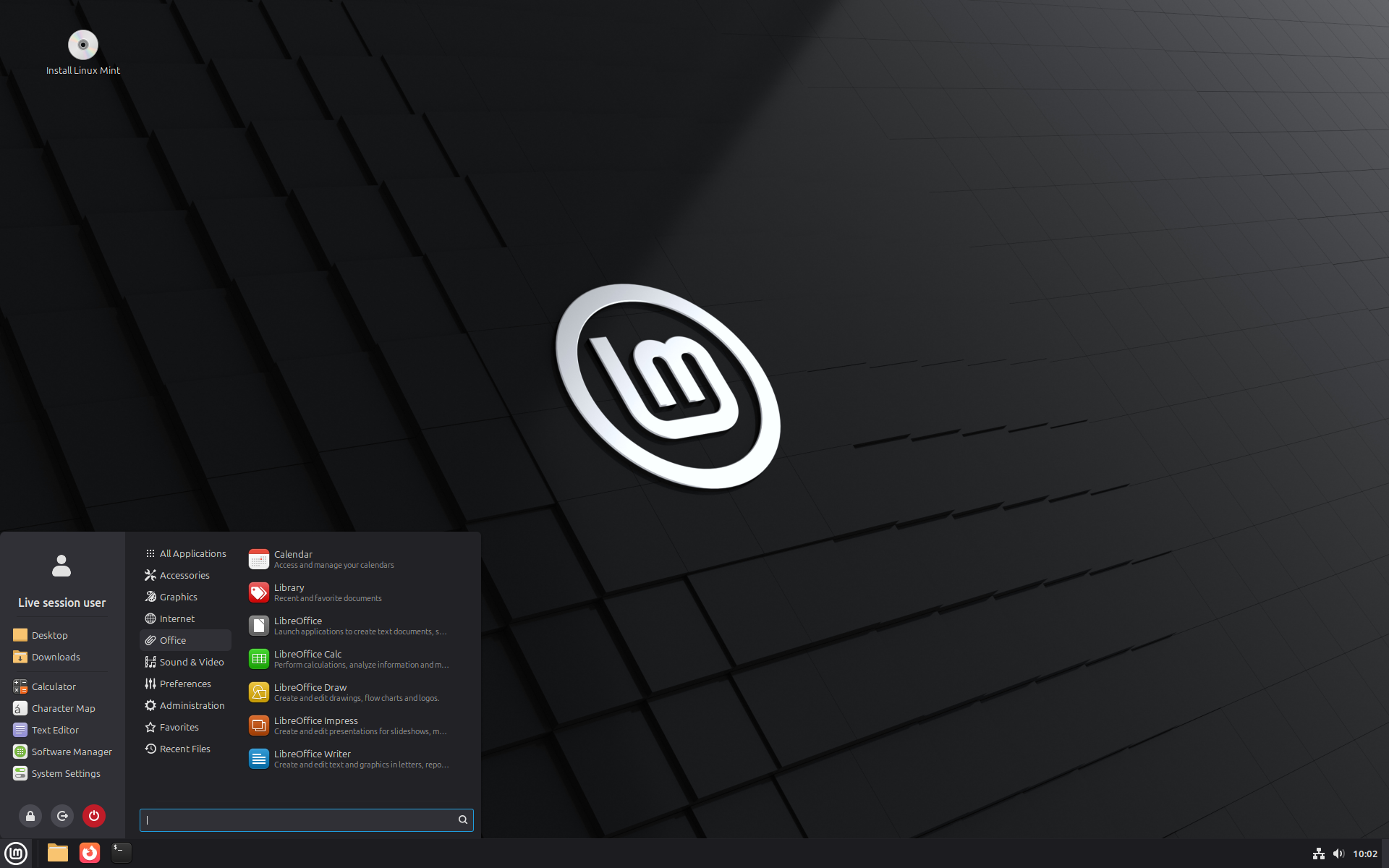
Linux Mint 22.3 is a long term support release which will be supported until 2029. It comes with updated software and brings refinements and many new features to make your desktop even more comfortable to use.
New features:
This new version of Linux Mint contains many improvements.
For an overview of the new features please visit:
“What’s new in Linux Mint 22.3“.
Important info:
The release notes provide important information about known issues, as well as explanations, workarounds and solutions.
To read the release notes, please visit:
System requirements:
- 2GB RAM (4GB recommended for a comfortable usage).
- 20GB of disk space (100GB recommended).
- 1024×768 resolution (on lower resolutions, press ALT to drag windows with the mouse if they don’t fit in the screen).
Upgrade instructions:
- This BETA release might contain critical bugs, please only use it for testing purposes and to help the Linux Mint team fix issues prior to the stable release.
- Upgrade instructions will be published after the stable release of Linux Mint 22.3.
- It will be possible to upgrade from this BETA to the stable release.
- It will also be possible to upgrade from Linux Mint 22, 22.1 and 22.2.
Bug reports:
- Bugs in this release should be reported on Github at https://github.com/linuxmint/mint22.3-beta.
- Create one issue per bug.
- As described in the Linux Mint Troubleshooting Guide, do not report or create issues for observations.
- Be as accurate as possible and include any information that might help developers reproduce the issue or understand the cause of the issue:
- Bugs we can reproduce, or which cause we understand are usually fixed very easily.
- It is important to mention whether a bug happens “always”, or “sometimes”, and what triggers it.
- If a bug happens but didn’t happen before, or doesn’t happen in another distribution, or doesn’t happen in a different environment, please mention it and try to pinpoint the differences at play.
- If we can’t reproduce a particular bug and we don’t understand its cause, it’s unlikely we’ll be able to fix it.
- The BETA phase is literally a bug squashing rush, where the team is extremely busy and developers try to fix as many bugs as fast as possible.
- There usually are a huge number of reports and very little time to answer everyone or explain why a particular report is not considered a bug, or won’t get fixed. Don’t let this frustrate you, whether it’s acknowledged or not, we appreciate everyone’s help.
Download links:
Cinnamon Edition:
- Torrent https://linuxmint.com/torrents/linuxmint-22.3-cinnamon-64bit-beta.iso.torrent
- World Cicku
- World Linux Mint
- Canada Manitoba Unix User Group
- Canada University of Calgary
- Canada University of Waterloo Computer Science Club
- Mexico UNAM
- USA Clarkson University
- USA Fremont Cabal Internet Exchange
- USA GigeNET
- USA Harvard School of Engineering
- USA Hoobly
- USA James Madison University
- USA kernel.org
- USA Lancaster-Lebanon Intermediate Unit 13
- USA Linux Freedom
- USA MIRhosting
- USA Open Computing Facility at UC Berkeley
- USA Purdue Linux Users Group
- USA Rackers
- USA Sonic
- USA Team Cymru
- USA TeraSwitch
- USA US Internet
- USA XMission Internet
- Belarus ByFly
- Belgium BeHostings
- Belgium BOINC Team Belgium
- Belgium Unix-Solutions
- Bulgaria IPACCT
- Bulgaria Telepoint
- Bulgaria University of Ruse
- Czech Republic CZ.NIC
- Czech Republic IT4Innovations National Supercomputing Center
- Czech Republic UPC Ceska republika
- Czech Republic Webglobe
- Denmark c0urier.net
- Denmark Dotsrc.org
- Denmark KLID
- Finland 5i.fi
- Finland cdnmirror.com
- France CNRS IBCP
- France CosmicLinux
- France Crifo.org
- France Johnnybegood
- France Komogoto
- France Université de Reims
- Germany c48.uk
- Germany Diyar Ciftci
- Germany dogado GmbH
- Germany Friedrich-Alexander-University of Erlangen-Nuremberg
- Germany Funkfreunde Landshut e.V.
- Germany GWDG
- Germany Hochschule Esslingen University of Applied Sciences
- Germany IPB Internet Provider in Berlin GmbH
- Germany NetCologne GmbH
- Germany Netzwerge GmbH
- Germany PyrateLAN.party
- Germany University of Frankfurt
- Germany wilhelm.tel GmbH
- Greece GreekLUG
- Greece University of Crete
- Hungary Quantum Mirror
- Ireland Webworld
- Italy GARR
- Latvia koyanet.lv
- Latvia University of Latvia
- Moldova iHost
- Netherlands AS215296
- Netherlands Evoluso.com
- Netherlands KoDDoS
- Netherlands LiteServer
- Netherlands MIRhosting
- Netherlands NLUUG
- Netherlands Triple IT
- Poland ICM – University of Warsaw
- Poland Poznan Supercomputing and Networking Center
- Portugal RNL – Técnico Lisboa
- Portugal Universidade do Porto
- Romania Hosterion
- Romania Hostico
- Romania Orange Romania
- Russia HyperDedic
- Russia Yandex Team
- Serbia SOX
- Serbia University of Kragujevac
- Slovakia Energotel
- Slovenia Mirrors.si
- Spain Aire Networks
- Spain Oficina de Software Libre do Cixug
- Spain Raiola Networks
- Spain University of Zaragoza
- Sweden Academic Computer Club
- Sweden Bahnhof
- Sweden Brain Drain Lan
- Sweden Infania Networks
- Sweden Old Dominion University Science department
- Sweden Swedish Retro Computer Association
- Switzerland GoFOSS
- Switzerland HB9HIL
- Switzerland Init7
- Switzerland Metanet.ch
- Turkey ekiphost
- Turkey Guzel Hosting
- Turkey Linux Kullanicilari Dernegi
- Turkey Verinomi
- Ukraine Distrohub
- Ukraine Hostiko
- Ukraine IP-Connect LLC
- United Kingdom c48.uk
- United Kingdom QuickHost
- United Kingdom Server.net
- United Kingdom UK Dedicated Servers
- United Kingdom UKFast
- United Kingdom University of Kent UK Mirror Service
- United Kingdom VineHost
- Azerbaijan OUR.Technology
- Bangladesh Limda Host
- Bangladesh XeonBD
- China Beijing Foreign Studies University
- China Nanjing University
- China Shanghai Jiao Tong University Linux User Group (SJTUG)
- China TUNA
- China University of Science and Technology of China Linux User Group
- Hong Kong KoDDoS
- India Albony Network
- India NxtGen DataCenter
- India PicoNets-WebWerks
- Indonesia DatautamaNET
- Japan ICSCoE
- Japan repo.jing.rocks
- Japan Yamagata University
- Kazakhstan Hoster.kz
- Kazakhstan PS Internet Company LLC
- Saudi Arabia Maeen Network
- Singapore Freedif
- Singapore jingk.ai
- South Korea Archive of Siwoo
- South Korea Jeonnam High School
- South Korea KAIST
- Taiwan Taiwan Digital Streaming Co.
- Thailand Khon Kaen University
- Vietnam Clearsky
- Vietnam MeowSMP.net
- Australia AARNet
- New Zealand University of Canterbury
- Argentina Zero.com.ar
- Brazil C3SL
- Brazil Portal IDEA
- Brazil Universidade Federal de Mato Grosso
- Chile Universidad de La Frontera
- Ecuador CEDIA
- Botswana Retention Range
- Kenya Liquid Telecom
- Mauritius cloud.mu
- South Africa Dimension Data
- South Africa University of Free State
Xfce Edition:
- Torrent https://linuxmint.com/torrents/linuxmint-22.3-xfce-64bit-beta.iso.torrent
- World Cicku
- World Linux Mint
- Canada Manitoba Unix User Group
- Canada University of Calgary
- Canada University of Waterloo Computer Science Club
- Mexico UNAM
- USA Clarkson University
- USA Fremont Cabal Internet Exchange
- USA GigeNET
- USA Harvard School of Engineering
- USA James Madison University
- USA kernel.org
- USA Lancaster-Lebanon Intermediate Unit 13
- USA Linux Freedom
- USA MIRhosting
- USA Open Computing Facility at UC Berkeley
- USA Purdue Linux Users Group
- USA Rackers
- USA Sonic
- USA Team Cymru
- USA TeraSwitch
- USA US Internet
- USA XMission Internet
- Belgium BeHostings
- Belgium BOINC Team Belgium
- Belgium Unix-Solutions
- Bulgaria IPACCT
- Bulgaria Telepoint
- Bulgaria University of Ruse
- Czech Republic CZ.NIC
- Czech Republic IT4Innovations National Supercomputing Center
- Czech Republic UPC Ceska republika
- Czech Republic Webglobe
- Denmark c0urier.net
- Denmark Dotsrc.org
- Denmark KLID
- Finland 5i.fi
- Finland cdnmirror.com
- France CNRS IBCP
- France CosmicLinux
- France Crifo.org
- France Johnnybegood
- France Komogoto
- France Université de Reims
- Germany c48.uk
- Germany Diyar Ciftci
- Germany dogado GmbH
- Germany Friedrich-Alexander-University of Erlangen-Nuremberg
- Germany Funkfreunde Landshut e.V.
- Germany GWDG
- Germany Hochschule Esslingen University of Applied Sciences
- Germany IPB Internet Provider in Berlin GmbH
- Germany NetCologne GmbH
- Germany Netzwerge GmbH
- Germany PyrateLAN.party
- Germany University of Frankfurt
- Germany wilhelm.tel GmbH
- Greece GreekLUG
- Greece University of Crete
- Hungary Quantum Mirror
- Ireland Webworld
- Italy GARR
- Latvia koyanet.lv
- Latvia University of Latvia
- Moldova iHost
- Netherlands Evoluso.com
- Netherlands KoDDoS
- Netherlands LiteServer
- Netherlands MIRhosting
- Netherlands NLUUG
- Netherlands Triple IT
- Poland ICM – University of Warsaw
- Poland Poznan Supercomputing and Networking Center
- Portugal RNL – Técnico Lisboa
- Portugal Universidade do Porto
- Romania Hosterion
- Romania Hostico
- Romania Orange Romania
- Russia HyperDedic
- Russia Yandex Team
- Serbia SOX
- Serbia University of Kragujevac
- Slovakia Energotel
- Slovenia Mirrors.si
- Spain Aire Networks
- Spain Oficina de Software Libre do Cixug
- Spain Raiola Networks
- Spain University of Zaragoza
- Sweden Academic Computer Club
- Sweden Bahnhof
- Sweden Brain Drain Lan
- Sweden Infania Networks
- Sweden Old Dominion University Science department
- Sweden Swedish Retro Computer Association
- Switzerland GoFOSS
- Switzerland HB9HIL
- Switzerland Init7
- Switzerland Metanet.ch
- Turkey ekiphost
- Turkey Guzel Hosting
- Turkey Linux Kullanicilari Dernegi
- Turkey Verinomi
- Ukraine Distrohub
- Ukraine Hostiko
- Ukraine IP-Connect LLC
- United Kingdom c48.uk
- United Kingdom QuickHost
- United Kingdom Server.net
- United Kingdom UK Dedicated Servers
- United Kingdom UKFast
- United Kingdom University of Kent UK Mirror Service
- United Kingdom VineHost
- Azerbaijan OUR.Technology
- Bangladesh Limda Host
- Bangladesh XeonBD
- China Beijing Foreign Studies University
- China Nanjing University
- China Shanghai Jiao Tong University Linux User Group (SJTUG)
- China TUNA
- China University of Science and Technology of China Linux User Group
- Hong Kong KoDDoS
- India Albony Network
- India NxtGen DataCenter
- India PicoNets-WebWerks
- Indonesia DatautamaNET
- Japan ICSCoE
- Japan repo.jing.rocks
- Japan Yamagata University
- Kazakhstan Hoster.kz
- Kazakhstan PS Internet Company LLC
- Saudi Arabia Maeen Network
- Singapore Freedif
- Singapore jingk.ai
- South Korea Archive of Siwoo
- South Korea Jeonnam High School
- South Korea KAIST
- Taiwan Taiwan Digital Streaming Co.
- Thailand Khon Kaen University
- Vietnam Clearsky
- Vietnam MeowSMP.net
- Australia AARNet
- New Zealand University of Canterbury
- Argentina Zero.com.ar
- Brazil C3SL
- Brazil Portal IDEA
- Brazil Universidade Federal de Mato Grosso
- Chile Universidad de La Frontera
- Ecuador CEDIA
- Botswana Retention Range
- Kenya Liquid Telecom
- Mauritius cloud.mu
- South Africa Dimension Data
- South Africa University of Free State
MATE Edition:
- Torrent https://linuxmint.com/torrents/linuxmint-22.3-mate-64bit-beta.iso.torrent
- World Cicku
- World Linux Mint
- Canada Manitoba Unix User Group
- Canada University of Calgary
- Canada University of Waterloo Computer Science Club
- Mexico UNAM
- USA Clarkson University
- USA Fremont Cabal Internet Exchange
- USA GigeNET
- USA Harvard School of Engineering
- USA James Madison University
- USA kernel.org
- USA Lancaster-Lebanon Intermediate Unit 13
- USA Linux Freedom
- USA MIRhosting
- USA Open Computing Facility at UC Berkeley
- USA Purdue Linux Users Group
- USA Rackers
- USA Sonic
- USA Team Cymru
- USA TeraSwitch
- USA US Internet
- USA XMission Internet
- Belgium BeHostings
- Belgium BOINC Team Belgium
- Belgium Unix-Solutions
- Bulgaria IPACCT
- Bulgaria Telepoint
- Bulgaria University of Ruse
- Czech Republic CZ.NIC
- Czech Republic IT4Innovations National Supercomputing Center
- Czech Republic UPC Ceska republika
- Czech Republic Webglobe
- Denmark c0urier.net
- Denmark Dotsrc.org
- Denmark KLID
- Finland 5i.fi
- Finland cdnmirror.com
- France CNRS IBCP
- France CosmicLinux
- France Crifo.org
- France Johnnybegood
- France Komogoto
- France Université de Reims
- Germany c48.uk
- Germany Diyar Ciftci
- Germany dogado GmbH
- Germany Friedrich-Alexander-University of Erlangen-Nuremberg
- Germany Funkfreunde Landshut e.V.
- Germany GWDG
- Germany Hochschule Esslingen University of Applied Sciences
- Germany IPB Internet Provider in Berlin GmbH
- Germany NetCologne GmbH
- Germany Netzwerge GmbH
- Germany PyrateLAN.party
- Germany University of Frankfurt
- Germany wilhelm.tel GmbH
- Greece GreekLUG
- Greece University of Crete
- Hungary Quantum Mirror
- Ireland Webworld
- Italy GARR
- Latvia koyanet.lv
- Latvia University of Latvia
- Moldova iHost
- Netherlands Evoluso.com
- Netherlands KoDDoS
- Netherlands LiteServer
- Netherlands MIRhosting
- Netherlands NLUUG
- Netherlands Triple IT
- Poland ICM – University of Warsaw
- Poland Poznan Supercomputing and Networking Center
- Portugal RNL – Técnico Lisboa
- Portugal Universidade do Porto
- Romania Hosterion
- Romania Hostico
- Romania Orange Romania
- Russia HyperDedic
- Russia Yandex Team
- Serbia SOX
- Serbia University of Kragujevac
- Slovakia Energotel
- Slovenia Mirrors.si
- Spain Aire Networks
- Spain Oficina de Software Libre do Cixug
- Spain Raiola Networks
- Spain University of Zaragoza
- Sweden Academic Computer Club
- Sweden Bahnhof
- Sweden Brain Drain Lan
- Sweden Infania Networks
- Sweden Old Dominion University Science department
- Sweden Swedish Retro Computer Association
- Switzerland GoFOSS
- Switzerland HB9HIL
- Switzerland Init7
- Switzerland Metanet.ch
- Turkey ekiphost
- Turkey Guzel Hosting
- Turkey Linux Kullanicilari Dernegi
- Turkey Verinomi
- Ukraine Distrohub
- Ukraine Hostiko
- Ukraine IP-Connect LLC
- United Kingdom c48.uk
- United Kingdom QuickHost
- United Kingdom Server.net
- United Kingdom UK Dedicated Servers
- United Kingdom UKFast
- United Kingdom University of Kent UK Mirror Service
- United Kingdom VineHost
- Azerbaijan OUR.Technology
- Bangladesh Limda Host
- Bangladesh XeonBD
- China Beijing Foreign Studies University
- China Nanjing University
- China Shanghai Jiao Tong University Linux User Group (SJTUG)
- China TUNA
- China University of Science and Technology of China Linux User Group
- Hong Kong KoDDoS
- India Albony Network
- India NxtGen DataCenter
- India PicoNets-WebWerks
- Indonesia DatautamaNET
- Japan ICSCoE
- Japan repo.jing.rocks
- Japan Yamagata University
- Kazakhstan Hoster.kz
- Kazakhstan PS Internet Company LLC
- Saudi Arabia Maeen Network
- Singapore Freedif
- Singapore jingk.ai
- South Korea Archive of Siwoo
- South Korea Jeonnam High School
- South Korea KAIST
- Taiwan Taiwan Digital Streaming Co.
- Thailand Khon Kaen University
- Vietnam Clearsky
- Vietnam MeowSMP.net
- Australia AARNet
- New Zealand University of Canterbury
- Argentina Zero.com.ar
- Brazil C3SL
- Brazil Portal IDEA
- Brazil Universidade Federal de Mato Grosso
- Chile Universidad de La Frontera
- Ecuador CEDIA
- Botswana Retention Range
- Kenya Liquid Telecom
- Mauritius cloud.mu
- South Africa Dimension Data
- South Africa University of Free State
Integrity and authenticity checks:
Once you have downloaded an image, please verify its integrity and authenticity.
Anyone can produce fake ISO images, it is your responsibility to check you are downloading the official ones.
- Please read and follow the steps at https://linuxmint.com/verify.php
- Link to the sums: sha256sum.txt
- Link to the signed sums:sha256sum.txt.gpg
Enjoy!
We look forward to receiving your feedback. Many thanks in advance for testing the BETA!
Is it possible in the new menu to place the search bar at the top, for example, while keeping the system buttons in the bottom right corner, or are the search bar and system buttons programmed to always go together in the same part of the new menu?
The search bar can be placed at the top or at the bottom. The buttons can be placed beside the search bar or in the sidebar.
@Frank7: No, that’s not it. You can choose where you want to place them in the menu settings. For example, I have the system buttons in the sidebar and the search bar at the top of the menu.
How can I install 22.3 BETA on my current 22.2 version?
I have completed the upgrade of 22.3 Beta by covering 22.2. And this operation is carried out the same way as how you installed the 22.2 system previously. NOTE: You should backup the important data from system disk! 🙂
Even if there were a simple way to upgrade to the BETA release, it’s generally not a good idea. Not only there can be bugs that could affect you, but the BETA testing doesn’t take a long time anyway. So for the most part it’s worth waiting until the final release.
If you just want to test it, you can either install it on another PC or inside a virtual machine on your current one.
Backup first for in place update zara > zena
Timeshift (System) and Pika (/home) used. Close running apps etc. I moved my /home to a 2nd partition yesterday and that was far more tricky. If you use for critical things wait!
Just completed a couple of hours ago and looks fine so far, using this method only took about 15 mins. If you wait a bit official update process will be released.
This is from Grok I am no expert
Manual Repository Change (Terminal Method)
1. Open a terminal.
2. Replace the main Mint repository file with the Zena one (this overwrites your current “zara” sources):
text
echo “deb http://packages.linuxmint.com zena main upstream import backport” | sudo tee /etc/apt/sources.list.d/official-package-repositories.list
3. Add APT pinning to prefer Zena packages (optional but recommended to ensure they take priority):
text
echo -e “Package: *\nPin: release n=zena\nPin-Priority: 700” | sudo tee /etc/apt/preferences.d/99-zena-pin
4. Update and upgrade:
text
sudo apt update
sudo apt full-upgrade
◦ This should pull in Cinnamon 6.6 and other 22.3 packages.
◦ Reboot afterwards.
Good luck
Regards Steve
You must rename xia to zena in the etc/apt/sources.list.d repository.
This is how I always do it when I want to update from a stable version to a beta, and I have never had major problems.
Se podra volver al menu antiguo? y se podra usar wayland por defecto en vez de xorg?
Hello
I did open an issue on github with this: there seems to be no way to set the compose key on the keyboard layout settings panel. I figure that it might be with the configure button in the ‘layout’ panel but it is grayed out and unusable. I have the basic default ‘US keyboard’ set at installation as my laptop came only with a US keyboard and a compose key is a must have to write in french. Am I missing something?
Hi François, there’s a PR from mtwebster on the way to bring back some of the xkb options.
Hello there,
If I turn off categories icons in new menu, they are still there (in color). If categories icons is on, they are monochrome.
At the moment, I haven’t found any major details in the beta. Otherwise, Clem, I would suggest changing (by default) the ‘character map’ app in the sidebar menu to something more useful (perhaps system monitor, notes, or the terminal).
Add more options in preferred applications. I want to use a third party screenshot app, but I am not able to change it .
You can go to the menu, open keyboard. Then go to shortcuts, then there is a little arrow next to system, you specifically have to click the little drop down arrow to get the options. It will show hardware and then screenshots and recordings. There are seven options for me, I am running 22.2 with cinnamon. I just found this because I didn’t want to make an ini file or something. It will give you options for taking screenshots of an area, taking screenshots of a window, recording a window, and simply take screenshot, and you can put whatever screenshot client you want, and pass arguments to it, I personally use flameshot, but hope that helps.
Hallo
Gute Arbeit geleistet kompliment
dennoch ein Bug festgestellt. man kann keine Updates machen Hsuptserver ausgegraut
Danke ans Team
Great work, already checked beta. No issues so far, perhaps one, I mean the new System Information Tool window is too big for 1360 * 768 screens. It’s not completely resizable. And a large bottom part of the window is actually empty, so why not make the window less high? BTW, a nice tool for GUI lovers.
Having only 800*600 windows in the installer would be fine too. When you install on old computer, on Raspberry Pi, in a VM…
When using an ABNT keyboard with the system configured to Brazilian Portuguese, the cedilla character is not working correctly.
Pressing accent + C results in the accented character “ć” instead of producing “ç”. The “ç” key itself works correctly.
The keyboard layout is configured as English (US, International with AltGr).
Try AltGr + , + C.
I’m actually happy with the current method for ć, it seems to be working as intended (this is the method you find when looking up how to type ć on alt. intl. keyboards). Saves me from copy/pasting every time I write my name 🙂
Please stop customizing third-party app icons or give us an option to do so that doesn’t involve using another icon pack.
Just use a different icon theme.
Thanks Clem and Team for this Christmas present. I’m really curious to see how the new Mint Menu will look and feel on Cinnamon.
Question: How can I upgrade from Mint 22.2 to the beta 22.3?
I’ve just bought a new computer, actually trying it for the 1st time now and since all its software is still under testing I would like to (unofficially I know) test the new beta.
Happy holidays everyone and cheers.
Upgrade is not available yet.
You have to install over 22.2 if you want the beta.
If you have a separate home partition it’s easy, just don’t format it at install.
Maybe it’s just me but the beta takes an awful long time to boot on my system, well over a minute, this is running off a NVME drive (dual booting with Win 11) on a Ryzen 7 9700X based system.
Being a newly built system I haven’t put Mint on it before so I can’t be sure if it’s a config bug in the beta or if Mint has an issue with it in general.
Also when asked if I want to switch to a local mirror in software sources, no options show up. Perhaps they haven’t been brought online yet?
Local mirrors missing is solved: https://github.com/linuxmint/mint22.3-beta/issues/8
Local mirrors issue is solved.
About booting time: did you reboot a few times to check if it shortened afterwards?
Good to see that the mirrors are fixed, rather crucial that.
As to boot times, I updated and rebooted, installed software and rebooted and configured the system to my personal preferences and rebooted.
After choosing Mint on the Grub menu it always takes 74 seconds for the Mint logo to appear and 82 seconds to reach the login screen.
After that the system is perfectly responsive which leads me to believe that Min is timing out on some process during the boot sequence.
Looks to be a USB bug (motherboard is Gigabyte X870 Gaming-X WiFi7), here’s the relevant section of the boot log:
[ 4.859681] kernel: input: USB Optical Mouse as /devices/pci0000:00/0000:00:08.3/0000:75:00.0/usb9/9-1/9-1.1/9-1.1:1.0/0003:0461:4D15.0001/input/input3
[ 4.859966] kernel: hid-generic 0003:0461:4D15.0001: input,hidraw0: USB HID v1.11 Mouse [USB Optical Mouse] on usb-0000:75:00.0-1.1/input0
[ 4.860239] kernel: input: Lite-On Technology USB Productivity Option Keyboard( has the hub in # 1 ) as /devices/pci0000:00/0000:00:08.3/0000:75:00.0/usb9/9-1/9-1.2/9-1.2.1/9-1.2.1:1.0/0003:04B3:301B.0002/input/input4
[ 4.910569] kernel: hid-generic 0003:04B3:301B.0002: input,hidraw1: USB HID v1.10 Keyboard [Lite-On Technology USB Productivity Option Keyboard( has the hub in # 1 )] on usb-0000:75:00.0-1.2.1/input0
[ 4.910892] kernel: input: Lite-On Technology USB Productivity Option Keyboard( has the hub in # 1 ) as /devices/pci0000:00/0000:00:08.3/0000:75:00.0/usb9/9-1/9-1.2/9-1.2.1/9-1.2.1:1.1/0003:04B3:301B.0003/input/input5
[ 4.961617] kernel: hid-generic 0003:04B3:301B.0003: input,hidraw2: USB HID v1.10 Device [Lite-On Technology USB Productivity Option Keyboard( has the hub in # 1 )] on usb-0000:75:00.0-1.2.1/input1
[ 8.291145] kernel: usb 1-6: New USB device found, idVendor=048d, idProduct=5711, bcdDevice= 0.03
[ 8.291619] kernel: usb 1-6: New USB device strings: Mfr=1, Product=2, SerialNumber=0
[ 8.292023] kernel: usb 1-6: Product: GIGABYTE Device
[ 8.292407] kernel: usb 1-6: Manufacturer: ITE Tech. Inc.
[ 8.324601] kernel: hid-generic 0003:048D:5711.0004: hiddev0,hidraw3: USB HID v1.10 Device [ITE Tech. Inc. GIGABYTE Device ] on usb-0000:0e:00.0-6/input0
[ 8.330989] kernel: hid-generic 0003:048D:5711.0005: hiddev1,hidraw4: USB HID v1.10 Device [ITE Tech. Inc. GIGABYTE Device ] on usb-0000:0e:00.0-6/input1
[ 8.506778] kernel: usb 1-7: new high-speed USB device number 3 using xhci_hcd
[ 14.055848] kernel: usb 1-7: device descriptor read/64, error -110
[ 29.927858] kernel: usb 1-7: device descriptor read/64, error -110
[ 30.413784] kernel: usb 1-7: new high-speed USB device number 4 using xhci_hcd
[ 36.071964] kernel: usb 1-7: device descriptor read/64, error -110
[ 51.943851] kernel: usb 1-7: device descriptor read/64, error -110
[ 52.053032] kernel: usb usb1-port7: attempt power cycle
[ 52.493769] kernel: usb 1-7: new high-speed USB device number 5 using xhci_hcd
[ 57.293717] kernel: usb 1-7: Device not responding to setup address.
[ 62.299124] kernel: usb 1-7: Device not responding to setup address.
[ 62.506777] kernel: usb 1-7: device not accepting address 5, error -71
[ 62.682858] kernel: usb 1-7: new high-speed USB device number 6 using xhci_hcd
[ 67.482893] kernel: usb 1-7: Device not responding to setup address.
[ 72.491214] kernel: usb 1-7: Device not responding to setup address.
[ 72.698770] kernel: usb 1-7: device not accepting address 6, error -71
[ 72.702006] kernel: usb usb1-port7: unable to enumerate USB device
[ 72.877770] kernel: usb 1-8: new high-speed USB device number 7 using xhci_hcd
[ 73.086456] kernel: usb 1-8: New USB device found, idVendor=05e3, idProduct=0716, bcdDevice=97.27
[ 73.086775] kernel: usb 1-8: New USB device strings: Mfr=0, Product=1, SerialNumber=2
[ 73.087022] kernel: usb 1-8: Product: USB Storage
[ 73.087260] kernel: usb 1-8: SerialNumber: 000000009727
[ 73.121134] kernel: usb-storage 1-8:1.0: USB Mass Storage device detected
[ 73.121560] kernel: scsi host6: usb-storage 1-8:1.0
[ 73.121836] kernel: usbcore: registered new interface driver usb-storage
[ 73.123985] kernel: usbcore: registered new interface driver uas
Have you tried switching to a different kernel version?
I want to say a big thank you to the Mint team for all the hard work! Tried the beta, and I honestly really love the new menu! Great job lads! Have a great Christmas! Best wishes!
22.3 Beta running well, thank you. I have moved to the Cinnamenu Applet thought as I really don’t like the new default menu. (No overt criticism is implied BTW).
Thank you for all your work, I’m new to linux, and I’ve distrohopped only to come back to mint Cinnamon. The only 3 things I find better in Thunar is the ability to zoom 2 steps further to see bigger thumbnails, the ability to right click drag and drop with a menu, and the fact that when dragging files, the icon is away from mouse cursor. Other than that, nemo is much more user friendly. And for me, Cinnamon truly shines with its really deep windows-button configuration.
I’ll give a try to this beta on an non-important computer to see if it has problem
Here’s some feedback on this beta.
No issues and bug were found so far.
New menu’s good if you want easy access to “places”. But I think it can be polished even more.
In the menu, the symbolic icons stand out awkwardly among the colored ones; thanks for leaving the choice.
Why is there no scrollbar in the favorites sidebar? Because some icons can be hidden.
It would be nice to add a title at the top of this sidebar for those who don’t want to display the avatar.
I preferred having the application descriptions at the bottom on hover rather than under each app, as it takes up too much space.
As for the taskbar icon badges: regarding the color of the window-count badges, under Mint-X they look better in black on white.
I still prefer Mint-X because the active window is better differentiated than in Y.
I don’t know if its intended, but I was able to unmount my internal hard drives and my USB devices via the applet in Cinnamon 22.2, and now in the beta 22.3 I can only unmount USB via applet.
Installation is fine, but when I check for updates, the mirror servers are still not available.
What can I do?
I have the same issue, an empty list when choosing a local mirror.
Here some feedback in github…
https://github.com/linuxmint/mint22.3-beta/issues/8
Suggestion for improvement for Nemo 6.6
Right-clicking on a folder and then selecting Properties displays “Contents: xxxx objects.” It would be much better if folders and files were displayed separately.
Example: “Contents: xx folders xxx files”
Perhaps this could be implemented.
Thank you.
Shouldn’t the “BIOS” page in System Information be called “UEFI” for most people (or “BIOS/UEFI”)? This is going to confuse some people on older systems who don’t know if they are on BIOS or UEFI.
Hi! Thank you for the new release!
I installed it in german in the VMware-Player. It dont let one to chose another mirror in the update manager. Only a blank window appears.
I really like the new menu, thanks team!
This beta is mad good I can’t lie, yeah. One thing though. When the stable release gets out would be a be able to continue using the beta but just with upgraded stuff through apt and flatpak and whatever or would I need to clean install 22.3 stable over the beta that I currently have? That’s funny that mint is younger than me by 5 years, but sorry for offtop. Genuinely it is a great system, I love you lot work. Used it on a decade old apple devices and other old laptops and it was smooth and nice experience. I hope your team have a nice Christmas and I hope your paycheck increases.
Happy Holidays, everyone! Hot off the heals of the release of Linux Mint 22.2, Clem and the gang release a new beta, Zena (22.3) and it looks wonderful. In addition to listening to user feedback and suggestions regarding the brand new Menu, there is a nice amount of additional features, tweaks, etc., to keep us all busy testing and minty fresh, as we wrap up 2025. I look forward to testing and, eventually, using Linux Mint 22.3, Zena, following the official launch. Once again, thanks to everyone who contributes and provides their expertise, time, and energy in producing this wonderful, user-focused distribution.
Come possibile tornare il menu precedente che ha sempre contraddistinto Linux Mint?
Altrimenti mi cade un mito.
Spero ci sia questa possibilità
When do you plan on releasing the final version of 22.3 ?
Mint is released when ready, so no specific date is given. But from beta to final it usually takes around 2 weeks time, 3 if there are a lot of hard bugs to be squashed. The upgrade path from the previous version usually opens a few days later, you’ll know it’s there when mintupdate, the update tool, has a new version to be installed. Just install it and from the (Alt) menu, from File (I believe) there will be an option to upgrade.
Our patience is always rewarded, so let us patiently wait.
I was not addressing the question to the community, but to Clem.
When it’s ready.
Thank you, Clem.
Hi!
Clem & the team, can you please remove the authentication request for changing power profiles? It only hurts the user experience. What security concerns you think are there related to that that made you add the password prompt for that?
Also, on 22.2 when installing or updating flatpaks it doesn’t ask for password, and that is indeed a security issue.
Thank you very much for reading my comment.
just a quick clarification … I have a nVidia card using the 470 driver, using LM22.2 Cinnamon
– is it still possible to upgrade? (because of the HWE)
– can I keep the nVidia driver and upgrade, or is it better to switch to the Xorg-video-noveau before upgrade.
Thx
You need to make sure that your kernel doesn’t update to 6.14.
Driver 470.256.02-0ubuntu0.24.04.1 works correctly on kernel 6.11.
The upgrade to Linux Mint 22.3 shouldn’t cause you any problems. All of the same drivers and kernels you currently use should still be available and usable, since 22.3 still uses the same Ubuntu repositories that 22.2 uses. The potential problem will come when Linux Mint 23 comes out in the summer. That will use a different Ubuntu LTS version (26.04 instead of 24.04). That brings the potential for a different set of drivers and kernels.
The options for you at that point are:
1. Hope that Ubuntu’s 26.04 LTS repositories have the drivers you need (you might be fine, you might not)
2. Buy newer hardware (most expensive option)
3. Use Nouveau (severely limiting your graphics capabilities)
4. Use the “Graphics Drivers Team” PPA (go to https://launchpad.net/~graphics-drivers/+archive/ubuntu/ppa for installation instructions – probably your best option if the 26.04 repositories let you down and options 2 and 3 don’t work for you)
Hi Clem.
I think – it could be useful to change color under the monochrome icons.
Is there a way to implement this feature?
What do you mean change color under the icons?
JosephM:
Now is same color under every one icons. This way the icons blend together. Different background colors make it easier to find an item.
Which icons are you talking about (desktop icons, panel icons, icons in the main menu, etc.)? Where and when are you seeing these colors under the icons? Since you mentioned monochrome icons, are you talking about the highlighting behind the panel or menu icons when you place your mouse over them?
Mike F:
Menu icons.
Tested beta, you can change categories icons from monochrome to color as it was before
Ok, are you asking for the ability to use color icons instead of monochrome, or are you asking for the ability to change the color of the highlighting behind the icon when you put your mouse over it?
Mike F:
https://imgur.com/a/m2uZld6
What you’re showing is Category icons, not Menu icons.
If you turn off Symbolic icons on Categories, you’ll get colored icons.
Not exactly what you’re asking for, but if you want color, you’ll have it at least.
Release notes
This is Linux Mint 22.3, codename Zena.
https://www.linuxmint.com/rel_zena.php
It is written there:
Known issues
HWE kernel issues
Old NVIDIA cards which use the 470 driver (this driver is no longer supported by NVIDIA and thus doesn’t support newer kernels).
If you are affected by one of these issues, we recommend you install Linux Mint 22.1 instead, which ships with LTS kernel 6.8.
I can confirm that the GTX 660 (Kepler) with nvidia-driver-470 ver. 470.256.02-0ubuntu0.24.04.1 works fine on kernel 6.11.
There’s no need to downgrade the kernel to 6.8.
Of course, with kernel 6.14, the 470 driver no longer installs correctly.
Best regards and Merry Christmas
$ uname -a
Linux xxxxxx 6.11.0-29-generic #29~24.04.1-Ubuntu SMP PREEMPT_DYNAMIC Thu Jun 26 14:16:59 UTC 2 x86_64 x86_64 x86_64 GNU/Linux
$ dpkg -l linux-generic-6.11
+++-==================-====================-============-=========================================
ii linux-generic-6.11 6.11.0-29.29~24.04.1 amd64 Complete Generic Linux kernel and headers
$ dpkg -l nvidia-driver-470
+++-=================-===========================-============-=================================
ii nvidia-driver-470 470.256.02-0ubuntu0.24.04.1 amd64 NVIDIA driver metapackage
$ glxheads
glxheads: exercise multiple GLX connections (any key = exit)
Usage:
glxheads xdisplayname …
Example:
glxheads :0 mars:0 venus:1
Name: :0.0
Display: 0x5fce767381b0
Window: 0x4200002
Context: 0x5fce7684fd38
GL_VERSION: 4.6.0 NVIDIA 470.256.02
GL_VENDOR: NVIDIA Corporation
GL_RENDERER: NVIDIA GeForce GTX 660/PCIe/SSE2
$ lsb_release -a
No LSB modules are available.
Distributor ID: Linuxmint
Description: Linux Mint 22.3
Release: 22.3
Codename: zena
Olá! Gostaria de saber se a versão LMDE7 virá com essas atualizações que estão sendo propostas e testadas para o Linux Mint 22.3. Sei que a LMDE é baseada no Debian, e eu particularmente prefiro ela, apesar de não ser a versão recomendada, porém é muito boa, e gostaria de ver todas as atualizações lá também.
Is this possible to upgrade online (OTA) from 21.3 to 22.3 straightly?
Bonjour,
La nouveauté la plus intéressante je trouve est le nouvel outil “Administration système” et je suis curieux de ses évolutions à venir.
Il est toutefois un peu perdu dans le menu et je pense qu’il devrait être davantage mis en évidence.
Good news. I was waiting for this start menu new look. Looks gorgeous.
Merry christmas and happy new year to the LM team.
It’s awesome!
Hi Clem and team.
Maybe its just me, but have you removed the option to show or hide scripts in nemo. I can see them OK, but prefer to hide them from the rest of family on the main PC, just so they don’t get carried away. Thanks all, and I haven’t found any other issues at all yet.
Just tested Mint 22.2 after using Windows in the last 30 years: well, Mint is FANTASTIC !!!
Suggestions for 22.3: (1) make the Grub multibooter a bit more pleasant, and (2) find a driver for the fingerprint reader that is into the Dell Mouse MS819.
Thanks for your job an congratulations !!
Absolutely fantastic work by the Mint team! The menu feels so intuitive and seamless—like it’s always been there, and the customization options are simply amazing. Thank you for delivering such a great experience!
Thank you, Clem.
I am testing the 22.3 beta, and after many app installation and adjusting things (printers, scanners, Internet NAS, videos, etc…) the system is working fine and till know troubles free ! and on top Cinnamon seems beauty and clean.
Excellent job LM team
Thank you all
i really wish the installation of legacy/extra mint themes to be optional during installation. For me, it’s a very annoying papercut issue, that my dowloaded custom theme dissapears in a tsunami of old themes and icons.
Is there a way to change the width of the sidebar at the left please?
Apps descriptions are wider in french than in english so they are cut off for some of them.
Thanks!
If you look in the menu settings, under “Appearance”, you can change the maximum sidebar width. Does that help?
The sidebar is too large for someone coming from the old Mint menu. I’d like to be able to choose if the apps descriptions are visible or not.
Indeed JosephM, thanks!
I didn’t think it was that width that was affted by this setting.
In fact, that line is in english, while the rest is, correctly, in french:
https://imgur.com/a/GLvFK7U
Is it possible to keep the colored app categories icons with the upcoming version or can you do it a user preference selection?
Can you please keep the minimum system requirements at approx the same level in future releases to prevent device obsolesce?
Thank you for the quality software that you share with us.
Categories icons can be symbolic or colored, that’s already selectable.
I had a hard time finding the “sticky notes” app I was using, turns out it’s already preinstalled called Notes in the (start?)menu and called Sticky in the software center. I assumed it was an applet or desklet so I was looking in the wrong place and everything is called sticky notes or notes so it’s confusing.
Sticky has 2 stars and after just trying the desklet and applets I am pretty sure the reviews are for some of those and not Sticky, so it’s a bit buried if you where to search “notes” in the software center.
There appears to be a mass exodus from Windows 11 to Apple and Linux, Mint would be a natural home for those leaving Microsoft. A lot of those leaving Windows are gamers, probably attracted by the growth of Steam. I no longer play games but I can see the logic of the move. There are many videos on YouTube giving advice on optimizing Mint for gaming. Would it be a good idea to optimize this coming release for gaming? There doesn’t seem to be a lot to it from the bits I have watched and the label “Gaming Ready” could be a big pull for those looking for a new OS.
Good idea!
LM 22.3 beta>
Can NOT pair Logitech MX Keys Mini B via bluetooth/ pairing code is not visible.
NO PROBLEMS with pairing Logitech MX Anywhere 3S.
Lenovo M75q AMD Ryzen 5 PRO 5650GE with Radeon Graphics.
Is it because of Realtek WI FI card RTL8852AE (Wi-Fi 6) or Cinnamon DE!?
I have no such problems with KDE Plasma and GNOME based distros.
Thanks in advance!
Keep up with good work!
I’ve noticed (on LM 22.2) that I can’t get a pairing code on some devices that I’ve paired with another system. When I unpair them on the other system, they show up with pairing codes on the new system. I haven’t done a lot of research on this and don’t know it it’s a system or individual device limitation, but I think I have some devices paired with multiple systems.
Can NOT pair Logitech MX Keys Mini B via bluetooth/ pairing code is not visible even on GREEN LINUX 22.3 Kursk.
I COULD pair it wiht any problem on LM 22.2 Cinnamon.
Dealbreaker for me.
The ability to change keyboard layout with alt-shift is gone, very unpleasant at all!!!
Windows btn + Space? I am using Gnome, not Cinnamon
Clem can you please add “Extra pane.” from View drop down in Home to View Preferences Toolbar Visible buttons. It sounds a minor thing but would improve access and the use of Extra pane immensely.
I’m running xfce version of beta 22.3 on an LG-gram. In general everything is working fine, except…
The panel plug-in for weather has the wrong url for the weather data provider. This has been a problem for quit a while, but is fixed in the latest xfce sources. The change is described in:
https://forum.xfce.org/viewtopic.php?pid=78790#p78790
It would be nice to get this change in before the final build.
My 22.3 beta problem is mostly fixed, but the fix does not quite match my preferences.
If I mount an smb share in fstab it appears in the ‘network’ section of the nemo sidebar places view, so far so good. However on my laptop I only mount the share if I am on my home network.
In the base beta that share does not appear at all in the nemo sidebar. A new version (not yet released!) of nemo puts the puts the share in the devices section of the sidebar, which is consistent with 22.2 and older, but if possible I would prefer it to be in the network section, it is after all a network device…. Perhaps a request for a future version?
The fix is in Nemo 6.6.3, Well done folks.
I’ve brought the old menu back to the beta version. It’s more functional and looks better!
Just installed the release version and it runs smoothly and beautiful! Thank you again for another fantastic release of my favorite distro!
Thanks for all the good work and making a very good distro
Just now for the first time i have something strange
After updating my system from LM22.2 to 22.3. Stable Release. All icons not showing ok,.Also on Nemo, please help, thanks!
Given the great work you do and given that the same old LM installation has been running (and always updated) flawlessly since 2019 on my laptop this is a somewhat stupid comment, but: I do miss the beautiful wallpapers that used to come with every new Version. I’d always change the background after each upgrade.
You can install all previous wallpapers if you wish, they’re still available.
Thanks, François. I’ve done that (from Maya to Wilma). But it’s not the same, the ones I like I’ve used already. The wallpapers really stood out, it was nice to check them with every new release.
It’s a shame that the upcoming version of Linux Mint 22.3 will feature Mesa version 25.0.7.
Is there any chance of version 25.1.x or higher?
I like all the hard work that went into the new release. Thanks to you all.
I just hoped for new improvements to KDE applications; they look so bad on Cinnamon.