There’s good and bad news about the boot sequence in the upcoming Linux Mint 8.

The Ubuntu developers implemented a new splash technology called xsplash which I find much more powerful than the older usplash. There’s a lot of underlying reasons involved in using xsplash but in this blog post I’d like to focus on the graphical part. The visuals produced by xsplash are nice-looking and it’s now easy to produce good-looking animations.

The problem in Ubuntu 9.10 and Linux Mint 8 though is that it is not possible to rely solely on xsplash and so it has to be used in combination with usplash. So when you boot the system you’ll see usplash, then xsplash, then GDM, then xsplash and then finally the desktop. We’ve made our usplash, xsplash and GDM artwork coherent and so did Ubuntu so even though the whole thing could be more integrated, that’s not a big problem for now and it still looks better than in the previous releases of both distributions.

The real problem is for users who like to customize their system. Xsplash isn’t a mature technology yet and it simply doesn’t take any configuration. It’s easy to tweak but it’s not themeable. To modify its looks you’ll have to modify the system files it uses and tell mintUpdate to ignore xsplash related package updates (this is a new feature in mintUpdate coming in Mint 8, so thankfully that’s quite easy to do).

Grub 2 replaces Grub and just as Grub wasn’t complete without its gfx-boot patch, Grub 2 isn’t complete without its new gfxmenu patch. According to some of the Grub developers though the patch is considered for inclusion and likely to be integrated soon. So the decision is for Linux Mint 8 to use Grub 2 and to wait for it to support gfx-menu.

That basically means our Grub menu will look more like this:

Than like this:

I know we got people used to nice boot menus in the previous releases and most of you will probably miss grub-gfxboot, but at this stage it makes more sense to stick to the official Grub branch and to patiently wait for them to support this feature.

GDM also comes with a lot of changes.

In brief, the boot sequence in Mint 8 is going to radically different than in Mint 7, with pros and cons compared to it, but overall with a general feeling of improvement. I hope most of you will appreciate it, if you’ve tried the RC of Ubuntu 9.10 you probably have an idea of what’s coming up. Unlike previous releases of Linux Mint, we’ll use the same technology than Ubuntu this time around and we’ll make our best to produce nice artwork for it.

* News about Mint

Preparations for the next version of Mint, Helena, is going on

Miscellaneous news from Mint

Windows license refund donated to Mint

Linux Mint 7 User Guide updated to version 1.0.7

A new website has been launched for Dutch speaking minters

* News about Linux

Google Summer of Code has again been a huge success for KDE this year.

The cost to develop KDE would be about US $ 175 million

Ubuntu to store copies of all users’ address books

Pulse Audio developer angry with Ubuntu for the way Ubuntu implements Pulse audio

Gentoo celebrates 10 years with a live DVD

Novell creates the openSUSE Boosters team

Stallman and de Icaza quarrel (again….)

Debian pushes development of kFreeBSD port

The latest news about the kernel is always found here

* News about Open Source

OpenSSH celebrates it’s 10 year anniversary with the release of version 5.3
The London Stock Exchange will switch to a Linux-based platform trading system, but it’s not because of a love of open source.

* News about IT

EU and Microsoft reach anti-trust agreement

Comedy Is an Uninvited Guest at Microsoft’s ‘House Party’ (for Windows 7)

The “porn industry” behind Google’s temporary removal of Pirate Bay? Seems plausible …..

Informed P2P User Act (in the US) to clamp down on filesharing software

Music piracy costs money; does fighting it cost more?

OPERATION PHISH PHRY Major Cyber Fraud Takedown

Microsoft and Red Hat announce the certification of their operating systems, on each other virtualization platforms

Facebook Now Has 30,000 Servers

* Hardware news

Dell releases world’s first Moblin netbook

DRAM study turns assumptions about errors upside down

World’s Smallest Linux Networking Server

* Other news

EGNOS ‘Open Service’ available – provides better precision in satellite navigation in Europe

The Nobel prize for physics in 2009 was awarded for things now in daily use in IT – fibre optics and CCD – the base for the digital camera

* Comic of the week


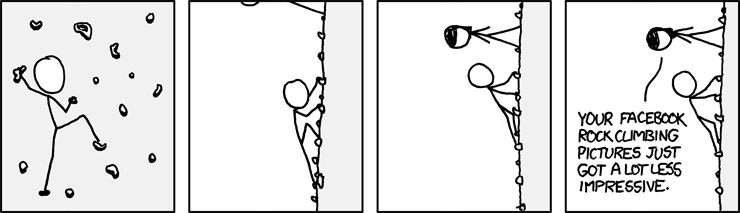
Credit goes to xkcd

* More about Linux Mint

How to donate

Home page

Blog The planet Wiki Forum Twitter Mintcast

* Editors comment

As always – if you find something I’ve missed in the newsletter please tell me – you can post a comment.

It’s been  while since that last newsletter but although a lot is happening behind the scenes there has not been much to report

Enjoy life

Husse

I was recently contacted by a person called Graeme Cobbett. In his email he told me he got his Windows license refunded and donated that money to Linux Mint. Of course, as you can imagine, he felt pretty happy about it and he wanted to let people know how he did it.

So here’s his article on the topic. Good reading everyone!

Hello, my name is Graeme Cobbett. Today, I donated $112 to Linux Mint. But I didn’t fund this myself: Microsoft gave me the money. Here’s how I did it.

This is the story of how I bought a new notebook PC, replaced Windows with Linux and got a refund for the operating system I didn’t want. Not many people do that last bit about getting a refund, but perhaps you can too, if you have a calm attitude and persevere then it can be straightforward.

1. Choose your new computer.

Take a look at the vast array of new PCs on the market. Does the one you like come without Microsoft Windows? Unless it’s a netbook, probably not. Even if you do strike lucky, chances are it costs the same (or even more in some cases) than the equivalent with Windows. So you are probably kinda fixed with buying a copy of Windows you don’t want.

2. Don’t switch on your new computer yet!

You can only reject your software license if you do not use it. You’ll need to use another computer to do step 2:

3. Download Linux.

This one’s pretty easy. First, you choose what kind of Linux you want. I got Linux Mint because, being based on Ubuntu, it has a huge support base so you can easily Google for help. But unlike Ubuntu, it comes ready to play DVDs, music files and Flash files with no tinkering. If you use Windows to download your replacement operating system, the only tricky bit is that you have to use a special utility like Isorecorder to burn the file. (http://isorecorder.alexfeinman.com/isorecorder.htm).

4. Test Linux to make sure it works

You can do this on your new computer without starting Windows: just put your newly-burned CD or USB stick into your computer before you switch on. Not everything might work perfectly first time. For example, on my Dell Studio 1555, the sound didn’t work. So I just googled “Dell Studio 1555 Ubuntu Sound” and found a step-by-step fix which fixed things straight away.

5. Reject your software license

Have you ever read the Microsoft Windows End User License Agreement? It’s pretty scary what you commit yourself to. If you buy Dell, then as soon as you start Windows then you agree to a second set of scary software terms. So reject them. Email is probably the best way: unlike support phone lines it’s free, you can make your case concisely, and if your vendor makes an offer you have proof right in your inbox, so they can’t go back on their word. Don’t delay – for example, Dell like you to do this within 7 days. Here’s what I wrote:

“I do not agree to the terms of the Dell Software Licensing Agreement or the Microsoft Windows End User License Agreement.

“I confirm that I have not used any of the software, have not opened or broken the seal on any software packet and have deleted all preloaded or embedded software from my Dell.

“1. How may I promptly return the disks and other software items to you?

“2. How will you refund the cost of the software? I note that Windows Vista Home Premium retails at £133.96, Microsoft Works at £39.99 and Cyberlink PowerDVD at £39.99 today, which means a total refund of £213.94 is due.

“best regards”

6. Argue the case
I was all fired up for this bit. The article at http://www.linux.com/archive/articles/59381 covers your bases really well: I recommend looking there if your vendor tries to reject your request the first few times.

So, I was all ready for a pitched battle with Dell when they replied within 48 hours offering this:

“The software Cd’s can be returned to Dell.

“However, the refund for Cyberlink PowerDVD cannot be arranged as this software is already preinstalled on the system.

“The amount that would be refunded for  Vista Home Premium is £57.82+vat
and for Microsoft Works is £3.86+vat”

Brilliant! With tax, that adds up to about £70 (US$110), enough for me to overlook their nonsense about the DVD software. I made sure never to say “I accept your offer”, instead preferring “thank you for your offer. You may collect the CDs on [date].” Then, if they screw me around later, I can take them to court for full retail.

7. Gently persevere

So then comes the interesting bit. Dell arranged to collect the software from me but their collection agent didn’t show. Why would they? That’s going to cost them £70 ($110). They had me over a barrel, asking me to wait at home for a whole extra day. So I upped the “firm” factor with a message:

“On 27th August 2009, I wrote to you rejecting your software license terms. You wrote back on 31st August saying I could have a refund if I returned the software CDs.

“You offered to collect the CDs on 11th September. I lost a day’s work waiting at home for you to collect the CDs but you did not collect them. You have acknowledged this but not offered me an explanation.

“You now say I may not have a refund unless we arrange for you to collect the software CDs another time. I cannot afford to take another day off work, so I offered to post them to you. You declined my offer.

“I would like to give you another chance to make amends. Please grant me a refund now. If you are unable to do this, please send me a copy of Dell’s formal complaints procedure so that I may raise my complaint at the appropriate level.”

Dell knows that if I refuse a reasonable request by them then a small claims court will throw out any legal claim I make. So I played nice until they realised they would have to let me use regular post to send the CDs.

So eventually I got my refund. It took me 12 email exchanges in total, and Dell probably didn’t get a refund from Microsoft for the license. But I suspect that every time someone secures a license refund, it has a more than proportionate effect on the PC manufacturers’ next round of negotiations with Microsoft, gently loosening their tight monopoly grip on the operating system market.

8. Donate your refund to Linux Mint

Because you’re one of the good guys. Or just because you get a nice squidgy feeling from the idea that your the money you got back from your unwanted Microsoft software is keeping free, open-source software ahead of the game. Pat yourself on the back!