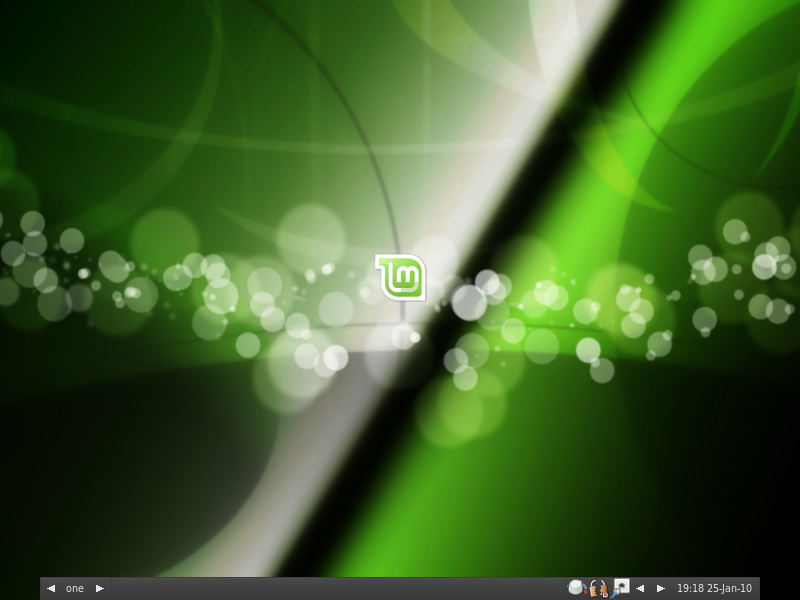
The team is proud to announce the release of Linux Mint 8 “Helena” Fluxbox Community Edition RC1.
Quick steps:
- Download the ISO or the torrent.
- While it’s downloading look at the overview of the new features in Linux Mint 8 Fluxbox CE, read the User Guide and make sure to quickly go through the known issues.
- After the ISO is downloaded verify the MD5 (as described in the user guide).
- Burn the ISO at low speed and enjoy testing Linux Mint 8 Fluxbox RC1.
- Report bugs on the dedicated forum thread.
Introduction to Linux Mint 8 Fluxbox:
This release has been built with the emphasis on a lightweight and yet fully functional desktop centered on the Fluxbox window manager. Even though we strive to provide out-of-the-box readiness for all your hardware and common computing tasks, Linux Mint Fluxbox CE is easily configurable to run on lower-spec hardware with the tools needed for doing so readily available.
For a detailed overview of the new features and improvements included in Linux Mint 8 Fluxbox, please read “What’s new in Helena Fluxbox?“.
System requirements:
- x86 processor
- 256 MB of system memory (RAM)
- 3 GB of disk space for installation
- GA graphics card capable of 800×600 resolution
- CD-ROM drive or USB port
Important information and known issues:
As an RC (Release Candidate) this release is targeted at developers and beta-testers who want to help Linux Mint find and correct bugs before the stable release. Please do not use this release as your main desktop. For a complete list of known issues read the Release Notes.
Feedback and bug reports:
Please report any bug you may find via the Linux Mint 8 Fluxbox RC1 Bug Thread and give us your feedback on this release by posting a comment right here on the blog.
Download Linux Mint 8 Fluxbox RC1:
You can download Linux Mint 8 Fluxbox RC1 via torrent or via HTTP:
Size: 653MB LiveCD
MD5Sum: b70be8c9caa4712cf109c66daa3a7f95
Torrent download: http://www.linuxmint.com/torrent/LinuxMint-8-Fluxbox-RC1.iso.torrent
HTTP download: http://www.linuxmint.com/edition.php?id=48
Asia:
- http://ftp.jaist.ac.jp/pub/Linux/LinuxMint-ISO/testing/ (Japan)
- http://ftp.riken.jp/pub/Linux/linuxmint/testing/ (Japan)
- http://ftp.oss.tw/pub/Mint/LinuxMint-ISO/testing/ (Taiwan)
Europe:
- http://gd.tuwien.ac.at/linux/mint/isos/testing/ (Austria)
- http://mint.nano-box.net/iso/testing/ (Bulgaria)
- http://mirrors.cytanet.com.cy/linux/mint/testing/ (Cyprus)
- http://ftp.klid.dk/ftp/linuxmint/testing/ (Denmark)
- ftp://ftp.linuxmint-fr.org/pub/linuxmint.com/testing/ (France)
- http://linuxmint.copahost.com/testing/ (Germany)
- http://linuxmint.cybermirror.org/testing/ (Germany)
- http://ftp5.gwdg.de/pub/linux/debian/mint/testing/ (Germany)
- http://mirror.netcologne.de/mint/testing/ (Germany)
- http://ftp.cc.uoc.gr/mirrors/linux/linuxmint/testing/ (Greece)
- http://ftp.heanet.ie/pub/linuxmint.com/testing/ (Ireland)
- http://ftp.akl.lt/Linux/Mint/testing/ (Lithuania)
- ftp://ftp.tpnet.pl/pub/linux/linuxmint/isos/testing/ (Poland)
- http://cesium.di.uminho.pt/pub/linuxmint/testing/ (Portugal)
- http://ftp.df.lth.se/pub/linuxmint/testing/ (Sweden)
- http://mirror.sov.uk.goscomb.net/linuxmint.com/testing/ (UK)
Northern America:
- http://mirror.csclub.uwaterloo.ca/linuxmint/testing/ (Canada)
- http://mirror.amarillolinux.com/linuxmint/testing/ (USA)
- http://mint.ez.by/linuxmint.com/testing/ (USA)
- http://linuxmint.secsup.org/testing/ (USA)
- ftp://mirrors.secution.com/linuxmint.com/testing/ (USA)
- http://mira.sunsite.utk.edu/linuxmint/testing/ (USA)
Rest of the World:
Enjoy!
Have a lot of fun testing this release candidate and let’s all hope it will help us make a great stable release.