
The team is proud to announce the release of Linux Mint 22.3 “Zena”.
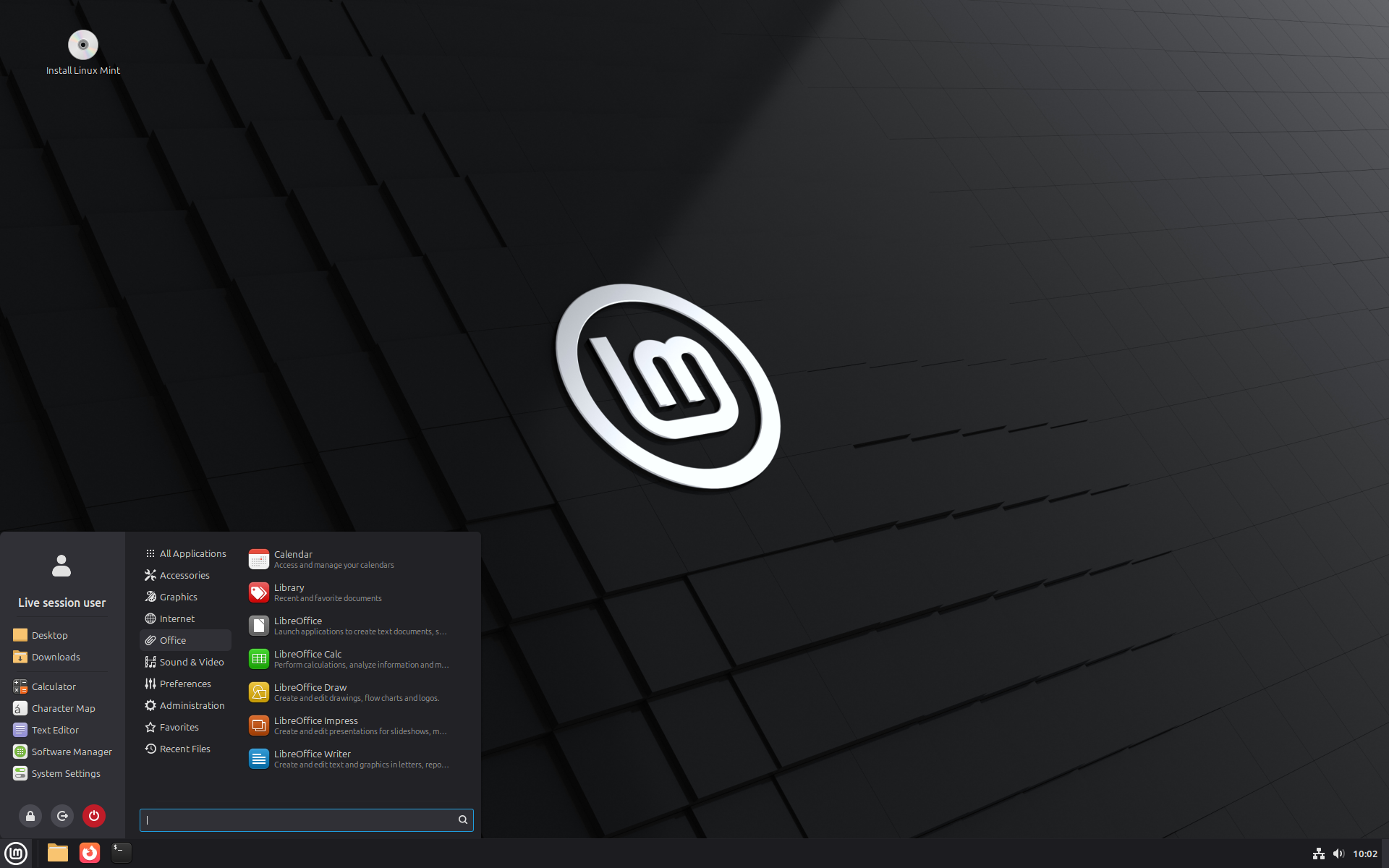
Linux Mint 22.3 is a long term support release which will be supported until 2029. It comes with updated software and brings refinements and many new features to make your desktop even more comfortable to use.
New features:
This new version of Linux Mint contains many improvements.
For an overview of the new features please visit:
“What’s new in Linux Mint 22.3“.
Important info:
The release notes provide important information about known issues, as well as explanations, workarounds and solutions.
To read the release notes, please visit:
System requirements:
- 2GB RAM (4GB recommended for a comfortable usage).
- 20GB of disk space (100GB recommended).
- 1024×768 resolution (on lower resolutions, press ALT to drag windows with the mouse if they don’t fit in the screen).
Upgrade instructions:
- If you are running the BETA you don’t need to upgrade, use the Update Manager to apply available updates.
- Upgrade instructions for Linux Mint 22, 22.1 and 22.2: https://blog.linuxmint.com/?p=4980
Download links:
Cinnamon Edition:
- Torrent https://linuxmint.com/torrents/linuxmint-22.3-cinnamon-64bit.iso.torrent
- World Cicku
- World Linux Mint
- Canada Manitoba Unix User Group
- Canada University of Calgary
- Canada University of Waterloo Computer Science Club
- Mexico UNAM
- USA Clarkson University
- USA ette.biz
- USA Fremont Cabal Internet Exchange
- USA GigeNET
- USA Harvard School of Engineering
- USA Hoobly
- USA James Madison University
- USA kernel.org
- USA Lancaster-Lebanon Intermediate Unit 13
- USA Linux Freedom
- USA MIRhosting
- USA Old Dominion University Computer Science
- USA Open Computing Facility at UC Berkeley
- USA Purdue Linux Users Group
- USA Rackers
- USA Sonic
- USA Team Cymru
- USA TeraSwitch
- USA US Internet
- USA XMission Internet
- Belarus ByFly
- Belgium BeHostings
- Belgium BOINC Team Belgium
- Belgium Unix-Solutions
- Bulgaria IPACCT
- Bulgaria Telepoint
- Bulgaria University of Ruse
- Czech Republic CZ.NIC
- Czech Republic IT4Innovations National Supercomputing Center
- Czech Republic UPC Ceska republika
- Czech Republic Webglobe
- Denmark c0urier.net
- Denmark Dotsrc.org
- Denmark KLID
- Finland 5i.fi
- Finland cdnmirror.com
- France CNRS IBCP
- France CosmicLinux
- France Crifo.org
- France Komogoto
- France Université de Reims
- Germany c48.uk
- Germany Diyar Ciftci
- Germany dogado GmbH
- Germany Friedrich-Alexander-University of Erlangen-Nuremberg
- Germany Funkfreunde Landshut e.V.
- Germany GWDG
- Germany Hochschule Esslingen University of Applied Sciences
- Germany IPB Internet Provider in Berlin GmbH
- Germany NetCologne GmbH
- Germany Netzwerge GmbH
- Germany PyrateLAN.party
- Germany SEO NW – Alexander Müller
- Germany wilhelm.tel GmbH
- Greece GreekLUG
- Greece University of Crete
- Ireland Webworld
- Italy GARR
- Latvia koyanet.lv
- Latvia University of Latvia
- Moldova iHost
- Netherlands AS215296
- Netherlands Evoluso.com
- Netherlands KoDDoS
- Netherlands LiteServer
- Netherlands MIRhosting
- Netherlands NLUUG
- Netherlands Triple IT
- Poland ICM – University of Warsaw
- Poland Poznan Supercomputing and Networking Center
- Portugal RNL – Técnico Lisboa
- Portugal Universidade do Porto
- Romania Hosterion
- Romania Hostico
- Romania Orange Romania
- Russia HyperDedic
- Russia Yandex Team
- Serbia SOX
- Serbia University of Kragujevac
- Slovakia Energotel
- Slovenia Mirrors.si
- Spain Aire Networks
- Spain Oficina de Software Libre do Cixug
- Spain Raiola Networks
- Spain University of Zaragoza
- Sweden Academic Computer Club
- Sweden Bahnhof
- Sweden Brain Drain Lan
- Sweden Infania Networks
- Sweden Swedish Retro Computer Association
- Switzerland GoFOSS
- Switzerland HB9HIL
- Switzerland Init7
- Switzerland Metanet.ch
- Turkey ekiphost
- Turkey Guzel Hosting
- Turkey Linux Kullanicilari Dernegi
- Turkey Verinomi
- Ukraine Hostiko
- Ukraine IP-Connect LLC
- United Kingdom c48.uk
- United Kingdom Server.net
- United Kingdom UK Dedicated Servers
- United Kingdom UKFast
- United Kingdom University of Kent UK Mirror Service
- United Kingdom VineHost
- Azerbaijan OUR.Technology
- Bangladesh Limda Host
- Bangladesh XeonBD
- China Beijing Foreign Studies University
- China Nanjing University
- China Shanghai Jiao Tong University Linux User Group (SJTUG)
- China TUNA
- China University of Science and Technology of China Linux User Group
- Hong Kong KoDDoS
- India Albony Network
- India NxtGen DataCenter
- India PicoNets-WebWerks
- Japan ICSCoE
- Japan Yamagata University
- Kazakhstan Hoster.kz
- Kazakhstan PS Internet Company LLC
- Saudi Arabia Maeen Network
- Singapore Freedif
- Singapore jingk.ai
- South Korea Archive of Siwoo
- South Korea Jeonnam High School
- South Korea KAIST
- Taiwan Taiwan Digital Streaming Co.
- Thailand Khon Kaen University
- Vietnam Clearsky
- Vietnam MeowSMP.net
- Australia AARNet
- New Zealand University of Canterbury
- Argentina Zero.com.ar
- Brazil C3SL
- Brazil Portal IDEA
- Brazil Universidade Federal de Mato Grosso
- Chile Universidad de La Frontera
- Ecuador CEDIA
- Kenya Liquid Telecom
- Mauritius cloud.mu
- South Africa Dimension Data
- South Africa University of Free State
Xfce Edition:
- Torrent https://linuxmint.com/torrents/linuxmint-22.3-xfce-64bit.iso.torrent
- World Cicku
- World Linux Mint
- Canada Manitoba Unix User Group
- Canada University of Calgary
- Canada University of Waterloo Computer Science Club
- Mexico UNAM
- USA Clarkson University
- USA ette.biz
- USA Fremont Cabal Internet Exchange
- USA GigeNET
- USA Harvard School of Engineering
- USA Hoobly
- USA James Madison University
- USA kernel.org
- USA Lancaster-Lebanon Intermediate Unit 13
- USA Linux Freedom
- USA MIRhosting
- USA Old Dominion University Computer Science
- USA Open Computing Facility at UC Berkeley
- USA Purdue Linux Users Group
- USA Rackers
- USA Sonic
- USA Team Cymru
- USA TeraSwitch
- USA US Internet
- USA XMission Internet
- Belarus ByFly
- Belgium BeHostings
- Belgium BOINC Team Belgium
- Belgium Unix-Solutions
- Bulgaria IPACCT
- Bulgaria Telepoint
- Bulgaria University of Ruse
- Czech Republic CZ.NIC
- Czech Republic IT4Innovations National Supercomputing Center
- Czech Republic UPC Ceska republika
- Czech Republic Webglobe
- Denmark c0urier.net
- Denmark Dotsrc.org
- Denmark KLID
- Finland 5i.fi
- Finland cdnmirror.com
- France CNRS IBCP
- France CosmicLinux
- France Crifo.org
- France Komogoto
- France Université de Reims
- Germany c48.uk
- Germany Diyar Ciftci
- Germany dogado GmbH
- Germany Friedrich-Alexander-University of Erlangen-Nuremberg
- Germany Funkfreunde Landshut e.V.
- Germany GWDG
- Germany Hochschule Esslingen University of Applied Sciences
- Germany IPB Internet Provider in Berlin GmbH
- Germany NetCologne GmbH
- Germany Netzwerge GmbH
- Germany PyrateLAN.party
- Germany SEO NW – Alexander Müller
- Germany wilhelm.tel GmbH
- Greece GreekLUG
- Greece University of Crete
- Ireland Webworld
- Italy GARR
- Latvia koyanet.lv
- Latvia University of Latvia
- Moldova iHost
- Netherlands AS215296
- Netherlands Evoluso.com
- Netherlands KoDDoS
- Netherlands LiteServer
- Netherlands MIRhosting
- Netherlands NLUUG
- Netherlands Triple IT
- Poland ICM – University of Warsaw
- Poland Poznan Supercomputing and Networking Center
- Portugal RNL – Técnico Lisboa
- Portugal Universidade do Porto
- Romania Hosterion
- Romania Hostico
- Romania Orange Romania
- Russia HyperDedic
- Russia Yandex Team
- Serbia SOX
- Serbia University of Kragujevac
- Slovakia Energotel
- Slovenia Mirrors.si
- Spain Aire Networks
- Spain Oficina de Software Libre do Cixug
- Spain Raiola Networks
- Spain University of Zaragoza
- Sweden Academic Computer Club
- Sweden Bahnhof
- Sweden Brain Drain Lan
- Sweden Infania Networks
- Sweden Swedish Retro Computer Association
- Switzerland GoFOSS
- Switzerland HB9HIL
- Switzerland Init7
- Switzerland Metanet.ch
- Turkey ekiphost
- Turkey Guzel Hosting
- Turkey Linux Kullanicilari Dernegi
- Turkey Verinomi
- Ukraine Hostiko
- Ukraine IP-Connect LLC
- United Kingdom c48.uk
- United Kingdom Server.net
- United Kingdom UK Dedicated Servers
- United Kingdom UKFast
- United Kingdom University of Kent UK Mirror Service
- United Kingdom VineHost
- Azerbaijan OUR.Technology
- Bangladesh Limda Host
- Bangladesh XeonBD
- China Beijing Foreign Studies University
- China Nanjing University
- China Shanghai Jiao Tong University Linux User Group (SJTUG)
- China TUNA
- China University of Science and Technology of China Linux User Group
- Hong Kong KoDDoS
- India Albony Network
- India NxtGen DataCenter
- India PicoNets-WebWerks
- Japan ICSCoE
- Japan Yamagata University
- Kazakhstan Hoster.kz
- Kazakhstan PS Internet Company LLC
- Saudi Arabia Maeen Network
- Singapore Freedif
- Singapore jingk.ai
- South Korea Archive of Siwoo
- South Korea Jeonnam High School
- South Korea KAIST
- Taiwan Taiwan Digital Streaming Co.
- Thailand Khon Kaen University
- Vietnam Clearsky
- Vietnam MeowSMP.net
- Australia AARNet
- New Zealand University of Canterbury
- Argentina Zero.com.ar
- Brazil C3SL
- Brazil Portal IDEA
- Brazil Universidade Federal de Mato Grosso
- Chile Universidad de La Frontera
- Ecuador CEDIA
- Kenya Liquid Telecom
- Mauritius cloud.mu
- South Africa Dimension Data
- South Africa University of Free State
MATE Edition:
- Torrent https://linuxmint.com/torrents/linuxmint-22.3-mate-64bit.iso.torrent
- World Cicku
- World Linux Mint
- Canada Manitoba Unix User Group
- Canada University of Calgary
- Canada University of Waterloo Computer Science Club
- Mexico UNAM
- USA Clarkson University
- USA ette.biz
- USA Fremont Cabal Internet Exchange
- USA GigeNET
- USA Harvard School of Engineering
- USA Hoobly
- USA James Madison University
- USA kernel.org
- USA Lancaster-Lebanon Intermediate Unit 13
- USA Linux Freedom
- USA MIRhosting
- USA Old Dominion University Computer Science
- USA Open Computing Facility at UC Berkeley
- USA Purdue Linux Users Group
- USA Rackers
- USA Sonic
- USA Team Cymru
- USA TeraSwitch
- USA US Internet
- USA XMission Internet
- Belarus ByFly
- Belgium BeHostings
- Belgium BOINC Team Belgium
- Belgium Unix-Solutions
- Bulgaria IPACCT
- Bulgaria Telepoint
- Bulgaria University of Ruse
- Czech Republic CZ.NIC
- Czech Republic IT4Innovations National Supercomputing Center
- Czech Republic UPC Ceska republika
- Czech Republic Webglobe
- Denmark c0urier.net
- Denmark Dotsrc.org
- Denmark KLID
- Finland 5i.fi
- Finland cdnmirror.com
- France CNRS IBCP
- France CosmicLinux
- France Crifo.org
- France Komogoto
- France Université de Reims
- Germany c48.uk
- Germany Diyar Ciftci
- Germany dogado GmbH
- Germany Friedrich-Alexander-University of Erlangen-Nuremberg
- Germany Funkfreunde Landshut e.V.
- Germany GWDG
- Germany Hochschule Esslingen University of Applied Sciences
- Germany IPB Internet Provider in Berlin GmbH
- Germany NetCologne GmbH
- Germany Netzwerge GmbH
- Germany PyrateLAN.party
- Germany SEO NW – Alexander Müller
- Germany wilhelm.tel GmbH
- Greece GreekLUG
- Greece University of Crete
- Ireland Webworld
- Italy GARR
- Latvia koyanet.lv
- Latvia University of Latvia
- Moldova iHost
- Netherlands AS215296
- Netherlands Evoluso.com
- Netherlands KoDDoS
- Netherlands LiteServer
- Netherlands MIRhosting
- Netherlands NLUUG
- Netherlands Triple IT
- Poland ICM – University of Warsaw
- Poland Poznan Supercomputing and Networking Center
- Portugal RNL – Técnico Lisboa
- Portugal Universidade do Porto
- Romania Hosterion
- Romania Hostico
- Romania Orange Romania
- Russia HyperDedic
- Russia Yandex Team
- Serbia SOX
- Serbia University of Kragujevac
- Slovakia Energotel
- Slovenia Mirrors.si
- Spain Aire Networks
- Spain Oficina de Software Libre do Cixug
- Spain Raiola Networks
- Spain University of Zaragoza
- Sweden Academic Computer Club
- Sweden Bahnhof
- Sweden Brain Drain Lan
- Sweden Infania Networks
- Sweden Swedish Retro Computer Association
- Switzerland GoFOSS
- Switzerland HB9HIL
- Switzerland Init7
- Switzerland Metanet.ch
- Turkey ekiphost
- Turkey Guzel Hosting
- Turkey Linux Kullanicilari Dernegi
- Turkey Verinomi
- Ukraine Hostiko
- Ukraine IP-Connect LLC
- United Kingdom c48.uk
- United Kingdom Server.net
- United Kingdom UK Dedicated Servers
- United Kingdom UKFast
- United Kingdom University of Kent UK Mirror Service
- United Kingdom VineHost
- Azerbaijan OUR.Technology
- Bangladesh Limda Host
- Bangladesh XeonBD
- China Beijing Foreign Studies University
- China Nanjing University
- China Shanghai Jiao Tong University Linux User Group (SJTUG)
- China TUNA
- China University of Science and Technology of China Linux User Group
- Hong Kong KoDDoS
- India Albony Network
- India NxtGen DataCenter
- India PicoNets-WebWerks
- Japan ICSCoE
- Japan Yamagata University
- Kazakhstan Hoster.kz
- Kazakhstan PS Internet Company LLC
- Saudi Arabia Maeen Network
- Singapore Freedif
- Singapore jingk.ai
- South Korea Archive of Siwoo
- South Korea Jeonnam High School
- South Korea KAIST
- Taiwan Taiwan Digital Streaming Co.
- Thailand Khon Kaen University
- Vietnam Clearsky
- Vietnam MeowSMP.net
- Australia AARNet
- New Zealand University of Canterbury
- Argentina Zero.com.ar
- Brazil C3SL
- Brazil Portal IDEA
- Brazil Universidade Federal de Mato Grosso
- Chile Universidad de La Frontera
- Ecuador CEDIA
- Kenya Liquid Telecom
- Mauritius cloud.mu
- South Africa Dimension Data
- South Africa University of Free State
Integrity and authenticity checks:
Once you have downloaded an image, please verify its integrity and authenticity.
Anyone can produce fake ISO images, it is your responsibility to check you are downloading the official ones.
- Please read and follow the steps at https://linuxmint.com/verify.php
- Link to the sums: sha256sum.txt
- Link to the signed sums: sha256sum.txt.gpg
Enjoy!
We look forward to receiving your feedback. Thank you for using Linux Mint and have a lot of fun with this new release!
Yey!
Is my comment really gonna be the first one?!
THank you so much for all of your WORK! THANK YOU!!!
Clem & the team, what is your stance on AI embedded into the OS? I hope you’re against this idea.
If so, will you perhaps make a public announcement about that?
Pourquoi contre. C’est une superbe innovation, si bien utilisé
Totally agree! I really love all these improvements in the new release. Thank you, Mint team, for your hard work!
Velimor – I agree, the improvements are great!
But what ‘torxxl’ is saying is that ‘AI is a “great innovation” which needs to be used’. To which I’d say: of course, unless you think about your kinds and you want them to have a great future, a job which will be able to feed them.
No real human being in real life has ever told me that AI is great, and why would anyone say that…
Indeed fully agree. KISS it is so simple and I love the way I am the driver of the car (Computer 🙂 ) After 30 years being stuck in Microsoft and sharing the world with them, its over, open-source from now on. Had a Lenovo Yoga for 8 years replaced the battery and installed Linux Mint 22.3. Still discovering the opportunties/possibilities with the open-source software but so far I regret that I did not change this before. So please do not hesitate and change get away from Big Tech, you will love it “Real Computing is back” Thank you team….
Update worked smoothly as always. I like the new menu.
I wonder why the version of gnome-system-monitor is stuck at that version which has the column bug. LMDE7 has a newer version without this bug.
But other than that it”s perfect. I don’t know why so many prefer KDE. I think Linux Mint Cinnamon is much more polished and you can configure it even more than KDE. Must be their marketing.
I do. After using something like 10+ years of Linux Mint, it has changed a lot. Both in look and feel, default desktop sound effects, and whether a change is good or annoying is always subjective. Kind of like how your Android phone updates, it comes with UI updates, and it’s not what you learnt how to use it when it was taken out of box so it disturbs your workflow. So I decided I’d try Kubuntu and Fedora KDE, and since it’s different, I expected to have some learning curve, but willing to accept the differences. For a Windows 10 escapee, KDE might feel more similar.
KDE has features I really find intriguing and would like to see in Linux Mint. Vaults should be available in all desktops, and I would find use for similar thing like KDE Connect to utilize a mobile phone. Also, as Mint is based on Ubuntu LTS, so the technology, programs and the frameworks that build the platform to run Mint is not the latest and greatest. For a Krita artist or other multimedia work, KDE with latest technologies of modern systems in audio and video handling allow for HDR monitors etc.
What I do love about Mint is that it is relatively familiar for me, has familiar programs and utilities since days of Gnome, and comes with all sorts of drivers and multimedia codecs that e.g. Fedora/KDE doesn’t have after install.
Some people may even have different needs for home and work use, if I now needed to install a Linux workstation for business use, I’d use Mint, due to familiarity and most embedded software development environments from some vendors also lag and may require Ubuntu LTS to work properly, and even KiCad does not officially support Mint or Wayland, but is usable on Mint with X system.
I think anyway due to EndOfWindows10, Linux in general is getting more popular.
Thank You for a very smooth upgrade from 22.2 to 22.3 Zena. Very nice too. Thank you to everyone in the MINT team for all your exceptional good hard work.
Great to see this albeit not sure of the new menu. However, thanks for the “Classic Menu” applet as well. Thanks Clem and team.
Flawless upgrade, as usual for point releases!
One problem I encountered, however, that you may need to know about: I wanted to test something in the Cinnamon on Wayland session. So, I logged out, changed my session to Cinnamon on Wayland, and logged back in. However, the following happened…
1. Everything froze up, with a black screen and a mouse cursor that I couldn’t move. I couldn’t even drop to a terminal with ctrl-alt-f1/f2/etc.
2. After I forced a reboot, my /home partition (which is on a separate hard drive from my system files) was no longer accessible, so anytime I tried to login (even with the default Cinnamon session), it would just send me back to the login screen.
3. Apparently, something became corrupted on my /home partition drive. I had to go to a terminal from the login screen and run fsck on the drive. That fixed the problem, and my computer is back to normal again, but now I’m extremely reluctant to try out the Wayland session again.
I’ve had exactly the same frozen black screen and mouse issue with Wayland. Just like you, I’m reluctant to use it again.
I have a test machine on Cinnamon on Wayland as the default and that upgraded fine, but I have not tried to switch it from Wayland to X11. The Wayland session is working well though. Not had any issues Maybe an issue with the switching??
Please file a bug on GitHub for greater visibility of the bug.
The team did a great job! I really like the new menu. A few points to consider:
1) It would be good to ‘fix’ the problem where, when the sidebar is disabled, there is no option to shut down, log out or lock the PC (unless you display these options in the application menu next to the search text box).
2.) Perhaps there could be an option to rotate the shutdown, logout or lock points in the sidebar?
3.) Perhaps there could be an option to display the shutdown, logout or lock points at the top or bottom of the application list, i.e. independently from the search bar.
And thanks for the new “System Information” it is also helpful! I can not complain! Please continue that good work!
Btw: The update process was great without any errors on three different setups! I like Mint’s stability!
I think there should be an option to show only the icons in the sidebar. But overall, the new menu is very good.
Not sure if the new menu system is an improvement – despite a massive configuration system, it still feels like its not possible to make it easy and obvious to use.
I’ve got quite a lot of bookmarks in nemo – so I get all of them shown in the system menu.
There are a couple of applets for older menus, including a traditional one if you’re interested. Check them out and enjoy what makes you feel more at home. Cheers.
Hi Clem i found a bug the icon on systray about the removable drives/disks not work like always if i plug an external hd i can’t use it for secure unplug please fix it
What I’ve noticed on my end, is that the icon doesn’t show up unless there’s some removable drive inserted. Don’t know if this change of behavior is intended or a bug, but it makes kinda sense if there’s no removable drive inserted then there’s no removable drive to remove.
I have a removeable drive plugged in and it still does not show up.
Hi. This is the first update I’ve received since switching to Mint (I’m a Windows user), but the update fails before even trying. The update manager tells me “The upgrade failed. Check your Internet connection and restart the upgrade.” I access Mint via RDP. Could that be preventing the update? I tried changing the mirrors (thinking that the FR ones might be saturated), but that didn’t change anything. Any ideas?
@Gitan It’s a good practice to wait a while before actually upgrading so that more of the possible issues are ironed out.
Why over RDP? It’s a Windows protocal. This may well be the problem.I have 3 disks in a desktop. Windows doesn’t recognize the Linux OS’s at all, although it sees the disks.Do you have direct access to the system with Mint on it? Have you tried using SSH?
I have the same messages but I use it over VNC. I’m getting the feeling that it has something to do with getting to the desktop remotely, but not entirely sure. I have also tried dist-upgrade and full-upgrade over ssh, but it says no updates. I also have the problem that the Update Manager is not showing Software Sources, I can click on it but nothing happens. I hope this is something that can be solved soon.
I have found out what is going wrong. If you have your Linux Mint as a VM (like esxi of proxmox) and you connect with VNC or RDP, when you upgrade you won’t get a box to pass your password because. What I did in Proxmox make a with the NoVNC (or Spice)console) you will directly connect to the DM and when you do upgrade you get the box to fill in your password. Upgrade was done in a jiffy.
Your website here has the Twitter.com link and logo still, rather than the X logo and link. 🙂 Have a nice day! I am going to try out Linux Mint to test for a functional replacement for Windows 10 with ASUS Crosshair V Formula-Z motherboard with AMD FX-8320 CPU 4GHZx8 32GB DDR3 RAM been running same setup since 2012 just adding newer NVIDIA GPUs over time, tested Ubuntu Desktop was not impressed on hardware utilization and hardware acceleration and laggy video even on a NVIDIA 4060 RTX GPU, looking forward to testing Linux Mint, its funny I have Mint Mobile service as well for my cell phone. 😉 Have a nice day! 🙂
Mybsecond keyboard layout vanished, I have set it back. But no luck upon changing the keyboard shortcut for layout change with ctrl+shift,nthough I have set it up too. The Shift+Space works instead for no reason ornshortcut setup on this combination.
Had the same problem as you found the fix on the forum.
https://forums.linuxmint.com/viewtopic.php?t=461163
Go to System Settings > Keyboard > XKB Options. Click on the “+” button at the bottom. Select “Switching to another layout” from the list and set your desired key combination.
@Pavlin Thank you, I have tried that and works but if i restart the computer it does not, have to remove and add this again in XKB options
Smooth upgrade, via the Update Manager, for me. Love the new features. BIG THANK YOU to all who worked on this project!
Yes, the removable-drive applet does not appear with external drives, but it does work with USB keys. However, external drives can be safely removed from Nemo.
n1ce release, many thanks to all mint team
N1ce Release as 22.3!
Many thanks to all Linux Mint Team!!
Great job! I like the new menu and find the new system administration tool very useful. Thank you.
I use LMDE so I got some of these changes a few days before the release. I’m liking it generally, but am not sold on the new menu yet.
I reported some issues a while back that never got a reply, I was wondering if someone from the team could take a look at some of them:
Stop offering ecryptfs encryption as it is deprecated: https://github.com/linuxmint/linuxmint/issues/505
Release notes: ecryptfs is mis-spelled as “ecrypts”. May affect older notes too: https://github.com/linuxmint/linuxmint/issues/506
Mint Software Manager doesn’t tell you if a flathub package is nonfree, or has nonfree dependencies: https://github.com/linuxmint/mintinstall/issues/338
Purging/downgrading residual packages drops you to the prompt rather than closing when done: https://github.com/linuxmint/mintsources/issues/213
Purging/downgrading residual packages, clicking the go button twice causes it to interfere with itself: https://github.com/linuxmint/mintsources/issues/215
mintupgrade: Having automatic updates enabled while upgrading messes up the installation process and breaks installation: https://github.com/linuxmint/mintupgrade/issues/43
Thanks. Another great release, as always.
Great job, I successfully updated 5 machines with no issues. The notification badges in the window list are really useful. I read elsewhere about the split panes Nemo button, a very useful addition. I was not aware until now there was a split panes option and that is far easier than having open 2 windows when moving files. I like the new menu, just having to retrain my muscle memory to move to the shutdown button as not immediately above the menu button, but that will come. Would it be possible to add tooltips on hover to the shutdown, logout and lock buttons so it is more obvious for new users coming from Windows? Anyway very many thanks to you all for all your hard work, much appreciated
Many thanks Clem & Team for your hard work on our finest distro.
I noticed the upgrade path opened this Sunday so I made a backup and went for it. Absolutely smooth and flawless process, as the point release upgrades have been for quite some time now.
Just noticed one thing: Wasn’t I supposed to have a new Mint Menu? I didn’t get it! The one I have is menu@cinnamon.org, can’t check its version, and Cinnamon is v. 6.6.4.
(not complaining, I’m perfectly at home with the old menu but I was curious about trying the new one).
If there are more people complaining please pay attention to this issue, but if it’s just me don’t even bother. Cheers.
Really solid release! Love all the improvements and refinements.
Great job! And many thanks to the entire LM team.
Please NEVER ever allow Linux Mint to become an Agentic or an AI Operating system. I think that would be a huge retrograde step. Please Please never go there!!. The stuff of nightmares frankly.
Excellent work. I take this opportunity to thank Clem and the Linux Mint team for providing us with a great operating system. Thank you very much.
Mint-Y folder icon didnt match xsi sidebar and locationbar icon. i prefer xsi new look on those folder icon. also add more folder icon for like game, steam, source code, git?
The 22.2 to 22.3 upgrade went with out an issue. Looks great!! Thanks for all the hard work. I have been using Mint since 2015.
The only complaint I have and it’s not related to Mint. It’s Mozilla.
In 22.2 I blocked the upgrade to Thunderbird 140 esr. I stayed at 128.14. I’m not happy with Mozilla deciding what my background color should be in my emails. White or Black only isn’t cutting it with me! I like gray and have it’s been that way for probably 20 years!! I searched the internet for a solution and in 140 there is none. Only composing an email.
So my question is this: Any way to upgrade and retain Thunderbird 128? I can Timeshift back to Mint 22.2.
Again thanks for a awesome upgrade as far as 22.3!!!
George
You may want to switch to Betterbird (available via Flatpak) – Thunderbird’s fork without Mozilla’s interference. Personally, I’m using Vivaldi browser with their e-mail client built in, so cannot guarantee Betterbird will be solution to your problems. But I think it may be worth to try it out.
Just copy your TB profile from your old version of LM, start TB, then close it down immediately, then go to /home/.thunderbird, open the profile folder and delete all it’s content and replace it with the contents of the other TB profile.
I am now in the process of upgrading and backing up 2 laptops and I just realized this is Mint 22.3, the last and final version of Mint 22. Woah, are we already here?
From small upgrade from LM 22.2 to 22.3 is not going my lan wire and wireless cards at standard kernel 6.8 (only going at temporarily kernel 6.14).
lspci | grep -i realtek
09:00.0 Ethernet controller: Realtek Semiconductor Co., Ltd. RTL8125 2.5GbE Controller (rev 04)
From dmesg with kernel 6.14
r8169 0000:09:00.0 enp9s0: Link is Up – 1Gbps/Full – flow control rx/tx
Have a problem with keyboard layout switch, leaved github issue
https://github.com/linuxmint/cinnamon/issues/13384#issuecomment-3745759085
As said in the older blog post from December and adding it here again for visibility:
Just like another user above me in the previous blog entry comment section mentioned that the mouse-over readings of the systray are off.
The Wifi icon shows full bars (does it even change or is it static?), mouse over is usually a random number in the 60s or 70s while in the menu, the proper figures are displayed. This is how it is: https://i.postimg.cc/6QJKPGB2/A.jpg
Also, I’d like to have the old wifi icon back. The Mind Update icon (the shield) is still nice-looking while the Wifi icon looks like from a PlaySchool fake smartphone. Very bubbly and rounded and it does not fit really in.. The previous Wifi icon showed the different and nuanced signal strengths. I prefered that. Also a little bit “weird” on the change of Nemo’s now-white folders in the left navigation bar. Them being now white and hollow is an extremely odd choice and for some absolutely strange reason I can’t get used to it. I am getting riled up on aesthetics here somewhat, heh? 😉
Try right clicking the menu logo and clicking configure. You can also click edit and edit bookmarks.
Additional information:
This has been fixed today.
Very cool stuff!
I upgraded my five computers which have Linux Mint installed. The new release looks much better than the previous ones, I especially like the new start menu in Cinnamon.
– my old desktop, still needed because of an old SCSI scanner (Phenom II x4 945, Radeon HD 7350) -> everything ok, in System information > GPU tab everything is enabled in Hardware Acceleration list
– my newer desktop (i5-6400, Intel integrated graphics) -> everything ok, in System information > GPU tab everything is enabled in Hardware Acceleration list
– my older laptop (Lenovo T430, i5-3210M, Intel integrated graphics) -> everything ok, in System information > GPU tab everything is enabled in Hardware Acceleration list
However, on my two other computers there is some kind of issue with hardware acceleration:
– my NucBox G9-v2 HTPC (Intel N150, Intel integrated graphics) -> in System information > GPU tab “Video Playback” shows “Disabled (Software rendering)” in Hardware Acceleration list. I already installed vainfo package, didn’t change anything. Output in Terminal:
vainfo
libva info: VA-API version 1.20.0
libva info: Trying to open /usr/lib/x86_64-linux-gnu/dri/iHD_drv_video.so
libva info: Found init function __vaDriverInit_1_20
libva error: /usr/lib/x86_64-linux-gnu/dri/iHD_drv_video.so init failed
libva info: va_openDriver() returns 1
libva info: Trying to open /usr/lib/x86_64-linux-gnu/dri/i965_drv_video.so
libva info: Found init function __vaDriverInit_1_20
libva error: /usr/lib/x86_64-linux-gnu/dri/i965_drv_video.so init failed
libva info: va_openDriver() returns -1
vaInitialize failed with error code -1 (unknown libva error),exit
– my newer laptop (Dell Precision 7550, i9-10885H, Intel/nVIDIA combo graphics) -> in System information > GPU tab “Vulkan” shows “Disabled (Software rendering)” in Hardware Acceleration list. In addition, the fingerprint reader does not show up in the Fingerprint app even though it works properly in Windows 11 (I have dual boot).
Don’t know if this will help you, but I fixed my issue with my old Sony VAIO with Intel integrated graphics (i5 430 M, Arrandale CPU) and now it shows “Video Playback – Enabled (VA-API)” in the System Information GPU tab with this.
I installed the i965-va-driver-shaders package (which is a non-free version of the i965-va-driver package) and I also tried ‘export LIBVA_DRIVER_NAME=i965’ in the terminal to make sure it was using it instead of the “iHD” driver (from intel-media-va-driver package). I think what did it was the package, though since I rebooted and the environment variable isn’t showing after the restart when I use the ‘env’ command.
I’m on LMDE 7 and followed this guide: https://wiki.debian.org/HardwareVideoAcceleration#Intel
OH! Well Done, seamless upgrade, very impressed.
Excellent work. I take this opportunity to thank Clem and the Linux Mint team for making this great operating system available. Thank you very much.
Solid development as usual, thanks Mint team!
I may need sometime to get used to the change that actually “merged” Input Methods with Keyboard Layout.
Previously, the input method (in my case iBus-Pinyin) can be activated/deactivated directly with a shortcut. Now this shortcut becomes switching keyboard layouts, since I have already two layouts set, the input method becomes the third layout, which results to that I have type the shortcut twice to activate it, also twice to return the the previous layout.
For CJK users I don’t think input method is equal as a layout, user only invoke it when needs to type non-Latin words. Is there a way to get the old behavior that input methods are controlled?
Thank you so much for your excellent work! I have two questions about the next major version, 23:
Will it ship with MATE 1.28? It’s been out for 2 years and I have seen that this version is lighter than Xfce in some testing, though we’ll have to see if that’s the case on Mint as well. But certainly it’s trending this way with Xfce adding more stuff than MATE in recent updates. It would warrant updating this info on the website as well and give MATE a popularity boost to keep the project going.
And, now that we have exhausted the alphabet for version names, have you thought about a new naming scheme for future updates? 😛
Hi Daan & Mint users everywhere;
If I remember correctly, Mint should be reaching its 20th Anniversary this year.
How about calling it “Clément” to mark the occasion? It would break the Mint tradition of using female names, but it’s a special occasion!
After that, we could use names of others historically involved in the foundation and development of computing.
Turing, for example? It wouldn’t have to use alphabetical order.
Just my twopence worth!
I would like to support the idea of a new naming scheme. I propose celestial body’s names.
To add to the naming discussion myself, I like the proposals! Albeit the names from celestial bodies would be limited. My own ideas:
Plants, herbs, and spices: plenty of names available to do them alphabetically. Fits in the theme of Mint, Yerba Mate, and Cinnamon. However these names might be better reserved for OS components and applications.
Candy: same pros and cons as above.
Elements: starting with Hydrogen and going up in atomic number up to Oganesson. 118 names, so good for 59 years on the current bi-annual release cycle.
Minerals and gemstones: thousands of names available.
Hi Daan;
As a former research chemist, I like your idea of using the names of the chemical elements. Plenty of names, and it would fit with Mint’s…….periodic releases.
And I’ll leave you to groan at that terrible pun!!
I upgraded two systems, one a desktop and one a small laptop. Both were configured and running with only LM 22.2 installed (no dual boot on either). On the desktop the upgrade went flawlessly, but on the small laptop I ended up with a minor problem in Grub. The only difference between the two systems in Grub is that the small laptop is configured to rotate the screen 90 degrees. In both systems “GRUB_TIMEOUT” was reset to -1 after the upgrade, but “GRUB_TIMEOUT_STYLE” remained set to “hidden”. On the desktop, the system boots directly into LM without displaying or stalling with the GRUB menu displayed which is what I want. On the small laptop, after the upgrade, the GRUB menu is displayed non-rotated and it stalls until I hit return. Changing the “GRUB_TIMEOUT” value back to 0 (where it was on both systems prior to the upgrade) solved the problem on the small laptop and didn’t result in any undesired behavior on the desktop. The small laptop now boots the way it did in LM 22.2, i.e. directly into LM with a rotated screen without any GRUB menu displayed.
Thank you greatly for Zena!
However, there is one small thing that has consistently bugged me about installing Mint over many years, and I would respectfully request that this behavior be changed in the future:
I always partition my drives in advance, as I wish to do that in a very specific fashion to support my desired setup for a dual-boot installation, and I use the “do something else” option in the “Install Linux Mint” software. Oddly, this software looks at partition sizes in terms of MB rather than MiB, which is nonsensical, as partitions are normally aligned by MiB. Once again, the Install software decided that my very specific and properly MiB-aligned partitioning did not exactly match some nice number of MBs, and so it went ahead resizing the partitions without my approval. And once again I had to use GParted after the fact to fix the damage.
Please, kindly either change the software to work in MiBs or introduce a tick box or something along the lines of “absolutely do not even think of adjusting partition sizes on your own without approval”.
To further clarify by example, the current partitioning for the 2TB Mint SSD on my Desktop looks like this:
– small nominally unallocated space covering the GPT data at the beginning of the drive
– Mint EFI partition
– Windows MS-Reserved partition required on GPT
– Mint /
– Mint /mnt/backup/ (for use by Timeshift)
– Mint swap
– Mint /home/
– Windows data partition (Windows OS is on another SSD)
– some unallocated space at the end
This scheme is thoroughly thought through, and one of the guiding principles used for partition sizes and locations is that different partitions should ideally be able to avoid sharing SSD erase blocks, even if I am uncertain whether this has any real practical effect. I am pretty frustrated whenever the installation software for Mint decides to mess with it without asking for permission or confirmation.
Energy applet shows
“Charging – 18 min until fully charged”
even though the battery is full and no longer charging.
Does anyone else have this incorrect display?
I had the same problem at first. Unplugging and then replugging the charger seemed to fix the problem-I think. At least, it now shows correctly. This was in a Dell Latitude 3520.
I noticed that yesterday when I updated to version 22.3. It seems that the battery display is indeed inaccurate, because in 22.2 that problem didn’t exist. When you go into the user interface in the settings, it shows the battery at 100 percent, but on the desktop it says 89 percent. It looks like a bug.
The Wifi applet shows the same inaccurate numbers on mouse-over. I’ve posted it a couple of comments before, too. Seems to be an issue with the whole systray.
Upgraded 2 desktops and a laptop. All went well and one minor problem with the laptop seemed to self correct. I did some editing on the new menu and am quite happy with it. Thanks to all involved.
I found another issue:
The new System Information tool works great for the most part, but the GPU tab section doesn’t give any information about any of my GPU’s (I have a dedicated NVIDIA GeForce GTX 1650, running on the proprietary NVIDIA 580 driver, and an integrated AMD Vega 7 GPU running on the open source AMDGPU driver). The only things written in the GPU window of the System Information tool are two headings:
Default GPU
Hardware Acceleration
The rest of the window is blank. No information is shown under those headings.
Both of the GPU’s are listed on the general System Information tab, but nothing in the GPU tab.
I can confirm that … same [problem on my PC with NVIDIA P1000 card.
https://github.com/linuxmint/mintreport/issues/115
Isn’t there a symbolic icon for “electronics”? If not, I suggest using the symbol of an NPN transistor.
Why are the icons in the menu no longer colorful? It’s now as ugly as in Windows *sigh*
Is there any way to keep them?
Right-click the menu > configure > appearance > use symbolic icons for categories (uncheck).
After 22.2 -> 22.3 update is not possible to use Driver mangers (see https://github.com/linuxmint/mintdrivers/issues/108), because of the networking problem at least in some countries. I am not sure if it is a good idea to modify port number in a line 167 of the file /usr/lib/linuxmint/mintdrivers/mintdrivers.py as a temporary solution.
Thanks for the new LM 22.3 Zena release. Have decided only installing the point 3 releases and will run them for the next 2 years on 2 laptops. Also thanks Pjotr for your Easy Linux website. I use your tips on installing and problem solving a lot. LM 22.3 runs smoothly on my both systems…yet another great release! Have been using Linux Mint since version 3.1 (was it Celesta??) regularly. In fact always coming back to Linux Mint after installing other distro’s. By the way I like the new menu after tweaking a bit. Keep going steady and greetz to all 🙂
Mutter 50 is dropping X11. Now I wonder what Mint will do.
Good Job Clem & Team! Amazing release this time too! As ususal, u guys never disappoint! Its amazing to see Linux Mint getting better in every release! People in India are adapting too! Keep up the good work!
And just a thought! Fingerprint is good for authentication, looks like we have to type the password at the login screen on every start up. It`ll be helpful if there is a way to sign in with fingerprint.
Hey i update my mint 22.2 to 22.3 after that my laptop bettery stop charging my laptop taking power but not charging. any update to fix this or suggestion how i can fix that ?
most likely is hardware issue that happens to coincide with your update
Hi, two problems
My external ext4 formatted disk no longer appears under removable media in the taskbar.
The FAT32 USB stick is visible under removable media in the taskbar. Why?
A red circle with a “1” keeps appearing in the taskbar next to the Nemo icon, in the upper right corner of the symbol. What is this for?
First Error:
https://github.com/linuxmint/cinnamon/issues/13370
In the “Whats new in Lm 22.3” section of the blog, Clem wrote “ Whenever you miss a notification, it now shows a badge in your window list:”
The upgrade worked great again.
Criticism:
1. Menu (Cinnamon):
Not only the large number of new menu items, but especially the addition of text (app title) to the icons creates a striking lack of clarity!
Added to this is the “colorlessness” of the category icons.
Somehow, it feels like you’re looking at xfce or something similar.
2. Keyboard settings
Caps Lock no longer works and the settings for this are difficult to find (Keyboard – XKB Options).
What average user knows what XKB means?
Then there are these special settings. See point 1, which has also been badly improved here.
A nasty change for the worse from the previous great main features of Linux Mint Cinnamon.
It’s a good thing I didn’t upgrade this on my main computer.
Translated with DeepL.com (free version)
Regarding the menu:
Category icons can be symbolic (default) or colored, this is selectable.
Description can be turned on or off for the apps.
Hi Clem
There is an issue with the System Information panel GPU tab, hardware Acceleration/Video Playback showing Disabled/software rendering mode. On searching the web, a “The Register”, Boothy, has posted:-
“seems the new System Information has a soft dependency on vainfo, which is not included in Mint by default (no idea if this is different now with a fresh install).
A quick… sudo apt install vainfo
and a relaunch of System Information app and GPU>Hardware Acceleration>Video Playback now shows Enabled (VA-API) as it should. Seems without vainfo installed, it just assumes Hardware Acceleration is disabled, rather than showing an NA or similar! ”
I did not have vainfo installed by default and do not know if it is included in a fresh build. If not, should this be part of a mint build going forward, or is there a deliberate reason why it is not included? Many thanks
After installing vainfo and a reboot, it still reads disabled for me.
Hi Clem,
Another suggestion for the new menu:
the option to disable the text in the sidebar.
With longer program names, they’re simply cut off, and that doesn’t look very nice.
And I think everyone knows the names of their favorite programs. Only the icons in the sidebar look better, in my opinion.
Otherwise, a great release – as always. 😉
I completely agree with you, Markus. It doesn’t look nice with the app- and folder names in the sidebar. An option in the Configure menu to disable the text in the sidebar would be received with pleasure.
I miss the grid view of the app. I have the symbolic icons turned off, and the colored ones suit me better. And the avatar is quite okay.
The width of the sidebar is configurable, in case you missed it.
Hi François,
thanks for the suggestion. It’s not just about the width of the sidebar, though. I simply don’t need any text in it.
I don’t know if this is just happening to me, but apart from the downloads folder, the corresponding icons for music, documents, and pictures aren’t displayed in the other folders. Just the standard folder icons.
Is it just a problem on my virtual machine or a known bug?
@Markus The icons display correctly here with a normal install, (not a VM)
I agree: I would also like to get rid of the text in the left column. Too much clutter.
Hi Clem and Team. As always a great release and I would also like to thank you for implementing the “Extra pane” shortcut to the Home toolbar as suggested by me recently. It works great and I am very happy.
I’m a Linux newbie and I was a little worried that something might break if I updated, but it was a perfect update. Everything was up and running in five minutes. Thank you so much for your excellent work.
W Linux Mint version, bruh!
Just to say Thank You to everyone involved. Update was completed in a couple of minutes, a quick reboot, and everything looks great and, so far, no glitches to report.
Are system modal dialog boxes still being used? Still on Mint 22, as the system modal dialog boxes didn’t work with onscreen keyboards … has that been addressed? My system is used primarily with a game controller in the living room and the Steam onscreen keyboard is what I use.
Yes, system modal dialog boxes are still being used on Zena
Thanks, guess I’ll be sticking with Mint 22 for the duration. Do you, or anyone, know if there are plans to make the various onscreen keyboards (Florence/Onboard/Maliit/Steam/etc.) work with the system modal dialogs? My PC is in the living room using a steam controller for input … keyboard and mouse is not a comfy recliner thing.
The title of Log Out pop-up STILL shows just “Log Out”. Log out who? Donkey? Horse?? Lizard???
I have the latest LMDE update (“Zena”). While using the Document Scanner and elect to save the scan as a PDF, I receive a message telling me that the application failed to save the document. However, when I check the destination folder, the document is there with the name I gave it. This has happened in every instance. If I try to save a second time, I receive a message that the file already exists. I am guessing this is a minor problem.
Latest LMDE (Linux Mint Debian Edition) is Gigi, version LMDE 7.
Zena is (standard) Linux Mint (based on Ubuntu) and is version 22.3.
Will I have issues with my external NTFS HDD’s if I install this? If I do the”repair filesystem” in disks will it impact my ability to use the external hdd on windows?
That’s too vague to get an answer. Suggest you ask a more detailed question in the Linux Mint forums https://forums.linuxmint.com/
@Tony W Sorry, if I do a new clean install of 22.3 will I be able to access my files on my external ntfs drives safely? I was talking about this entry in the release notes:
NTFS volumes
Kernel 6.8 introduced a regression with NTFS volumes:
https ://bugs.launchpad.net/ubuntu/+source/ntfs-3g/+bug/2062972
https ://github.com/tuxera/ntfs-3g/issues/108
If you’re unable to mount an NTFS volume and see ‘volume is dirty and “force” flag is not set!’ in the dmesg output, launch Disks from the application menu, select your NTFS device, click the cog menu and choose “Repair Filesystem…”.
I’m a new Linux / Linux Mint user and I just want to say thank you for the incredible experience, it’s been really enjoyable and any hiccups I’ve experienced have had easy, quick to find fixes.
I started a month ago with 22.2 Zara, and was a bit nervous about upgrading to 22.3 Zena. But there was no reason to be nervous, everything went smoothly, and the visible upgrades like the menu are a delight, love the use of symbolic icons for the categories! Looks less busy and the applications themselves stand out better.
Thank you so much to the team behind Linux Mint!
I’m usually a Cinnamenu user, but for the last week or so, I’ve been trying to just use the official Linux Mint menu applet to see how it is. Some things are actually decent, but one thing I would love to see the Linux Mint menu applet borrow from Cinnamenu is its amazing fuzzy search feature. I can make all kinds of typos with my clumsy fingers and still find exactly what I’m looking for, which I can’t do in the official menu. I always have to type perfectly in the official menu search bar, otherwise nothing is found, which is frustrating sometimes, and is one of the many reasons why I love Cinnamenu
Hello, when i upgrade to mint 22.3 and use system info i figure out that i can´t activate the hardware aceleration for the video play and i can´t find info about how to activate or to know that it this is necesary and how this help to my system
https://ibb.co/LDLMwbj0
Hello. I had the same issue, try installing vainfo from the software manager. This worked on all 4 of my machines, but I have read it does not work for everyone.
Thanks for this. Just installed vainfo, rebooted, hardware accel now shown as activated for video playback.
On linux mint 22.3, auto login to the system does not always work when I have a separate monitor connected to my laptop. Setting cat /etc/lightdm/lightdm.conf helps a bit [Seat:*] user-session=cinnamon autologin-guest=false autologin-user=user autologin-user-timeout=3.9 autologin-session=lightdm-autologin Do you also have a youtube window freezing on all of your browsers from time to time? You need to enter the manager of the act browser and kill the tab process where it is using 100% CPU.
I had upgraded my laptop seamlessly and I can’t remember when I started using Mint because it was long ago. Thanks Clem and the team. I always thinker with various settings and the OS crashes, I just reinstall clean. One of the first thing that I always do after clean installation is removing unwanted language supports that I don’t need including the related fonts to recover storage space. Why not let users choose the language support that we want rather than installing everything? Most if us probably only use about 3 to 5 languages. This will reduce the installation time and storage requirement.
I had upgraded my laptop seamlessly and I can’t remember when I started using Mint because it was long ago. Thanks Clem and the team for the great work. I always like to thinker with various settings and if and when the OS crashes beyond fixing, I just do a clean reinstall. One of the first thing that I always do after clean installation is removing unwanted languages supports that I don’t need including the related fonts to recover storage space. Why not let users choose the language support and the fonts that we want rather than installing everything? Most of us probably only use about 3 to 5 languages. This will reduce the installation time and storage requirement.
Cheers and all the best …
I’ve been liking the new Linux Mint Cinnamon menu more and more lately. Is changing the symbolic icon on the roadmap?
Additionally, the Fcitx tray menu doesn’t respect the Cinnamon theme and only offers generic light and dark variants.
You can set the menu to use Symbolic (default) or colored icons.
Right-click on the menu to get access to its settings.
No, I mean change the default symbolic icon. Editing the menu entry just changes the colored icon.
Take a look at the script at the end of the article.
The names of the symbolic icons must now begin with “xsi”
https://forums.linuxmint.com/viewtopic.php?t=461068
Budgie could be a flavour of Linux Mint. It’s just so much lighter than Cinnamon and Wayland ready.
Budgie also did the smarter thing by dropping its GTK dependencies altogether.
Hi Mint Team,
First of all, thank you for everything you do. Linux Mint, and Cinnamon in particular, has been one of the most user-friendly and reliable desktop experiences on Linux for years. That’s not an accident — it’s the result of a team that genuinely cares about getting things right for its users, and that reputation is worth protecting as the Linux desktop landscape evolves.
This is written in that spirit — not as a criticism, but as a suggestion from a community member who wants to see Mint thrive through what is coming next.
—
The Wayland Reality
By now, the direction of travel is clear. GNOME has been on Wayland for years. KDE Plasma’s Wayland support is now mature and solid. XFCE is actively working toward it. COSMIC was built on Wayland from the ground up. Wayland is no longer the future — it’s the present, and the rest of the ecosystem is consolidating around it.
Cinnamon is currently in an uncomfortable middle ground. A Wayland port is clearly needed, but the deep X11 assumptions baked into Cinnamon and Muffin make a clean port genuinely difficult. A rushed or half-baked port risks the one thing Mint has always done better than almost anyone else: just working smoothly out of the box. Users will notice if something feels bolted on, and that’s a reputation hit Mint can’t afford.
So the question isn’t really whether Cinnamon needs to move to Wayland. It’s how to do it in a way that honours what makes Mint, Mint.
—
Why COSMIC Is Worth a Serious Look
System76’s COSMIC desktop is built entirely in Rust, entirely on Wayland, and from the ground up with clean, modular architecture. It’s still maturing, but the foundations are genuinely impressive — and more importantly for Mint, they’re the right size and the right shape to be useful without being overwhelming.
Here’s what makes COSMIC particularly interesting from Mint’s perspective:
The codebase is small. cosmic-comp, the compositor, is roughly 15,000 lines of Rust. libcosmic, the GUI toolkit, is around 25,000 lines. Compare that to GTK4’s full stack at around 800,000 lines of C, or Qt6 pushing into the millions. This isn’t another GTK situation where forking feels impossible. These are codebases a dedicated team could genuinely understand, contribute to, and if it ever came to it, fork without it being a crisis.
The licensing is favourable. cosmic-comp is GPL v3 — no conflict with Mint at all. libcosmic is MPL 2.0, which is even more permissive and gives downstream projects like Mint significant flexibility. The underlying iced toolkit is MIT. There are no licensing traps here.
Rust is where Linux is heading. The kernel is accepting Rust modules. Systemd is incorporating Rust components. Building on a Rust-native foundation now means Mint would be moving with the ecosystem rather than against it, and would inherit better memory safety and fewer of the bugs that plague legacy C codebases.
—
A Suggested Approach: The COSMIC Spin as a Feedback Loop
This is the part that might actually matter most, because it’s not about committing to anything. It’s about gathering real information before making a big decision.
The idea is simple: create an experimental COSMIC-based spin of Mint. Not a replacement for Cinnamon — a side project. Customise it as much as possible to feel like Cinnamon. Match the panel layout, the theming, the workflow. But be completely honest and transparent about what isn’t available. Label it clearly. Tell users upfront: applets won’t work here. Desklets are gone. These specific behaviours have changed, and here’s why.
Then listen.
This spin would answer questions that are very hard to answer any other way. Which applets do users actually rely on daily, and which ones do they never touch? Do desktop icons matter as much as assumed, or have people quietly moved on? How much panel customisation do people actually use? Does the COSMIC workflow feel natural enough that users adapt, or does it create real friction?
That feedback is invaluable. It turns what could be a painful, forced migration into an informed, iterative process — and that’s exactly the kind of user-first thinking Mint has always been known for.
—
Why Collaboration With System76 Makes Sense
If the spin experiment goes well and the feedback is positive, the logical next step is collaboration with the COSMIC team — not blind adoption of COSMIC wholesale, but a working relationship where Mint contributes to and builds upon COSMIC’s core libraries to create something that feels like Cinnamon’s philosophy on a modern foundation.
Mint has done this before. The collaboration with the MATE developers showed that the team knows how to work with others when it makes sense, and that it can be done productively. System76 has every incentive to welcome this kind of collaboration too — more contributors, more downstream users, and more real-world testing all strengthen COSMIC as a project.
And if the collaboration ever doesn’t work out for whatever reason — priorities diverge, directions conflict — the fork option is genuinely viable here in a way it simply wasn’t with GTK. The codebase is small, the licensing allows it, and Mint’s team would already understand the code deeply from having contributed to it. That’s not a hypothetical safety net. It’s an actual, practical option.
—
The Bottom Line
This isn’t about Mint abandoning Cinnamon or chasing something shiny. It’s about Mint doing what it has always done best — taking the time to get things right, listening to users, and making smart decisions that protect the experience people love.
A COSMIC-based experimental spin, followed by an open collaboration with System76 if the feedback supports it, followed by a thoughtful re-implementation of Cinnamon’s philosophy on modern foundations if that collaboration bears fruit — that’s not a radical move. It’s a measured, pragmatic, very Mint way of handling what is clearly an inevitable transition.
The ecosystem is moving. Mint has the opportunity to move with it on its own terms, in its own way, at its own pace. That would be a shame to waste.
Thank you for reading, and I hope this is useful food for thought.
— A Long time Mint Cinnamon user
Wayland and Rust are the means by which Big Tech has found a way to poison FOSS. And both by no means respect the big community formed around Linux through decades, just like project GTK is becoming a walled garden.
Wake me up when GPL3 libraries in Zig are ready to talk about the future.
Wayland and Rust are happening, whether we like it or not. Same way Systemd had happened already. Personal liking and majority adoption are different things.
after upgrading to 22.3 I’m having some very mysterious serious stuff happen, like scite shift-crtl-U to make-selection uppercase doesn’t work. it works if I select it from he drop down menu. apps not catching mouse focus when I start them up. directories being sent to the trash bin for no apparent reason, and just a few moments ago, it just shut down the computer for an unknown reason. how do i revert back to 22.2 without having to reinstall? yeah, i made a backup prior to upgrading.
Assuming you backed up using timeshift, then start timeshift from a live usb session and you can restore your snapshot
Mint 22.1 is working great. After updating to 22.3, it no longer recognizes wired or Wi-Fi networks. I tried using a USB drive with Ubuntu and other Mint versions, and they did recognize the network. I reverted to the previous version and I’m still online. (sistema mint 22.1 buen funcionamiento, la actulización a 22.3 da fallas en la red, el regreso con la copia de seguridad a versión anterior corrige y sigo activo en la red)
Love mint system, installed XIA on thinkpad E16 2025, wake up form system in no time, haven’t reboot for quite a long time. never think of back to windows.
> Both Linux kernel 6.17 and Mesa 25.2 will be included by default in the Ubuntu 24.04.4 LTS release
Will LM 22.3 provide these updates?
Just found kernel 6.17 in Update Manager today.
I’m encountering many bugs with this new version. All of my Chromium‑based browsers won’t open, including the Flatpak versions.
Unfortunately, I don’t know how to report issues on GitHub, so I’m not sure what to do.
I hate the new menu. No matter how you customize it, the local folders appear in extremely low resolution. In addition, it becomes painfully slow if you use the Blur Cinnamon extension.
It’s up to me to wait for bug‑fix updates.
I have Chromium running without any issues, so may be something with your setup?. If you do not like the new menu the previous one is there as the “Classic menu” applet.
Installing this kernel 6.17 breaks the system because it does not install all 4 packages. I installed it through gui. This is not the first time that the system has not gotten up after installing linux-oem-6.17 or inux-oem-22.04d
Hi,
I am running Linux on my LENOVO 4236W1W ThinkPad T420
the problem is that it does not recognice the Wireless LAN Controller. While, when i switch to Mint Version 19.xx it works fine.
It also does not work with any newer Version .
I am Using Internet via USB and my mobile Phone, which feels very Oldschool now.
Does anyone also have problems with the WIFI_Connection in the new Version of Linux?
Ok why?
The update from 21.3 all the way to 22.3 went mostly smooth. But some criticism as feedback:
1) The VLC installation got botched up, I had to reinstall manually. Please do not uninstall packages.
2) Synyptic got uninstalled. I get that it may be overwhelming to new users, so it’s not installed by default, but it’s different in existing installations. Please do not uninstall packages.
3) Redshift stopped working. The Cinnamon replacement does not cut it, as it only considers time zones. The same time zone can be very different depending on the degree of latitude. But Cinnamon has no way to even consider that. Please offer an option for entering the actual geographic position – and maybe continue to use Redshift, as this does all the heavy math lifting.
4) I find the new start menu atrocious. It didn’t need improvement – looks like the idle hand syndrome. Too much developer capacity with nothing useful to do. Glad that there is a Cinnamon spice to bring it back.
5) Still no native way to adjust the mouse wheel scrolling. Don’t claim that Gnome doesn’t support that. imwheel does. There’s just no native Cinnamon way to leverage imwheel.
I think uptime it should be added to the system information.