
Linux Mint 9 will feature a brand new version of mintBackup, the “Backup Tool”, rewritten from scratch by a newcomer in the development team, somebody people on the IRC and the forums know quite well: Ikey.
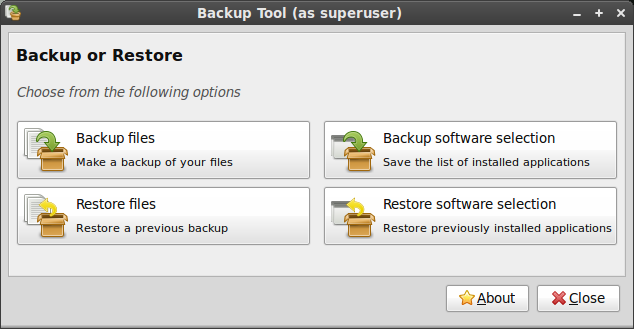
The new tool comes with the following features:
- It can backup and restore files and directories
- It can backup and restore your software selection
- It can check differences in files and perform incremental backups/restorations
- It can check the integrity of the files after it copies them
- It can backup straight to an archive and compress it on the fly
Being written in Python, it’s not as fast as copying files directly or using rsync (unless you turn off the integrity checks and the checksum verifications) but it’s quite robust and it’s extremely easy to use. The software selection backup/restoration is also very intuitive and will be of tremendous help for people upgrading to a newer version of Linux Mint.
With this tool, comes an entire tutorial on how to upgrade your system, the philosophy behind it, the risks, the method and answers to the most frequently asked questions.
This answers a need that many people have and something that was lacking in our distribution. It’s another stance taken by our project and another philosophical difference between us and most other operating systems. Our lack of confidence in package upgrades, our policy of prevention when it comes to potential regressions and our recommendations to always perform fresh installations… all of this had to be backed by an alternative solution that would be easy and reliable to use. With this guide and this new tool we finally have what was missing.
The tool was developed for Linux Mint 9 Isadora but also tested on Linux Mint 8 Helena. Together with the tutorial it will replace the traditional “Upgrade instructions” associated with each release and end the development of our in-house, yet not recommended, mintupgrader tool.
As the support on Linux Mint 6 is coming to an end, many people will probably be happy to get access to this new solution.
Link to the tutorial: http://community.linuxmint.com/tutorial/view/2