
By now, you’re probably familiar with the series of articles called “The Perfect Desktop”. Falko Timme has be writing them for a while now and they’re quite popular. They show you how to install the major distributions, how to quickly add extra software and how to set them up to get a nice desktop environment. These articles are of very good quality, regarding the one about Linux Mint 8 Helena I don’t have many comments to make.

Link to the article:

http://www.howtoforge.com/the-perfect-desktop-linux-mint-8-helena

Comments:

Falko wrote: “Download the Linux Mint 8 iso image from http://www.linuxmint.com/download.php, burn it onto a CD, and boot your computer from it.”

–> I don’t want to sound boring or anything, but it’s important that you check the MD5 signature of the ISO after you’ve downloaded it. Simply open a terminal and type “md5sum LinuxMint-8.iso”, this should return the same md5 signature as in here, and guarantee that the file you downloaded is in “mint” condition. Also, you should burn your CD at low speed. Let’s not discuss the reliability of packet transfers over the Net or laser lens technologies, let’s just say that many problems can be prevented by doing this. In most cases these are not necessary, the download usually is fine and so is the CD, but if any of the two are corrupted you could end up with really weird problems and a system which “appears” to run fine.

Falko wrote: “When you log in for the first time, you will most likely see an open lock icon in the lower right corner which means that updates for the installed software are available. Open the main menu and click on the All applications button. To install the updates, go to Applications > Administration > Update Manager.“

–> You can click on the lock icon itself to open the Update Manager.

Falko wrote: “So some applications are already on the system. NTFS read-/write support is enabled by default on Linux Mint 8.”

–> This used to be a specificity of Linux Mint back in the days when we provided the mintDisk tool, but NTFS is fully supported by most distributions nowadays. Also, in the list of applications written by Falko, Java is installed by default in the main edition of Linux Mint (I assume we’re talking about the JRE since only developers would be interested in installing the JDK).

Falko wrote: “To install additional applications, open the Synaptic Package Manager.“

–> You could also use the Software Manager for this, in particular you can install the following applications very quickly by using its “Featured applications” feature: Amarok, aMule, Audacity, F-Spot, Filezilla, Google Earth, Microsoft TrueType Fonts, Opera, Picasa, Scribus, Skype, Songbird, Virtualbox and VLC.

Falko wrote: “To finish the VirtualBox installation, we must add the user that will run VirtualBox (falko in this example) to the vboxusers group.”

–> As far as I know, recent versions of Virtualbox do that for you when you install the application.
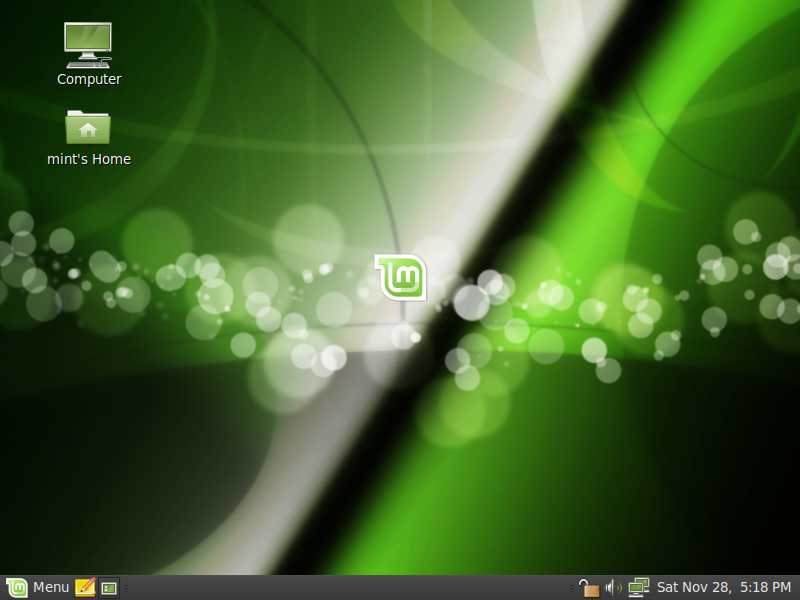
Helena was reviewed by Mike Johnston from Linux Critic:

http://linuxcritic.com/stories/43-Linux-Mint-8-Review-and-Commentary.html

Happy reading everyone.

Comments:

Mike wrote: “Linux Mint has turned into such a popular system, in fact, that a lot of people wait for it to come out as opposed to adopting the latest Ubuntu release.”

–> Most users do, but a small part of our user base also runs Ubuntu during the month separating the releases of the two distributions, or at least until our RC releases come out. For instance, our traffic share on Distrowatch was 4.1%, it dropped to 3.5% after Ubuntu 9.10 was released, and is now at 4.4% a few days after Helena’s release. Between 10 and 15% of Mint users usually jump on the latest releases, including Ubuntu releases and Mint release candidates.

Mike wrote: “Personally, I prefer this menu style over the existing Gnome default and find it both easy to navigate and well organized. Hovering over an option opens its submenu and all of the main apps are easily accessible. Of course, if this isn’t for you, it can be removed and replaced with the Gnome defaults with minimal effort.”

–> It also comes with advanced features such as filtering and software management. You can use it to launch applications without the mouse, to remove software installed on your system or even to install new applications. The concept of this menu originally came from SUSE and was adapted to Ubuntu by a project called USP. We forked it a few years ago and we add new features to it with every release. For instance, in Linux Mint 8 Helena, you can now define shortcuts to your own custom places.

Mike wrote: “Just like Ubuntu 9.10 brought about a revised software manager (see our Ubuntu 9.10 Review) so does Linux Mint. They have taken it one step further, however, by introducing voting and popularity to the software manager.”

–> I don’t want to be too controversial about this, but I think the Ubuntu Software Store comes short of what we had in our previous release and I think it’s a pity Ubuntu didn’t learn from our experience in that regard. They do have interesting ideas though and I’m sure this application will get better and better with time. Popularity and reviews were already there. What we introduced in this release is the ability to select multiple applications and to remove them from the system. What’s for sure is that software management is going to be improved significantly in both Ubuntu and Linux Mint in the near future.

Mike wrote: “The voting mechanism is a nice addition as well and the integrated reviews can assist new users in deciding which package may best suit their needs.”

–> Votes and reviews are made online on the Linux Mint Software Portal (http://www.linuxmint.com/software) but they appear also within the application. In Linux Mint 9 we’re planning on giving users the ability to vote and review applications straight from the Software Manager. We’re also planning on bringing “applications” one step closer to “packages”. One of the main reason why experienced users prefer to use Synaptic is because they can’t find “everything” in the Software Manager, so the idea in future releases will be to consider each “package” as its own “application” and to enrich theses “packages” with information related to which “application” they relate to. For instance, “googleearth” really is “Google Earth”, it has screenshots, people have opinions about it and as a user, you have an opinion about it.. it’s a package but it’s also an application, novice users like to deal with applications, experienced users like to find the packages they’re looking for, and so we’ll try to make the distinction between the two more subtle by letting people interact with every package while making it easy for people to find the applications they’re looking for…. I’m not sure I’m explaining this right… anyway, it’s a big thing, it’s going to work and it’ll significantly improve software management in Linux Mint 9. In the meantime, the Ubuntu Software Store will also innovate (I think Canonical is thinking of bringing update management into it) and we’ll learn from it as much as we can.

Mike wrote: “Software selection is a bit minimal in comparison to the Ubuntu software manager (they are of course all compatible but less are shown in the software manager on the mint side of things).”

–> We’ll be adding more software very soon. For instance, I recently got in contact with 2D Boy and we agreed on the inclusion of the demo version of their game, World of Goo, within the Linux Mint repositories, the software portal and of course the Software Manager. That’s just one aspect to it of course and I understand that there is less choice of applications in the Software Manager than in the Ubuntu Software Store, or the Synaptic Package Manager. It’s incredible how many quality applications are developed for Linux and many of them aren’t known at all. We’ve started implementing the reviewing system to give users a voice and to let them tell each others what they like, we’ll improve it, and we’ll widen the range of available software by including all packages within the Software Manager and by continuing to import new applications within our repositories. We’re actively innovating in that area, Canonical recently joined the game with their Ubuntu Software Store, a huge number of ideas were put on the paper and both projects understand the importance of this so expect to see big improvements in both distributions very soon.

The team is proud to announce the stable release of Linux Mint 8 Helena.

Quick steps:

  • Download the ISO or the torrent.
  • While it’s downloading take an overview of the new features and make sure to quickly go through the known issues.
  • After the ISO is downloaded verify the MD5.
  • Burn the ISO at low speed and enjoy Linux Mint 8.

Introduction to Linux Mint 8:

The 8th release of Linux Mint comes with numerous bug fixes and a lot of improvements. In particular Linux Mint 8 comes with support for OEM installs, a brand new Upload Manager, the menu now allows you to configure custom places, the update manager now lets you define packages for which you don’t want to receive updates,the software manager now features multiple installation/removal of software and many of the tools’ graphical interfaces were enhanced.

This is just a summary of the new features coming with Linux Mint 8. For a complete overview of the new features, please read: “What’s new in Linux Mint 8 Helena”.

Introduction to the Universal Edition:

The Universal Edition is a customized version of the Main Edition with the following differences:

  • It comes as a liveDVD instead of a liveCD
  • It comes with built-in support for English, French, Spanish, German, Italian, Swedish, Danish, Chinese, Korean, Portuguese/Br, Portuguese/Pt, Arabic, Hungarian, Lithuanian, Galician, Dutch, Russian, Polish, Norwegian, Japanese, Ukrainian, Romanian, Slovenian, Catalan, Greek, Czech, Slovak, Marathi, Norwegian [nynorsk], Croatian, Bulgarian, Turkish, Hindi, Finnish, Hebrew, Serbian, Belarussian, Basque and Bosnian.
  • It comes with no codecs, no support for restricted formats and no proprietary components.
  • It features an extra item in the Sound & Video menu which launches the installation of all missing codecs via a built-in .mint file

The purpose of the Universal Edition is to bring a localized live system to non-English speaking users of Linux Mint and to facilitate the distribution of Linux Mint in countries where software patents are enforceable (USA, Japan).

System requirements:

A minimum of 512MB of RAM is recommended. Once installed the system works fine with as low as 256MB RAM. The installation process deals with 2.5GB of data compressed on a 700MB CD and it can hang or fail on systems with less than 512MB RAM. If you have between 256MB and 512MB RAM you may have to try to install several times.

Important information and known issues:

For a complete list of known issues read the Release Notes.

Upgrade instructions:

To upgrade from Linux Mint 7 “Gloria”, read these instructions.

To upgrade from Linux Mint 8 “Helena” RC1, read these instructions.

Download Linux Mint 8:

You can download the Main and Universal editions of Linux Mint 8 via torrent or via HTTP:

Main edition:

Universal edition:

Asia:

Europe:

Northern America:

Rest of the World:

* Mirrors marked with a star weren’t fully synched when this announcement was made.

Enjoy!

Have a lot of fun with “Helena” and let us know what you think. Reviews will be answered and your feedback will be used to improve the distribution before the next release. We hope you enjoy this release as much as we enjoyed making it and we wish you a very nice experience with Linux Mint.