
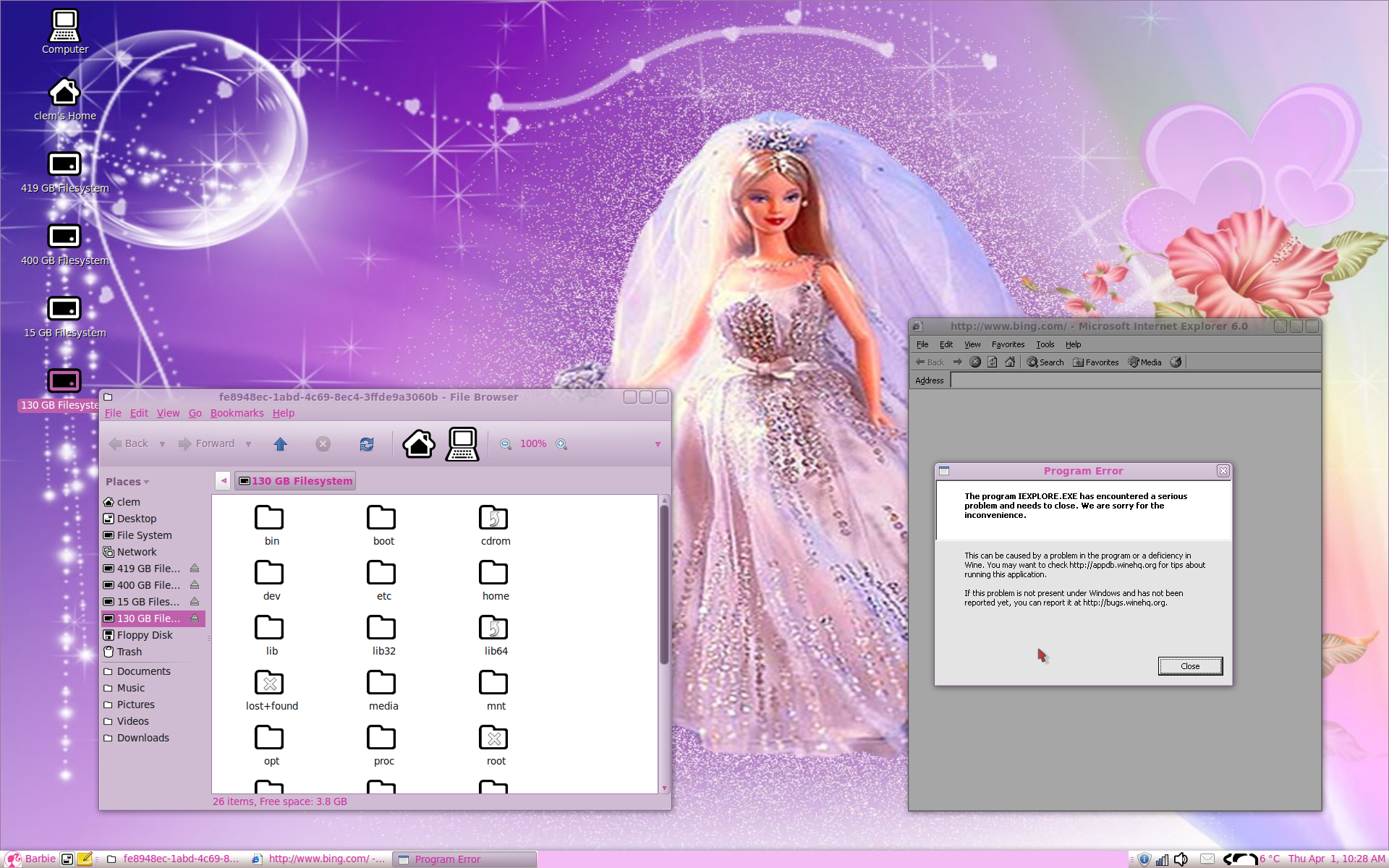
We are happy to announce that Linux Mint entered in a joined partnership with Mattel and Microsoft. This partnership will result in Linux Mint being pre-installed  on a new range of computers sold throughout the World and in a number of toys and games distributors.

The partnership will introduce the following changes for our distribution:

  • All included components will be based on Mono. Technologies not using Mono will be rewritten or replaced by Mono alternatives.
  • All present editions will be discontinued. New editions will replace them, namely a “Masters of the Universe Edition” for boys, a “Barbie Edition” for girls, and a generic “Microsoft Professional Edition” for small to medium companies.
  • The default browser will be replaced by an emulation of Internet Explorer.
  • All editions will come without an office suite but with full compatibility with Microsoft Office.
  • Linux Mint won’t be available for download anymore, only through the purchase of one of these computers.
  • The system will protect users against central software sources, such as the getdeb website, APT repositories and the download of .deb formatted files.
  • APT and the .deb compatibility will be replaced with a new software manager including the latest offers from Microsoft. Users will be able to pay online for DLC without having to go to the shop to buy their favorite software.

On behalf of the team, I would like to say that I’m very excited about this. I have no doubt the community will be overjoyed by the news and I can’t wait for you all to finally see Linux Mint near you, in a retail store.

Oh… wait, it’s not going to be called Linux Mint anymore. It’s going to be called…. “April Foo OS” 😉

The team is proud to announce the release of Linux Mint 8 “Helena” Xfce Community Edition.

Quick steps:

Introduction to Linux Mint 8 Xfce:

Based on Xubuntu 9.10 Karmic Koala, Linux 2.6.31, Xfce 4.6.1 and Xorg 7.4, Linux Mint 8 “Helena” Xfce CE features a lot of improvements and the latest software from the Open Source World.

Featured improvements in this release: OEM installation, possibility to ignore updates, configurable menu places, multiple selection in the Software Manager, new system tray File Uploader with support for drag and drop and mutiple files uploads.

For a detailed overview of the new features and improvements included in Linux Mint 8 Xfce, please read “What’s new in Helena Xfce?“.

System requirements:

  • x86 processor
  • 256 MB of system memory (RAM)
  • 3 GB of disk space for installation
  • GA graphics card capable of 800×600 resolution
  • CD-ROM drive or USB port

Important information and known issues:

For a complete list of known issues read the release notes.

Download Linux Mint 8 Xfce:

This edition is available via HTTP and torrent from the download page.

Enjoy!

Have a lot of fun with this edition and let us know what you think. Reviews will be answered and your feedback will be used to improve the distribution before the next release. We hope you enjoy this release as much as we enjoyed making it and we wish you a very nice experience with Linux Mint.

The team is proud to announce the release of Linux Mint 8 “Helena” LXDE Community Edition.

Quick steps:

Introduction to Linux Mint 8 LXDE:

Based on Linux Mint 8 Main Edition, Linux 2.6.31, Openbox 3.4.7.2, PCManFM 0.5.2, and Xorg 7.4, Linux Mint 8 LXDE Edition features a complete and familiar desktop experience while being low on resource usage and is suitable for a good variety of older hardware.

For a detailed overview of the new features and improvements included in Linux Mint 8 LXDE, please read “What’s new in Helena LXDE?“.

Benchmark:

Here’s a quick benchmark comparing this edition to the Fluxbox and Xfce editions of Linux Mint. All 3 editions were tested on the same hardware (a computer with 384MB RAM).

RAM usage at idle:

  • Fluxbox: 131MB
  • LXDE: 141MB
  • Xfce: 154MB

Maximum RAM usage during the installation:

  • Fluxbox: 235MB
  • LXDE: 246MB
  • Xfce: 262MB

Boot time from Grub to the login manager:

  • Fluxbox: 31.16 seconds
  • LXDE: 26.79 seconds
  • Xfce: 26.46 seconds

Boot time from the login manager to the desktop:

  • Fluxbox: 3.32 seconds
  • LXDE: 3.77 seconds
  • Xfce: 9.63 seconds

System requirements:

  • x86 processor
  • 256 MB of system memory (RAM)
  • 3 GB of disk space for installation
  • Graphics card capable of 800×600 resolution
  • CD-ROM drive or USB port

Important information and known issues:

For a complete list of known issues read the release notes.

Download Linux Mint 8 LXDE:

This edition is available via HTTP and torrent from the download page.

Enjoy!

Have a lot of fun with this edition and let us know what you think. Reviews will be answered and your feedback will be used to improve the distribution before the next release. We hope you enjoy this release as much as we enjoyed making it and we wish you a very nice experience with Linux Mint.