
Introducing Cinnamon
With Gnome 2 no longer an option we lost one of the most important upstream components our Linux Mint desktop was based on. Our entire focus shifted from innovating on the desktop, to patching existing alternatives such as Gnome Shell. We used MATE and MGSE to provide an easier transition away from Gnome 2, but without being able to truly offer an alternative that was better than Gnome 2. Both MATE and Gnome Shell are promising projects but MATE’s ultimate goal is to replicate Gnome 2 using GTK+ and Gnome Shell doesn’t provide what we need in a desktop and is going in a direction we do not want to follow. So for these reasons we’re designing a new desktop called Cinnamon, which leverages new technology and implements our vision.
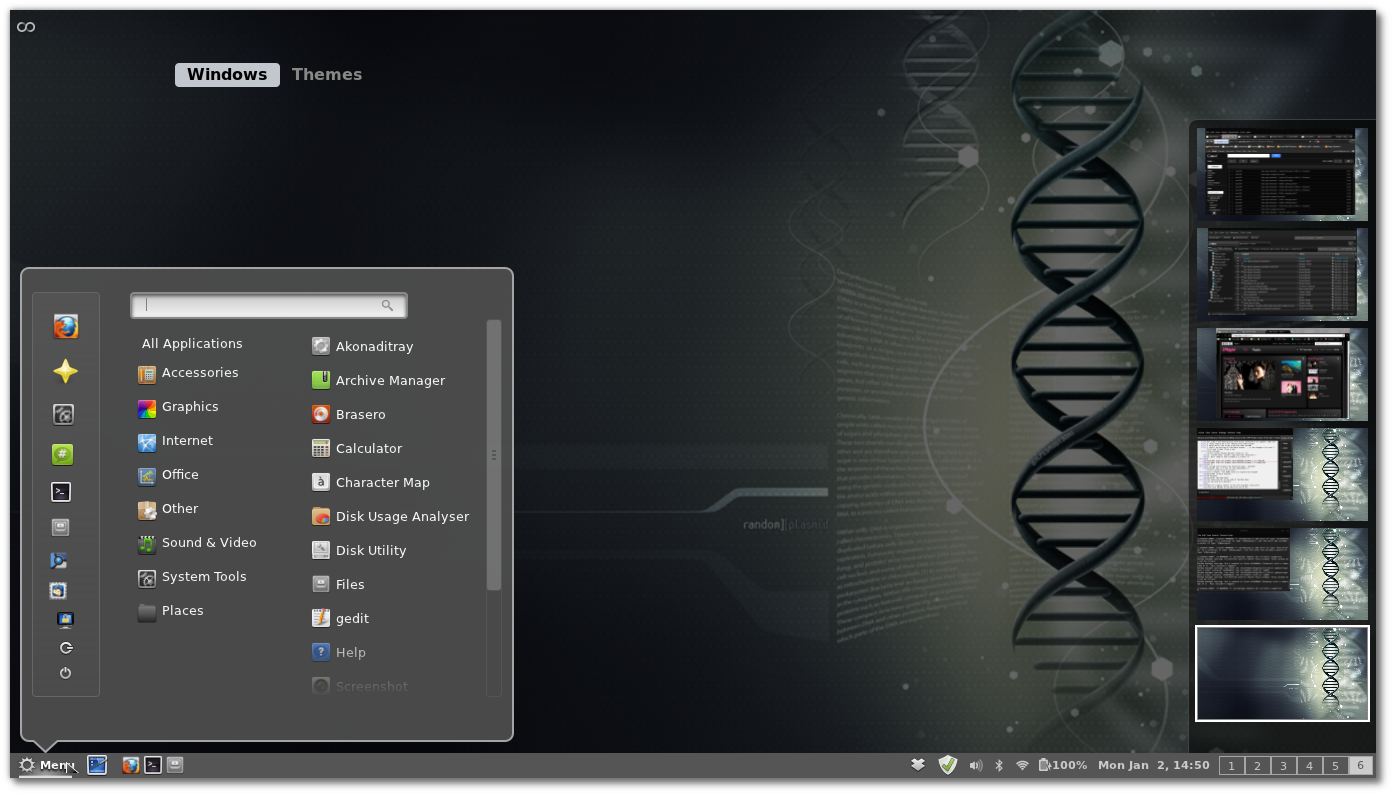
If you like Linux Mint you’ll probably like Cinnamon. Both projects share the same philosophy and the same vision of what a desktop should be. In this vision, the computer works for you and makes it easy for you to be productive. Things aren’t hidden away but easy to access. With easy to use interfaces, a familiar layout, advanced technologies and principles you’ve already got to to use in Linux Mint, you’ll quickly find yourself at home. Configuration is also something important in Cinnamon as one of its fundamental goals is to make you feel at home… thus giving you the ability to change the way the desktop works, looks and behave.
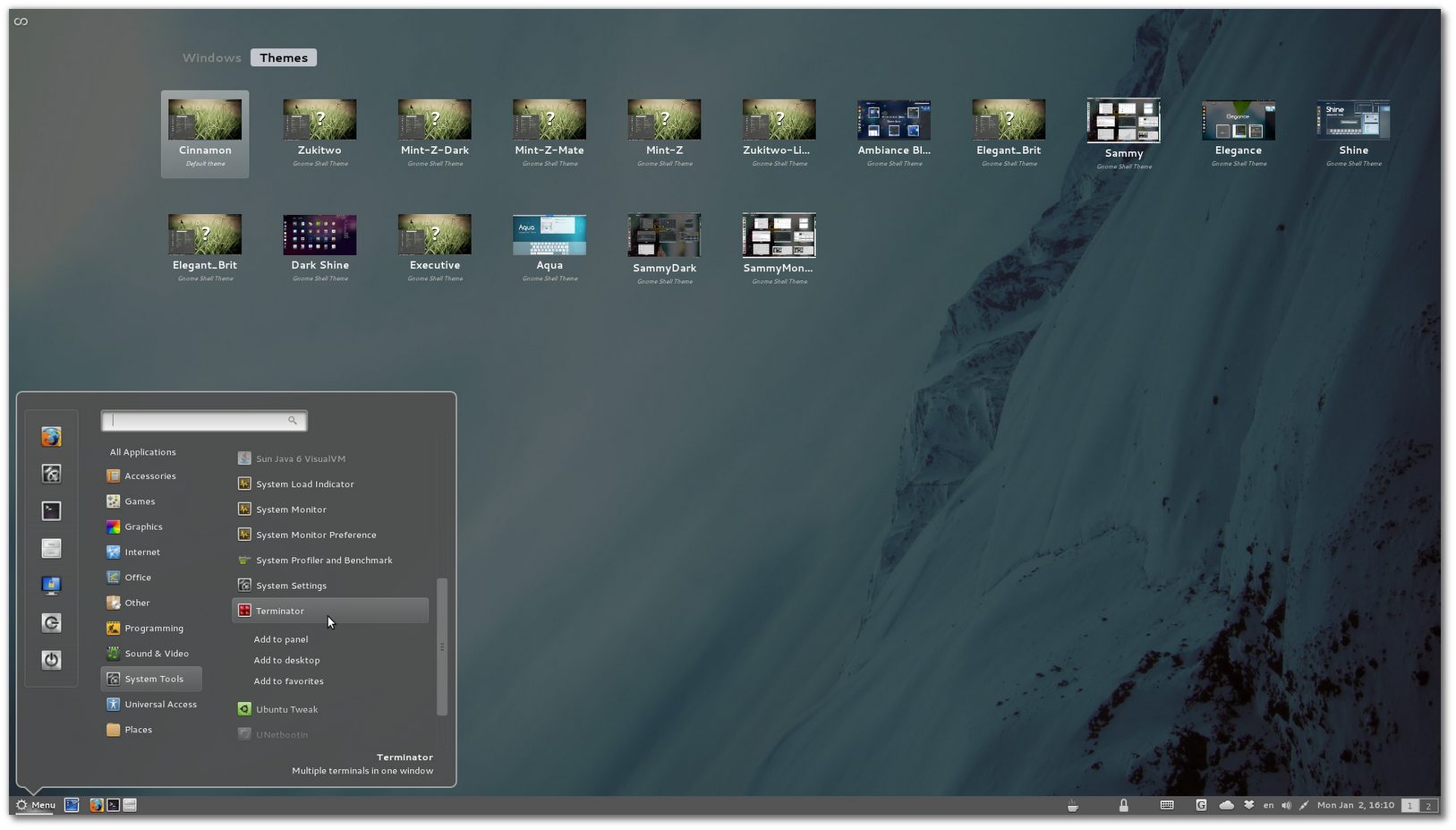
Under the hood Cinnamon is forked from Gnome Shell and based on Mutter and Gnome 3. It’s already available for Linux Mint 12, Ubuntu 11.10, Fedora 16, OpenSUSE 12.1 and Arch Linux and will soon make its way (along with MGSE and MATE) to LMDE when Gnome 3.2 enters Debian Testing.
The latest release, Cinnamon 1.1.3, brings stability and improvements to what has already become our favorite desktop. Going forward, Cinnamon will gain themes, extensions and a control center. It will likely replace Gnome Shell / MGSE as the main desktop in Linux Mint, and we will continue to support MATE (which goal and technology are different but which is also getting better and better by the day).
A few cool things already in Cinnamon
- One unique bottom panel which you can auto-hide (and which location will be configurable in the future)
- Window list, “show desktop” button, systray icons and all the features introduced in MGSE
- A menu featuring the same layout as mintMenu, with options to add applications to favorites, to the desktop or to the panel
- Custom panel launchers
- A sound applet which lets you launch and control your music, and switch your sound from your speakers to your headphones and vice-versa.
Installing Cinnamon
You can install Cinnamon alongside other desktops (including MATE and Gnome Shell/MGSE). Install the package “cinnamon-session“, log out and choose the “Cinnamon” session at the login screen.
More information about Cinnamon
- Main website: http://cinnamon.linuxmint.com/
- Issues and milestones: https://github.com/linuxmint/Cinnamon/issues
- Git repository: https://github.com/linuxmint/Cinnamon/
 $151, Alan D. S.
 $150 (8th donation), Andreas S. aka “
 $133.61, Eduardo H. D. L. R.
 $100 (7th donation), Gregor M.
 $100 (2nd donation), Michelle F. P.
 $100, Basil R.
 $100, William H.
 $100, Anthony P.
 $100, Kirsti D.
 $100, Sj P.
 $80.17, Claude K.
 $66.81, R.S.
 $53.45 (8th donation), Pasi K.
 $50 (10th donation), Tsuguo S.
 $50, Mohammed A.
 $50, Arvind A.
 $50, Taras K. aka “TarasMK”
 $33.82, Samuele R.
 $30, Konstantin B.
 $26.72 (26th donation), Manuel F.
 $26.72, Radek S.
 $25.97,
  $20.29, Roger L.
 $20, Zdravko M.
 $20, Ivar T.
 $15 (2nd donation), Y.B.
 $13.53, Tasos G.
 $13.36 (16th donation), Emil Pavlov aka “emil_pavlov”
 $13.36 (3rd donation), Raimond L.
 $12.98, Peter V.
 $12.98, Attila M.
 $10 (3rd donation),
  $10 (2nd donation), Thomas S.
 $10 (2nd donation), Attila K.
 $10 (2nd donation), Vjaceslavs L.
 $10, Yanuar Arafat aka “
 $10, Kuo-Hsing T.
 $10,
$10,  $10, Danilo S.
 $10, Søren F.
 $10, Y.K. aka “
 $6.76 (3rd donation), Jan V. P.
 $6.68,
  $5, Zuhairi Z.
 $5, Esteban F. aka “
 $3, Rachanont aka “
 $2, Lin R.
 $1 (2nd donation), Laurentiu Lozan aka “
 $1, Otoniel S.
 $10, Kim H.
 $5, Laurent P.
 $4,
$4,  $1,
$1,  $1, Renelou Esperanzate