
I think I can speak for the team when I say we’re all really excited about this release. It’s new, it looks fantastic and it’s our first ever KDE4 release. I would like to congratulate Boo for the excellent work he’s done on this edition, and I’m proud to announce the release of Linux Mint 6 KDE RC1.
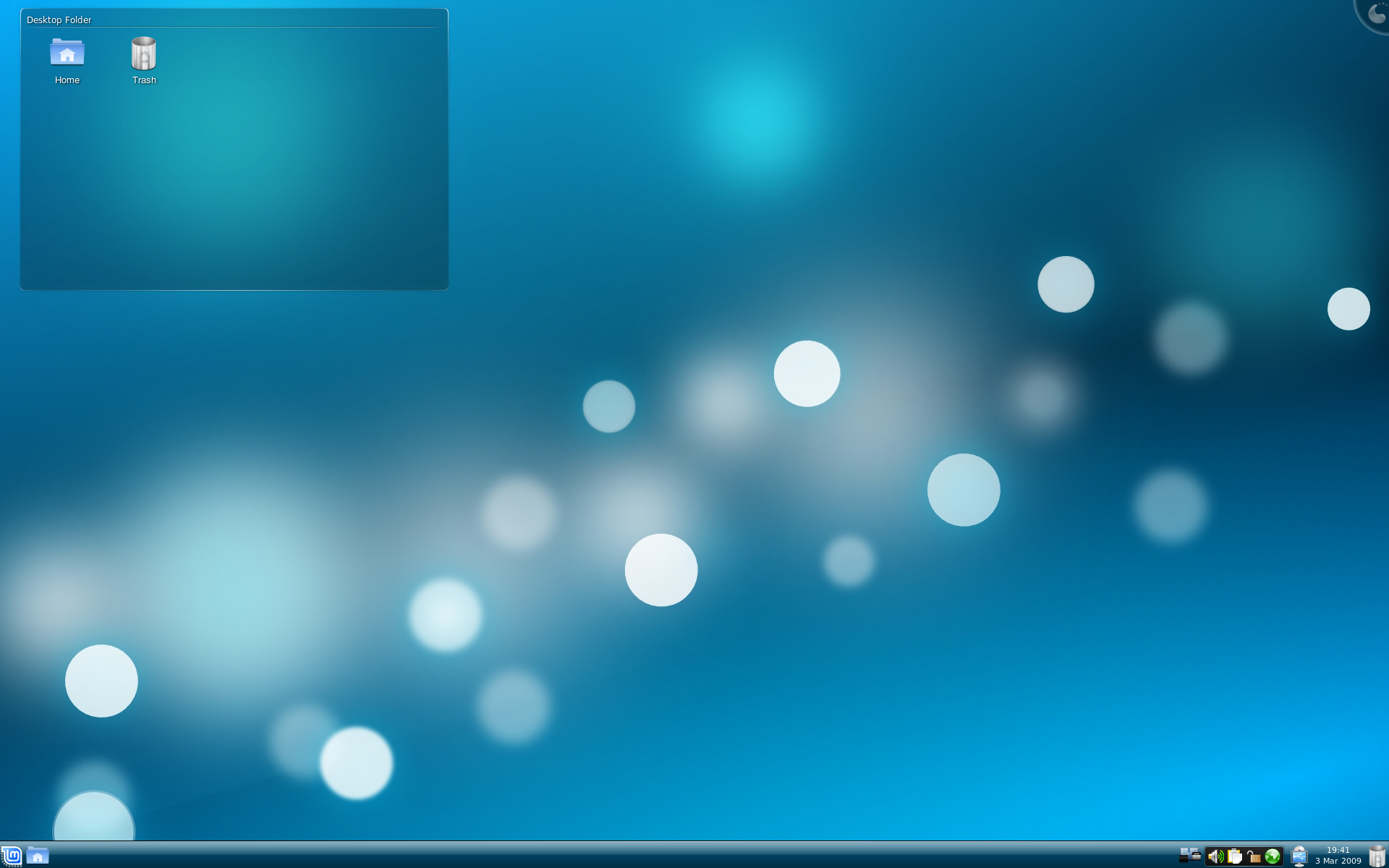
This edition is based on Kubuntu 8.10 Intrepid Ibex, Linux 2.6.27, Xorg 7.4 and it comes with the latest KDE 4.2 and Amarok 2.0. For a complete list of new features read: Whats new in Felicia KDE CE?
System requirements and known issues:
You need 256MB RAM to run the Live CD or install. To install, you need a minimum of 4GB of free space on your hard disk. Once installed, Linux Mint 6 KDE CE can run with 256MB RAM, but it is strongly recommended to have at least 512MB RAM.
As an RC (Release Candidate) this release is targeted at developers and beta-testers who want to help Linux Mint find and correct bugs before the stable release. Please do not use this release as your main desktop. For a complete list of known issues read the Release Notes.
Feedback and bug reports:
The testing will last for 2 weeks. Please report any bug you may find via the Linux Mint 6 KDE RC1 Bug Thread and give us your feedback on this release by posting a comment right here on the blog.
Download Linux Mint 6 KDE RC1:
You can download Linux Mint 6 KDE RC1 via torrent or via HTTP:
Size: 1.1GB LiveDVD
MD5Sum: 327238cf350ef684cddcaaf1a7206fef
Torrent download: http://www.linuxmint.de/downloads.html
HTTP download: http://www.linuxmint.com/edition.php?id=37
Europe:
- http://cesium.di.uminho.pt/pub/linuxmint/testing/ (Portugal)
- http://mirrors.cytanet.com.cy/linux/mint/testing/ (Cyprus)
- http://mirror.sov.uk.goscomb.net/linuxmint.com/testing/ (UK)
- http://ftp.heanet.ie/pub/linuxmint.com/testing/ (Ireland)
- http://ftp.klid.dk/ftp/linuxmint/testing/ (Denmark)
- http://ftp.cc.uoc.gr/mirrors/linux/linuxmint/testing/ (Greece)
Northern America:
- http://mirror.amarillolinux.com/linuxmint/testing/ (USA)
- http://linuxmint.secsup.org/testing/ (USA)
- ftp://mirrors.secution.com/linuxmint.com/testing/ (USA)
- http://linuxmint.sourcemirrors.org/testing/ (USA)
Rest of the World:
Enjoy!
Have a lot of fun testing this release candidate and let’s all hope it will help us make a great stable release.
That’s great news! I was waiting to see what the Mint team could do with KDE4.2! I’m a Gnome/XFCE user but KDE4.2 has a great potential under skilled hands, downloading now! =)
Hi
Sorry for the n00bish question, but will there be any conversion method or HOWTO for changing Felicia Gnome to Felicia KDE?
BR Magnus
Finally! I thought you guys had given up! 😉
Great effort and looking forward to the final release. Will there be a 3.5.10 release or just the KDE 4.2? From what I’ve been reading 4.2 is probably not to bad (compared to 4.1) so maybe I can deal with it..
Thank you again for a fantastic distro.
Mint + KDE theme looks phenomenal. Thank you Team!!!
This looks great! Too bad that KDE has a few issues with my hardware, otherwise I’d use it. Or maybe I will (in VirtualBox)!
Congratulations to Boo and everyone else who has worked on this. I know you’ll give us a great stable release!
This is fantastic. Miles ahead of anything else I have tried with KDE 2.0. Not a huge fan of Amarok 2.0 but I’m starting to even get that to work well. Great work.
This just goes to show that the Mint Team is way above the rest in terms of innovation. Not to mention that the Mint Team listens to the end-user and understands the needs of the end-user.
Terrific job!!!
Nice! I have been waiting for this for a long time, so it seemed, and seeing this let’s me know that it is definitely worth the wait. Hopefully the stable version is not to far off. Thanks a lot Mint KDE team.
-Running on an Asus Core 2 Duo 2.5 w/ Nvidia 9500
Hi! How i can update my gnome to kde 4.2 in linux mint 6 ?
Thanks.
Thank you for this release. Please setup the torrent, because it’s missing. I’ll grab a HTTP copy in the meantime. Thanks! 🙂
@Magnus
Here is what you do.
##Run this in terminal (safe command):
gpg –keyserver keyserver.ubuntu.com –recv-keys 493B3065 && gpg –export -a 493B3065 | sudo apt-key add –
##And add this DEB line to your repositories options:
deb http://ppa.launchpad.net/kubuntu-experimental/ubuntu intrepid main
and once confirmed, refresh synaptic, close synaptic,
and then run this in a terminal: ignore $ or #
$sudo apt-get install kde
—–~~OR~~——
#apt-get install kde
Either where you can substitute apt-get for aptitude
is this liveCD or liveDVD
because I did not find liveCD as you said
and if it is only DVD is it live or not ?
thanks
@jj
Thanks!
Of course I will test the Live CD before the switch and note which programs I will later install. Looks a bit like a Ubuntu HOWTO on the same subject. 🙂
Thanks again!
I’m glad to read this news. I’m testing it a bit in vmware but the vmwaretools don’t seem to compile in that kernel 🙁 I’ll wait for the official release to update my current Mint KDE 😉
Tex
I think I will give it a try but wait for the stable version Will it work with the X64 distro? If you look in the dictionary under noob you will see my picture. I’m still suffering from withdrawal from the Windoze hangover. I’ve got a windows English Chinese dictionary that is so superior to anything out there I’m fiddling with Wine and Virtualbox and I’m feeling a little overwhelmed… Help!!!
Jayfus in China
Sorry another question. Can I copy the iso to a flash and boot from there? I have no DVD burner. Xie Xie is thanks in Mandarin.
thx
OK , I just tried the KDE edition and I must say I really liked it in general but … It was buggy for me , buggy as hell. Kopete didn’t work very well , get new stuff had problems and so did plasma.
I would post bug reports but there were so many problems I don’t even know where to begin with.
Hm I hope that KDE 4.2 in Linux Mint is better than KDE 4.2 in Kubuntu 8.10, because stability is not very good there… but I’m mainly GTK enviromments user:)
I’m trying the Live CD and it even works with my printer (no KDE distro has ever done that)! It looks great. You guys have done a good job!
wow!! looks great. thank you. iso should boot from flash. just finished downloading and will seed for awhile before i do the install. 🙂
@ jj (+guests):
I’d like to switch from gnome to kde, the procedure you wrote seems to be a generic installation of kde; or will I get all the stuff that comes with the c.e.?
I mean, Linux Mint 6 KDE RC1 is more than a simply graphical switch, we should suggest a “transformation pack” (d’oh, sounds terribly MS) from gnome to kde or vice-versa….
First Impressions
Cool, it’s blue! Here is my experience so far on an IBM ThinkCentre A50p with 512 MB ram. Booted from the Live DVD I created. Got a message about graphics problems. The only option that works from the Live DVD is to choose low rex. Ended up in command line mode for some reason. At the prompt I wrote “startx”. Long start-up time in graphics mode with some messages about Nepomuk converting data storage? I did a guided install (entire disc). GNOME language packs get installed for some reason. No chance to eject DVD at reboot, errors rolling down the screen. First boot without a hitch. This version seems more responsive and stable than Kubuntu. I don’t have speakers attached, so I can’t say if the sound works. Some of the icons still need to be changed to KDE version.
The new KDE desktop is radically different. Any suggestions for an overview of how it all works? I haven’t seen KDE for a number of years.
List of bugs
no “open as root”
the menu is a mess
The numbers are changed between /dev/scd0 and /dev/scd1
That was a bug also in the Mint 4 KDE CE, nothing changed since then.
In Gnome and xfce it’s ok.
Amorak and other music players can’t even see the media in /dev/scd 0 and 1
I can’t see if acd or dvd is mounted. no sign on the desktop
I can’t mount other partitions, so as my home folder on Mint 6 x64 or my external hard disk.
But it works from my Mint 6 x64 in the other direction.
The screen savers don’t work properly, that is said very mild. There are so much errors I cannot list all here. Nearly each of them works, let say, very funny.
The most widgets don’t work properly if they are working at least.
——
So I will stick with my Gnome, will give the KDE CE Final a last try. But I have not much hope. Because for me it looks as if the work was only on the surface. But looking shiny, and that it does at least, isn’t enough for a Linux distribution, that’s the genuine place of Redmond’s OS. 🙁
wow its very nice i was waiting it thanks
Nice job! thx!
Only one thing I will say:
I would like to change Brasero for K3B in LinuxMint Genome…
Yeah, KDE is great but I like LinuxMint such as it is now
in my PC… Works fine! 😀
Thanx so much.
Very nice work, better than debian lenny with kde 4 or other distros.
Very nice,
i thinks its okay for a main pc or / productive use..
Its working perfect
Thx for this release !
……….
Sry for my bad englisch, i’m french / i live in germany
It must get frustrating when you put your heart and soul into a project only to have it ridiculed! I for one thing the Mint team does an outstanding job on all the releases. KDE 4.2 buggy? Well sure it is, but I’m confident that the Mint team will eradicate most if not all of them. But are they Mint’s bugs or KDE”s? I understand the Mint team likes input but not blaspheme! You can always go back to M$ and put up with all the junk they have to offer, or better yet simply write your own code! Good luck on that.
Clem, my hat is off to you and your entire team! Great Job!
Neil
DOWNLOADING……
but a question?
can we convert it to the stable release “when it is released”??
Neil, I use Mint since Mint 4. And I have said often Mint is the best OS I ever used.
I use it now, the Mint 6 86×64 with Gnome. It works wonderfull.
But the KDE Edition RC1 till now is not so good. It has bugs. It has bugs which were also in the Mint 4 KDE Edition. That isn’t ridiculing the team. It is the report of my testing. If you call criticising some things that are wrong, blasphemie it’s your problem, not my.
I have done what was asked for. Testing and give a report. Yes, right and some critic. And if you had read my statement properly, you would understand, that I will never go back to M$. (I had written, looking shiny and do not work properly is a thing we should let to M$.) I wiped M$ from the most of my family’s desktops and notebooks and installed Mint instead. I’m very happy with Mint.
Hamburn, Sorry if I over stepped my bounders. I too have been using Mint for sometime now and I find it to be the best distro out there bar none! I started with Linux back in the day when “Mandriva was called Mandrake. Use it from 7.2 up till 10.1 and they had their share of bugs believe me. But the bugs you mentioned above with Mint I haven’t seen. Root work good when and if I need it, screen savers work great, I think the menu looks and feels good and my dvd and cd roms mount with no problem. Maybe I’m just lucky I do not no.
Again Hamburn I my apologies.
Neil
Good work Clem and Boo.
I am downloading it and will give it a drive test.
To those fellows who seem to be very critical about it, may I stress the fact that this is an RC based on Kubuntu?
So, it may carry over some of the Kubuntu KDE4 bugs.:(
I installed it yesterday. First impressions. There was no graphical interface in the installer partitioner and only two options: use entire disk or manual. I could not find the partition app within the applications if I wanted to do it that way. I couldn’t get desktop cube to work. There were a couple of crashes when third party driver for my notebook’s graphics card was installing. I couldn’t find a way to move the taskbar. The windows on the taskbar from the same app were being listed from left to right, odd? I couldn’t get the desktops effects to download, when I clicked on the button, nothing happened. Overall, I like it but I’m not sure why I would pick this version over the gnome one? I’m new into Linux Mint so I don’t know the reasons behind all these flavors. I could not get the XCFE to install at all so I gave up on that. I do admit, the KDE is more aesthically pleasing than the gnome version, it’s “sparkly” =)
Since this is a release client, is there an official site to leave comments suggestions?
npap,
I think you are right. Maybe the bugs are bugs of Kubuntu. That crap with the CD/DVD drives wasn’t and isn’t in the main edition. But it was the same in Mint 4 KDE. And was reported.
And I do not believe the team is helped with people who are only saying oh it’s so good, it’s so fine , thank you, without saying what is wrong. They asked for input, not for licking their ……
Only my bug report is in the wrong place here, not the commentary.
I have been using Mint KDE for a year now and I wish more new Linux users would use it instead of Ubuntu. Anyway, is there going to be an RC2 before the final release of KDE CE? Thanks.
My experience is that *buntu does a terrible job with KDE anything. Kubuntu’s KDE 4.1 and 4.2experimental are horrid and have many issues. Mint is pulling the majority of KDE 4.2 in from the kubuntu experimental repos and as such I’m sure has many of the same problems that Kubuntu’s KDE does. If you are interested in KDE you may want to try Fedora 10’s KDE release (Updating automatically to KDE 4.2) or Mandriva when they release their next version.
This is not to slander Linux Mint, I think it is an excellent OS! More it is a comment on the poor state of KDE within the Ubuntu family of distros.
Cheers
I have tried the live CD (well, a DVD really; a CD couldn’t hold it)and it is the best looking distro I have ever seen. And I have tried a few lately, including the regular Mint 6 which is currently installed on my test machine and working fine. Previously I thought Open Suze was good-looking. This RC version beats it by a large margin in my opinion. Besides good looks, it gives me all the apps that I need and more.
One question : I have one large hardisk in my test machine and there is only the regular Mint 6 in it at the moment. If I now install the RC version to the same harddisk, how shall I do it? Write over the existing Mint 6? or make a new partition to install the new RC6? If I do the latter, will the new install see the existing install? and how will the two work together? What will happen?
Thanks if someone could answer this question. Much appreciate it.
Nice. I installed Linux Mint for an old friend (he’s pc illiterate) and he got the hang of it pretty easily. Installing a kde version gives a little more eye candy imho.
I think the final release will have a pastel green theme and it will be called ‘Linux SpearMint’, hee-hee :-b
runs on usb on aser aspireone netbook, rocksolid everythings oke. 10 points out of 10
Everything is fine although i still have issues with compiz..I cant seem to enable my desktop effects..And i cant seem to install compiz KDE unless I down grade my libplasma 3 to 2…
merci beaucoup , bon boulot , je l’attendais depuis longtemps.
in english ” thanks , good job , i was waitinf for it since a long time 😉
“waiting” sorry
OK!
I finally installed it.:)
Seems to be working fine, as well as could be expected from an RC 1.
Compared to other KDE 4 editions the Mint version behaves quite well.
The Mint tools are working. The KDE 4.2 desktop has of course a few bugs yet.
Anyway, it’s a good start for Mint.:)
Congratulations to the team.
It works great for me- hell, RC1 works better than the newest stable version of Kubuntu.
Im running a AMD x2 processor, 9600GT nvidia card, 2 gigs of ram..
Only a few display issues I had. someimes the screen would go blank for a few more seconds than the flash i get in stable versions- like when changing settings, themes, colors, etc…
I have but 2 requests
1) continue the quality work!
2) lets get CE KDE out asap 😛 haha..
Among Linux Os, Linux Mint is my favourite. I have 2 DVD drives, I put a dvd in one dvd rom and a live cd in another dvd rom and watch my movies.
Congratulations to the team who work day and night to improve Linux Mint.
Regards
Javed (From Mauritius)
Awesome distro just wanted to know what username and password to use.
Thanks
santi: use kde’s compositing instead.
hey fr34klinux: your “englisch” (english) is very good for someone like you.
Hello,
First I would like to apologize for my bad English, because I’m German.
What I have in Linux Mint Gnome or KDE is missing from the live CD / DVD is always English, it would be possible, a German Linux Mint version to create? Because I know many of these distribution and effective use. I would be very happy if it would be in German. Despite everything, very good work, keep it.
Björn
hi!!!
congratulation to the linux mint team!!!
when i tray Linux mint i fell in love!!! really better than the ”mother” from canonical…
now i’m trying kubuntu 8.10..and isn’t good…now i wait for linux mint 6 kde 4.2…i’ll think that will be a great distro!!!
my question is one…
when you think to came out with the stable??
many thanks
ragards
Fabio
how upgrade to kde 4.2.1, is it posible.
WHERE CAN I GET THAT WALLPAPER?
Absolutely no problems running on my Acer extensa 5220 laptop. Very fast, very pretty. Have always been a gnome user but I might just be changing my mind… Only one small issue; although it finds my wireless network it doesn’t automatically connect on start up or after resuming from stand-by as in the main edition (have to right click on icon then click on network). Have I missed a way to make this happen? I am getting complaints from my family about this! Could be problematic for novice users. Would it not also be a good idea to ship with pager widget pre-installed on the task bar?
Many thanks!
Looks really nice and seems to work well except that I have no sound.
sorry…
someone know if I install the Rc, with the update it evolve to the stable….???
pleaseeeee……
many thanks to who will answer…
byebye…
Sincerely, I prefer KDE 3.5.10! It´s possible? Or to update Elyssa to Felicia with no bugs! Because the updather blow up my system!
I love Mint, but I prefer KDE 3.5.10!
How can I logon automatic, without login and password? I can’t find logon setup command in menu ?
# cbb Says:
March 12th, 2009 at 8:10 pm
Quote:How can I logon automatic, without login and password? I can’t find logon setup command in menu ? End quote.
OK Cbb,
Look up this thread.It may help.
http://forums.linuxmint.com/viewtopic.php?f=143&t=22787
HUGE LOGIN WINDOW AND FONTS
This release works quite well. Congratulations!
The only problems I’ve found are that flash player acts as if it’s not installed even though it is and that the transparency of the K taskbar (or whatever it is) stops if I change the theme then go back. After a while it becomes transparent again.
While it’s a small detail, I found that having the Mint logo replace the K button is somewhat annoying. It doesn’t really look like a button. I prefer the linuxmint-kde4 icon theme, which uses the normal K button and has great folder icons.
Each time I startup Mint 6 KDE I get some graphic crashed. Multiple mint logos on top of desktop and some dashed horizontal lines. It looks like if it tried to display something but failed. I can even blind log in and hear the KDE start sound. To get normal display I have to make multiple alt+ctrl+backspace, when I finally get the login box displayed properly.
Using ATI Radeon 9600 and iiyama E2407HDS lcd screen.
Very nice looking,good app choices, running different configs on desktop for 2 weeks & had only limited Issues. Running RC1 now from presistant DVD image Installed on Thumb Drive of only 2G size.
Issues;
#1 Grub Boot Disk version seems to be diffrent than LinMint6Fleicia & or Kubuntu.Of witch I have both OS installed on an SATA HD Dual boot SYS , AS well AS Win XP.Whhen I try to install LinMint6KDE-RC1 to HD with the other linux installs present , the Grub Deletes the other LinuxOSs GrubBoot.Tried Super Grub Disk,Dont work. LinMint6KDE-RC1 will install & Run Great to HD as long as no other LinuxOS is present.
So Re-installed other Linux OSs (linMint6Fleicia & Kubuntu) to HD & Installed DVD Image to 2Gb Flash Drive.
#2 The Nvidia resolutions cant be made sticky,Ive tried the Wiki Solution but it dosent seem to work on RC1.
Thanks for the nice Distro,I will use it as my default if these issues
pan out.I like this better than Kubuntu.
Thanks Clem,BOO & All
MAKE THE FINAL BASED ON UBUNTU 9.04 WITH EXT4 AND KERNEL 2.6.28 PLEEAAZZEEE
Very interested in this release, does anyone knows when they planning to release the final and stable version???
I m now using Mandriva KDE, only because of it s interface because, Mint is so much better…..
Please mail me if anyone knows…allegromagalhaes@ymail.com
Please guys, I’m still waiting for the final edition!!!
…
Oh yeah, and please, listen to the guy up here!!!
Jay514, How does one get the persistant DVD image to be bootable? I changed the order in my BIOS so that “USB Memory” was on top, but it still boots from my hard drive.
I used the instructions from http://www.pendrivelinux.com/linux-mint-6-flash-drive-install-via-cd/
what #73 John says
MAKE FINAL BASED ON UBUNTU 9.04 new kernel and EXT4 xD!!
@ Preussischblau
see http://www.pendrivelinux.com/
🙂
Does is have multi-language?
using mint7 KDE CE, fantastic, however not able to use virtualbox as i was using in elyssa earlier
installed virtualbox ose, created virtual machine, while starting the virtual machine error says “no suitable modules found”
tried using modprobe vboxdrv still no vbox functional
please help…